Four months. One big redesign.
I took on the roles of product designer and product owner, plus the unofficial role of chaos coordinator for 12 developers and QA. We rebuilt Toddle’s entire messaging system.
This was not about making buttons look better. It was about fixing how schools actually communicate, across a global LMS used by teachers, students, parents, and admins.
The backdrop.
Toddle is a global LMS platform built for IB schools. With students, teachers, school admins, and parents all on the same platform, communication is more than a feature; it’s the glue that keeps everything running.
But back in 2023, there was a crack in that glue.
The existing “Family Messaging” feature only allowed teachers to chat with one parent at a time.
No group chats. No way to message students. No way to message other staff members.
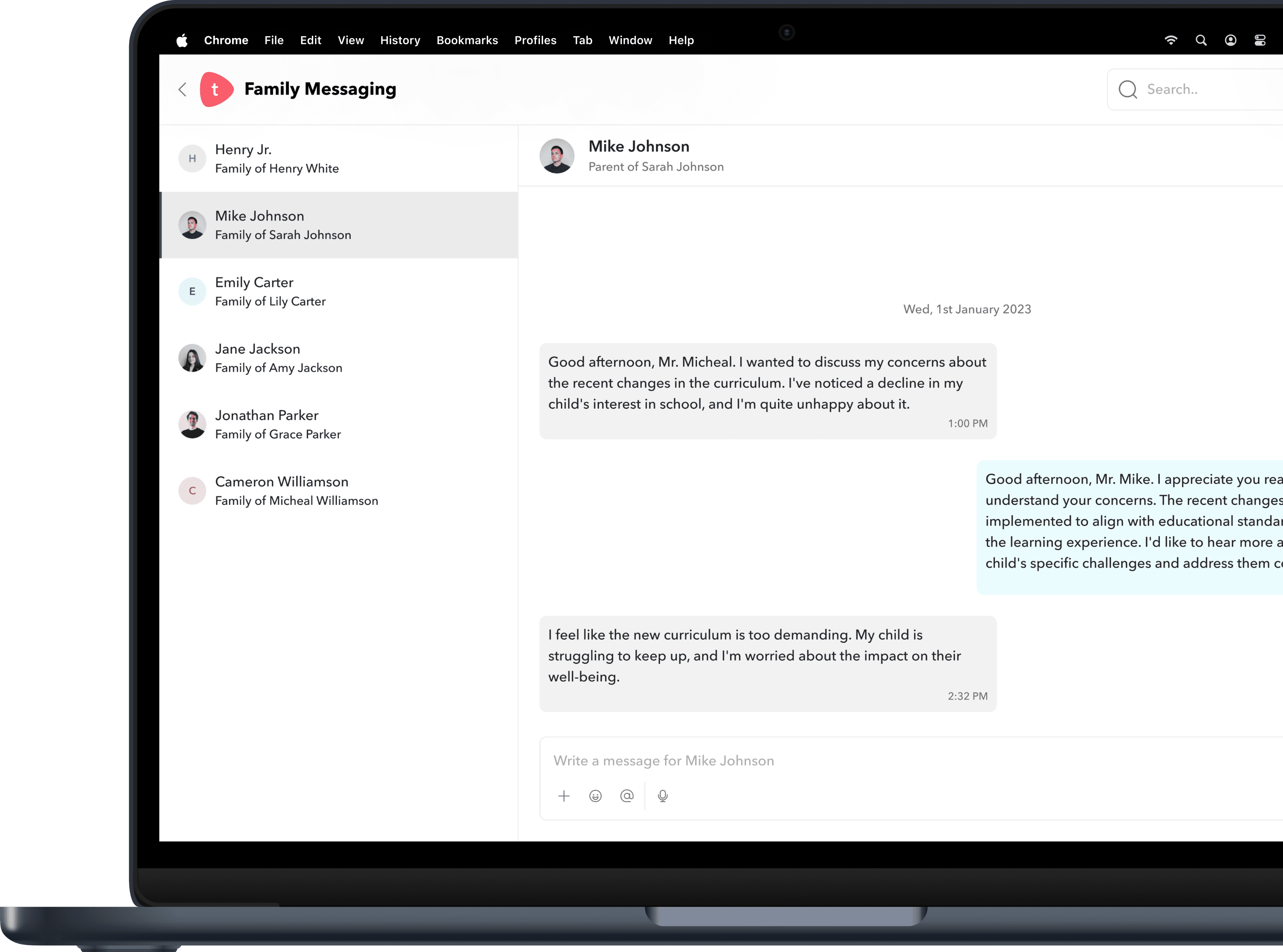
And worse, messaging was only accessible via the homepage.
So every time a teacher needed to speak to someone, they had to exit whatever they were doing, find the homepage, open the family messaging module, open the chat, and start from scratch. It wasn’t just inconvenient. It was broken.
And in a space where collaboration is everything, this created cracks.

The friction we uncovered.
We didn’t just guess what was broken; we traced the evidence. From support tickets across 80+ schools to logs compiled by our customer success team, and direct interviews with 14 teachers, admins, and parents, a few recurring patterns came into sharp focus.
We grouped these into four core friction themes:
Messaging gaps between stakeholders.
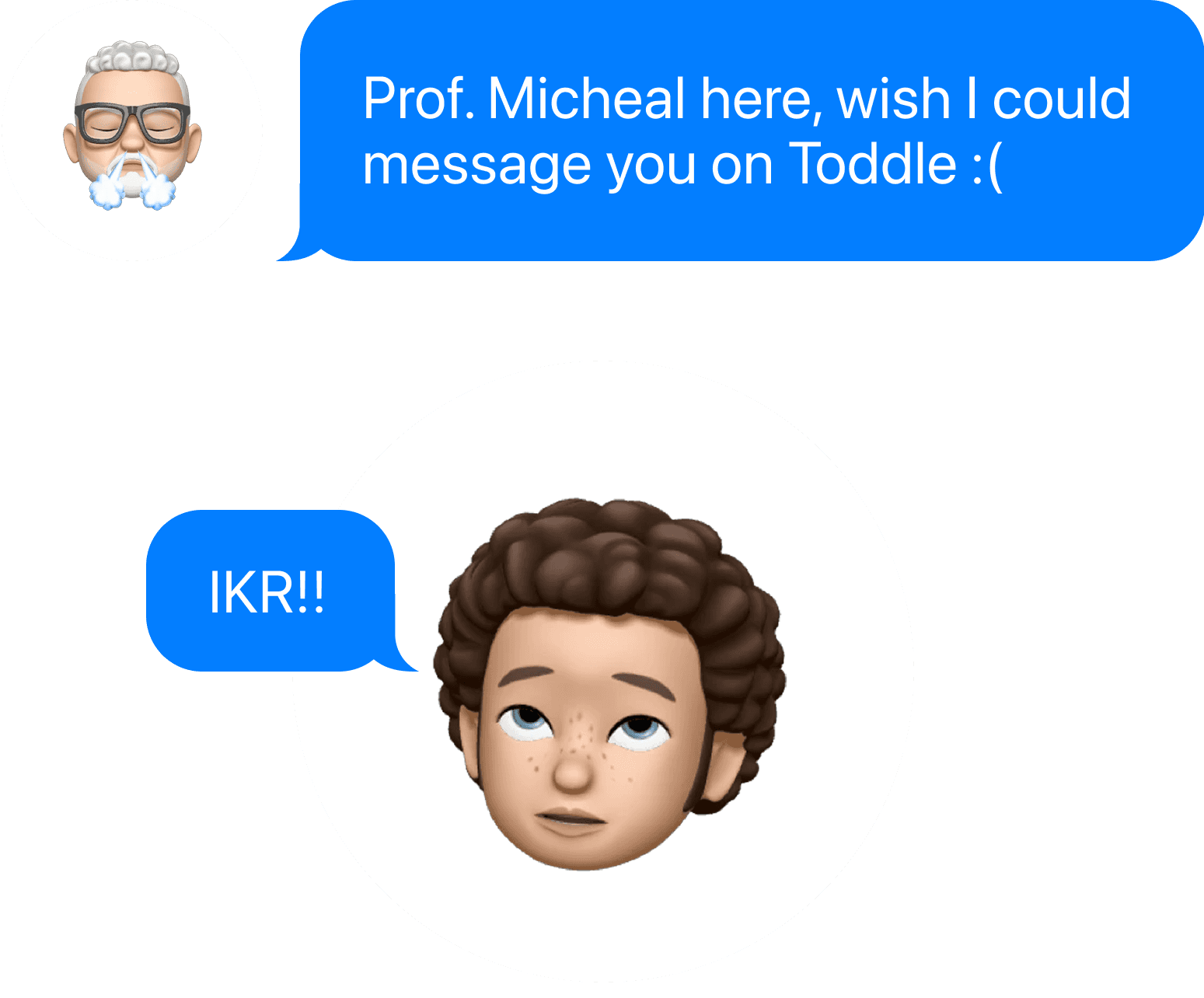
Teachers couldn’t message students or other staff; only parents. Admins had no direct way to broadcast updates to staff. Communication between different stakeholder types was fundamentally siloed.
Everything, but not in one place.
Teachers were forced to use email to coordinate with other teachers or admins. Important conversations lived outside the platform, disconnected from student context. There was no central place to track or revisit prior discussions.
Lack of flexibility in conversations.

No way to message both parents of a student in one place. Teachers couldn’t loop others into an ongoing thread. Conversations often started as 1-on-1 but needed to grow; and the system didn’t support that.
Workflow interruptions.

Messaging was only accessible via the homepage; forcing teachers to exit what they were doing. There was no shortcut to message someone from places like the gradebook or planner. These context switches added up, breaking focus multiple times a day.
Three stories that shaped the problem.
Some stories during research stay with you not because they’re loud, but because they reveal quiet friction that’s been ignored for too long.
These were three such moments. Simple on the surface, but they helped us see just how tangled communication had become.

“Sometimes I end up messaging only one parent and hope they pass it on. But I’m never sure if they do.”
Stacey, the Grade 3 Teacher.
Stacey was reviewing student reports when she needed to inform the parents of one child about a change in schedule. But when she pulled up the student’s profile, she saw five different family members linked.
So... who should she message? Just the primary contact? Both parents? All five?
There was no guidance and no option to message them together.

“It wasn’t that people didn’t want to help. They just didn’t see it in time.”
Margi, the School Administrator.
Margi was coordinating the school’s annual day event. A few logistics had gone sideways, and she needed quick input from teachers across departments.
But there was no way to ping them on Toddle.
She sent out an email instead and waited.

“I’m not saying it’s wrong. But it’s hard to know what’s important when everything comes separately.”
Ethan, the Parent.
Ethan kept getting updates from different teachers math on Monday, science on Wednesday, homeroom on Friday.
Each came as a standalone one-on-one message. No overlap. But no alignment either.
What we realized was this: people weren’t just asking for messaging.
They were asking for a better flow. One that:
Keeps momentum by reducing the need to jump between multiple tools, letting people stay focused on the task at hand.
Works seamlessly across different roles and situations, ensuring everyone can use it in ways that fit their responsibilities.
Feels purpose-built for how schools actually communicate, aligning with the realities of everyday interactions.
Who we were designing for.
We weren’t just solving for messaging - we were solving for the people behind it. These four roles shaped how we thought, built, and shipped.


Where we stood against the world.
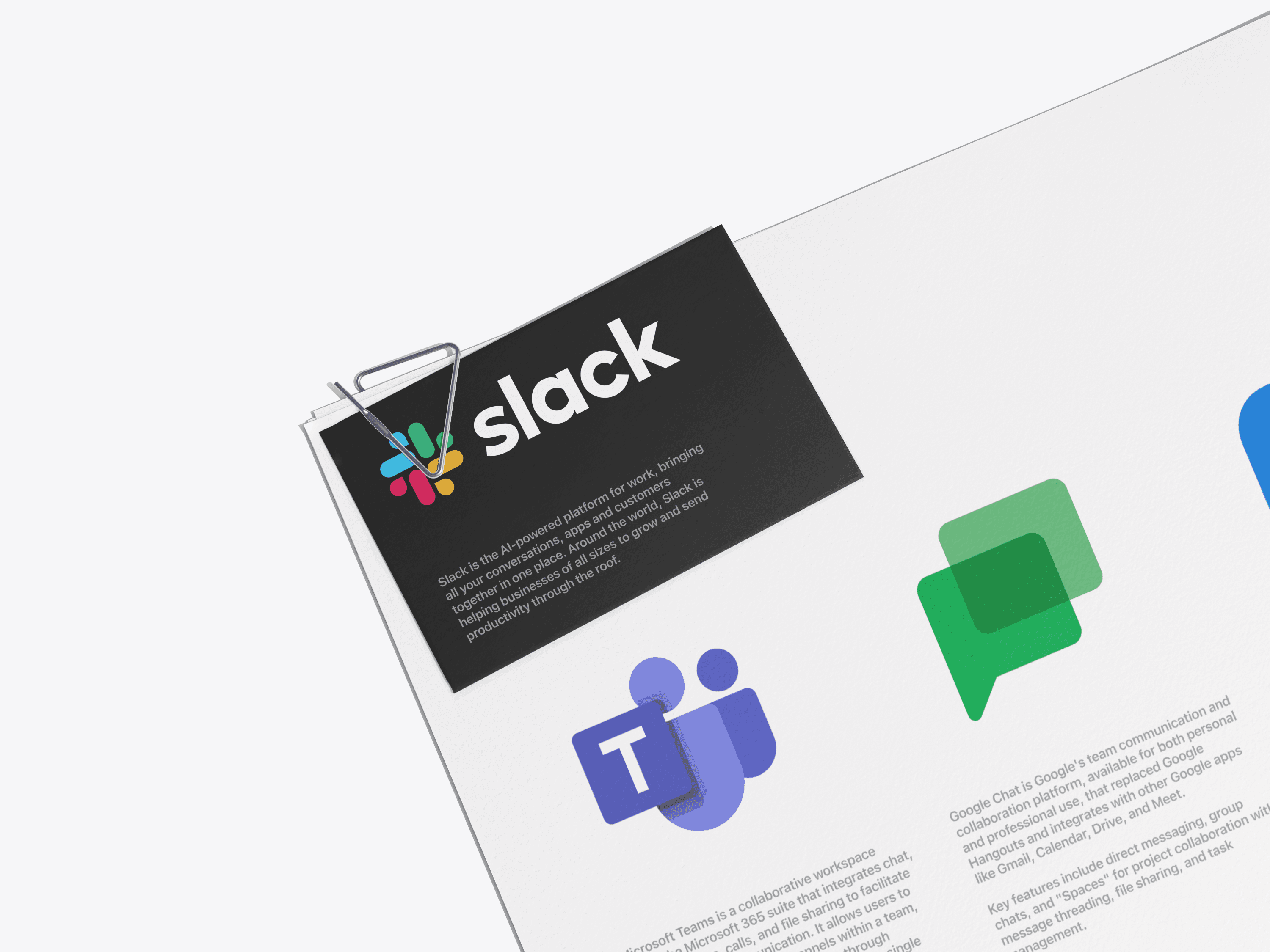
We benchmarked our product against tools like:
Slack (channel structure, thread clarity)
Remind (school-to-parent workflows)
MS Teams (role-based control)
Google Chat (lightweight access)
And also LMS platforms like ManageBac and PowerSchool.
The results were clear. We were far behind.
The competition
reality check.
We peeked over the fence: Toddle’s old Family Messaging? Dead last in the feature race.
Feature
One-on-One Messaging
Group Channels
Role-Based Access Control
Threaded Replies
Integration with LMS
Automated Channel Creation
Slack
Yes
Yes
Yes
Yes
No
No
Teams
Yes
Yes
Yes
Yes
Partial
Yes
Remind
Yes
Limited
Yes
No
Partial
Yes
Chat
Yes
Yes
Limited
Yes
No
No
Toddle
Yes
No
No
No
Yes
No
Our north star.
So we asked ourselves:

HMW support structured, contextual conversations?

Sync members with Toddle database

HMW ensure chats auto-update with school data?
HMW enable messaging from anywhere in the platform?

Too much to handle?
HMW reduce chaos, not add to it?
From insight to action: Our design principles.
We anchored the redesign in 4 guiding beliefs:
Messaging should meet you where you are, not pull you away from your task.
Structure should reflect real school ecosystems (classes, families, staff teams)
Data should do the heavy lifting, syncing automatically with class and student relationships.
Nothing should disappear - messages should be archived, not deleted, to preserve accountability.

The solution: Messaging that works like school life does.
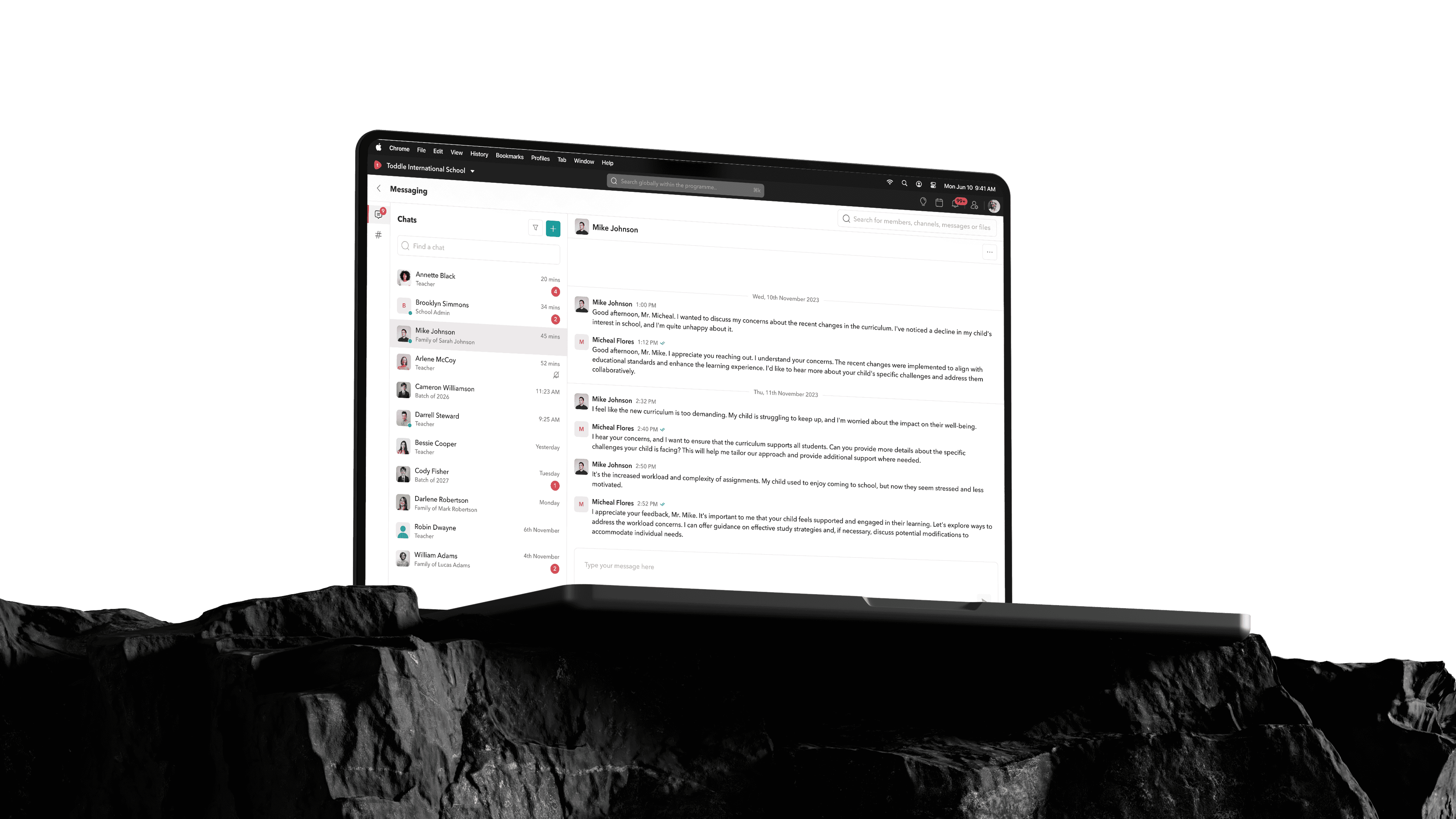
We rebuilt Toddle’s messaging module from the ground up. Not as a feature but as a layer.
One that sits quietly across the platform - but is always there when you need it.
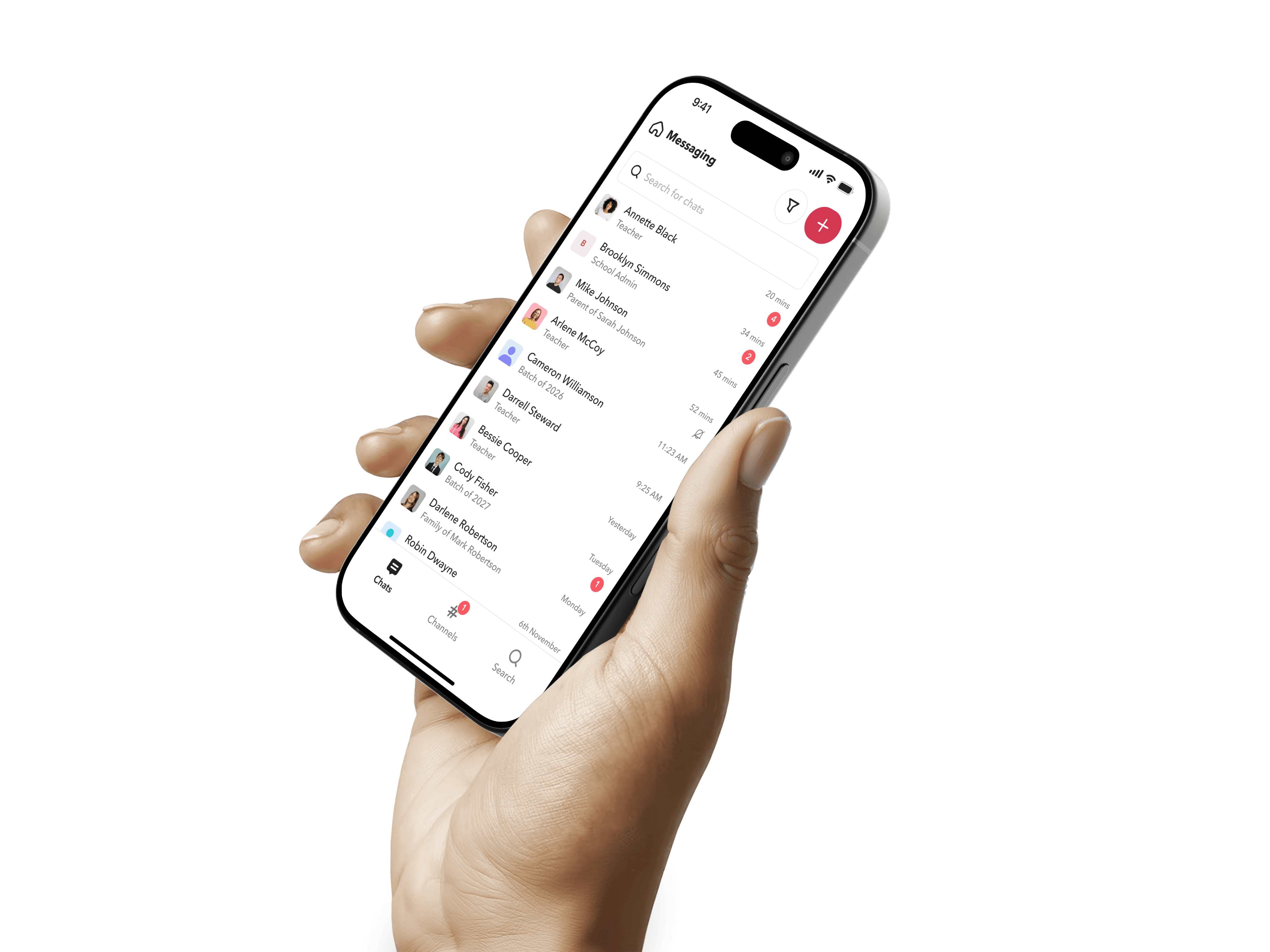
Introducing Chats:
Conversations that just work.
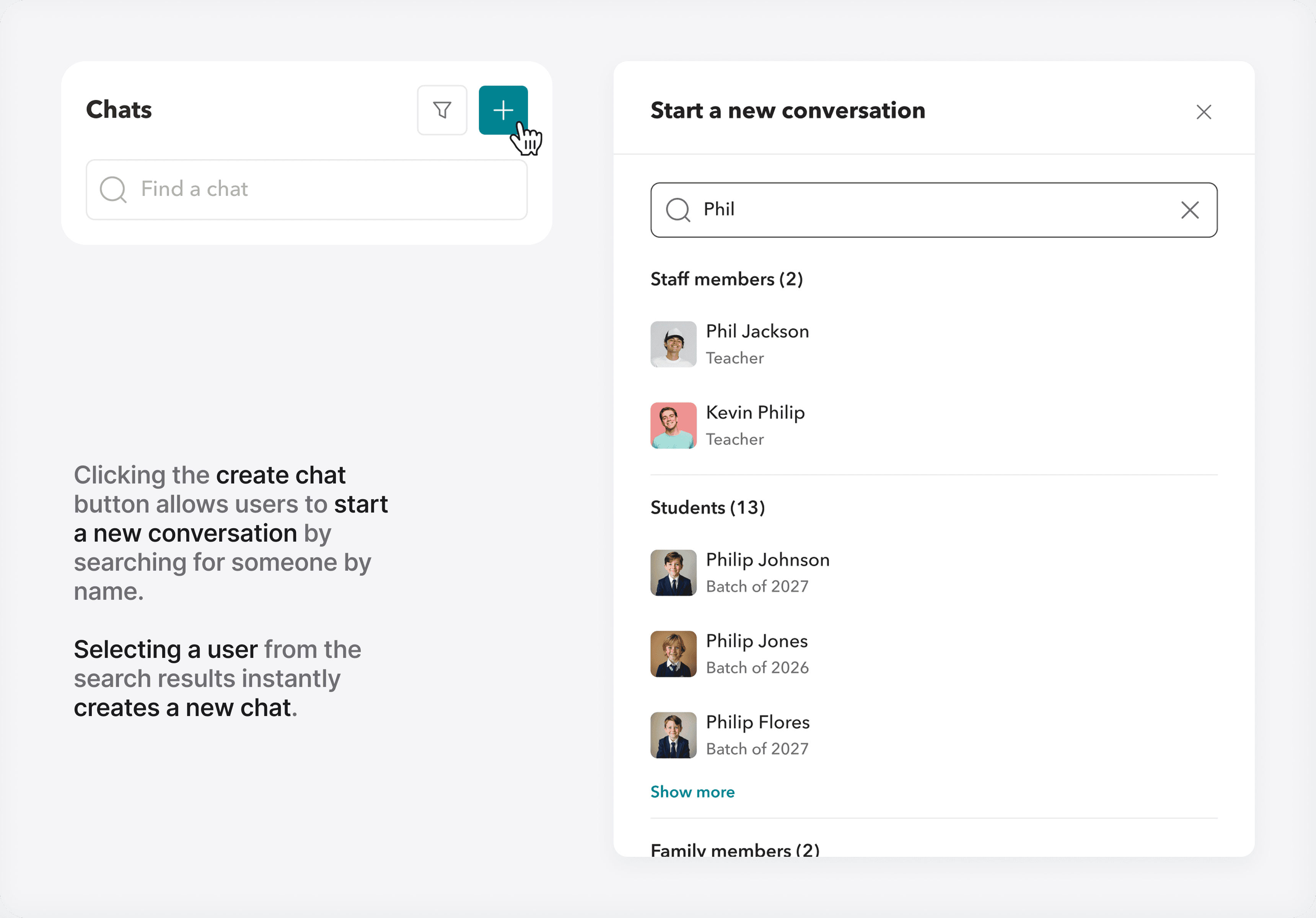
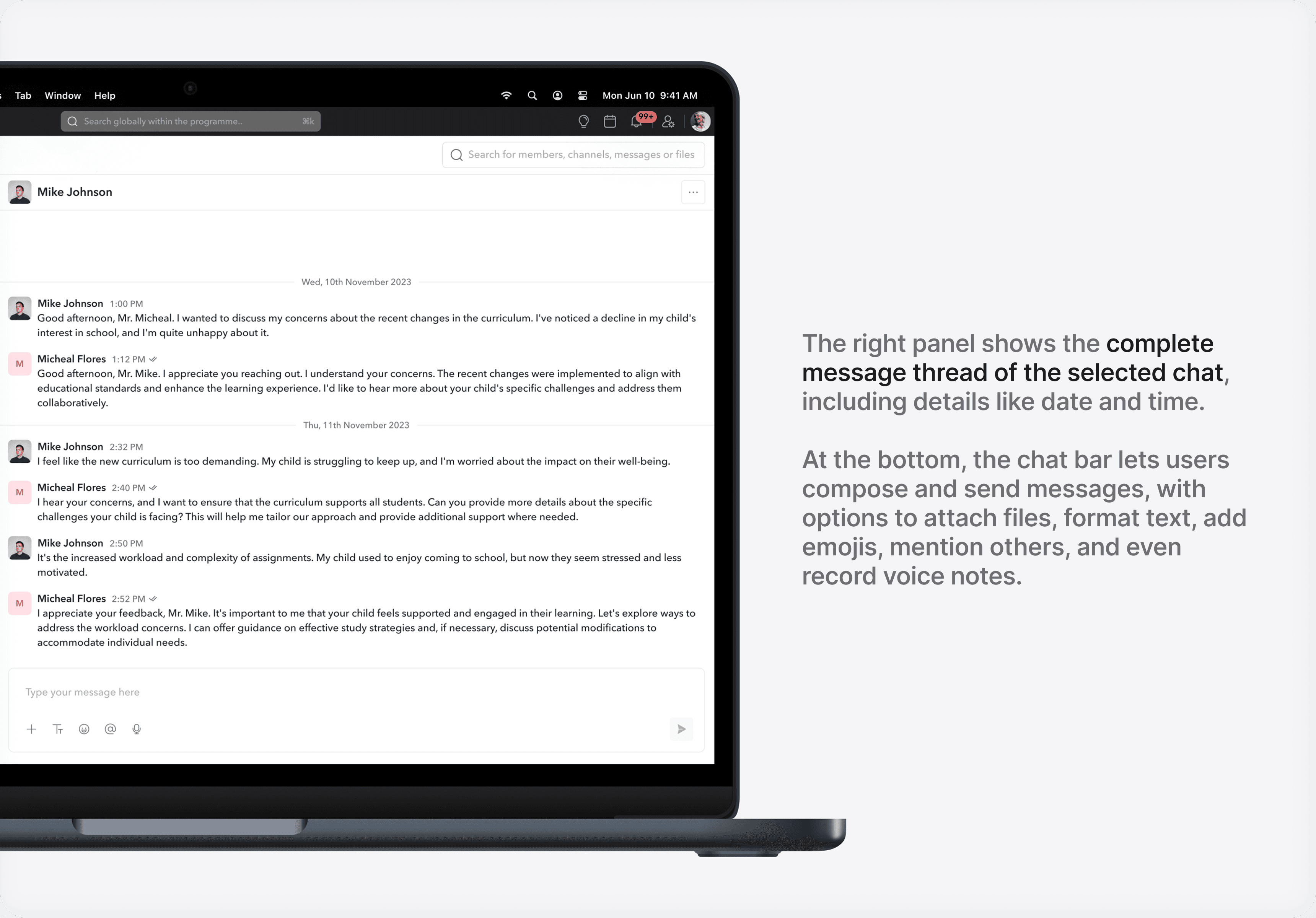
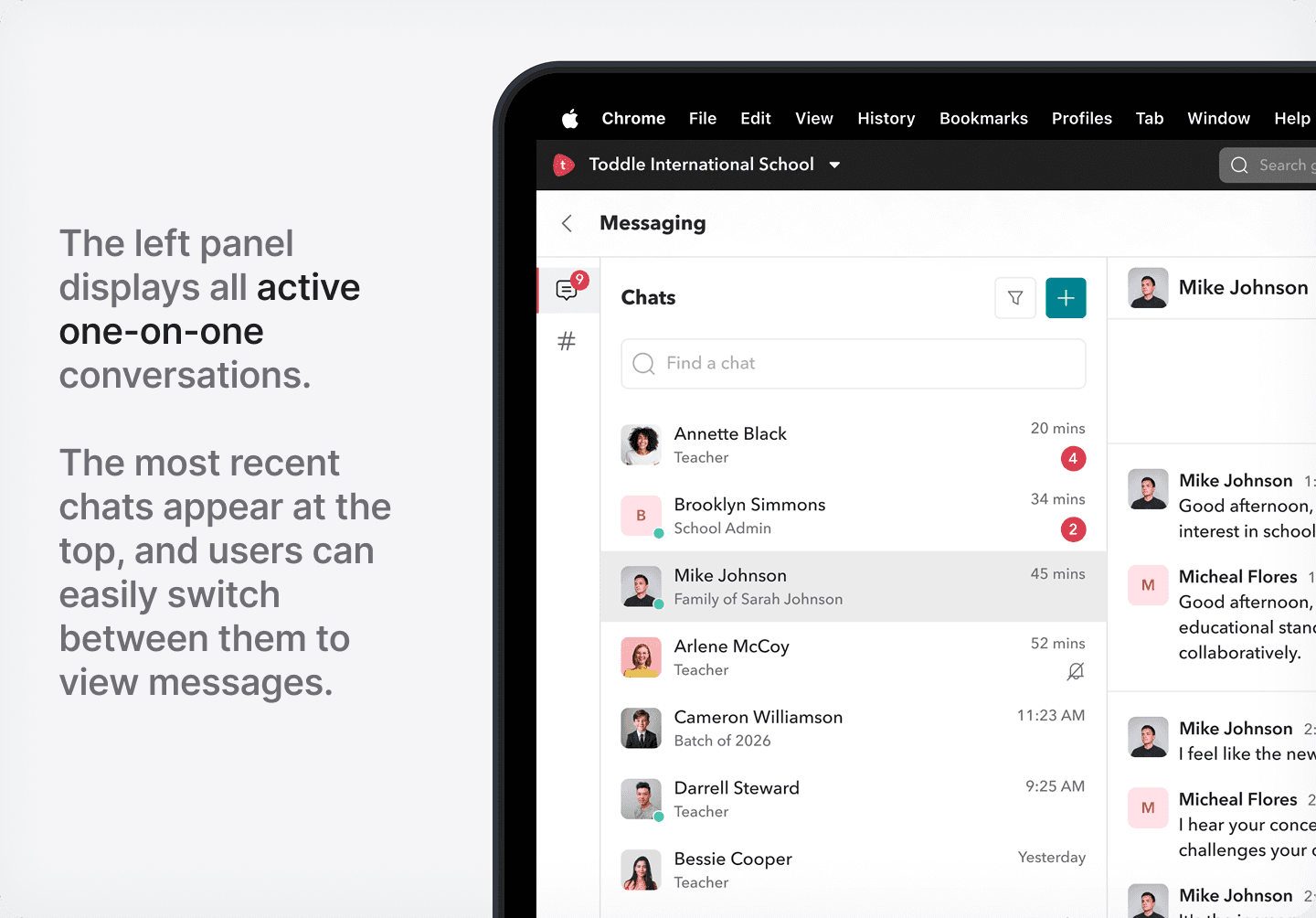
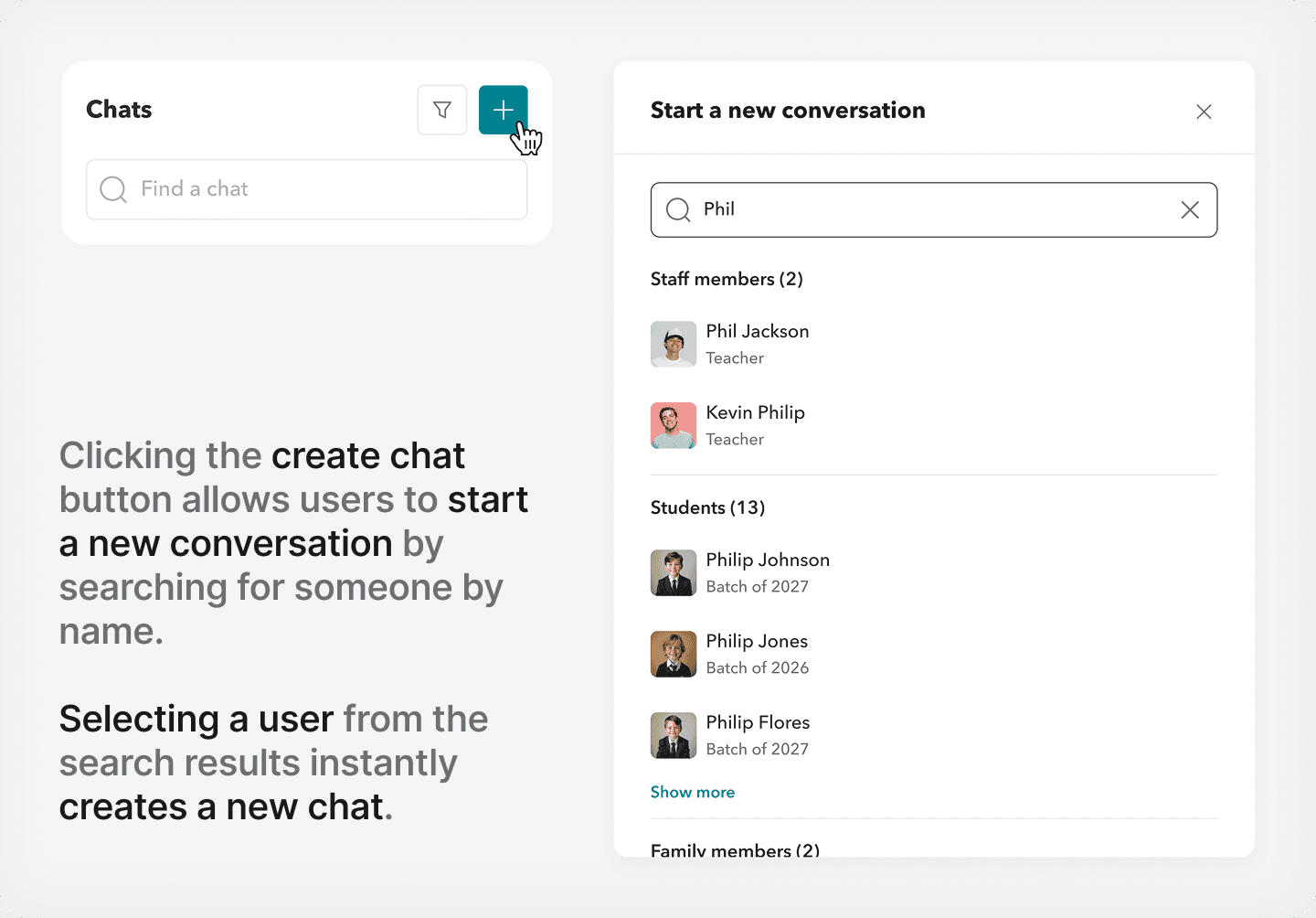
Chats are designed as one-to-one conversations. Teachers can message other teachers, students, and parents, while parents and students can only initiate conversations with teachers.
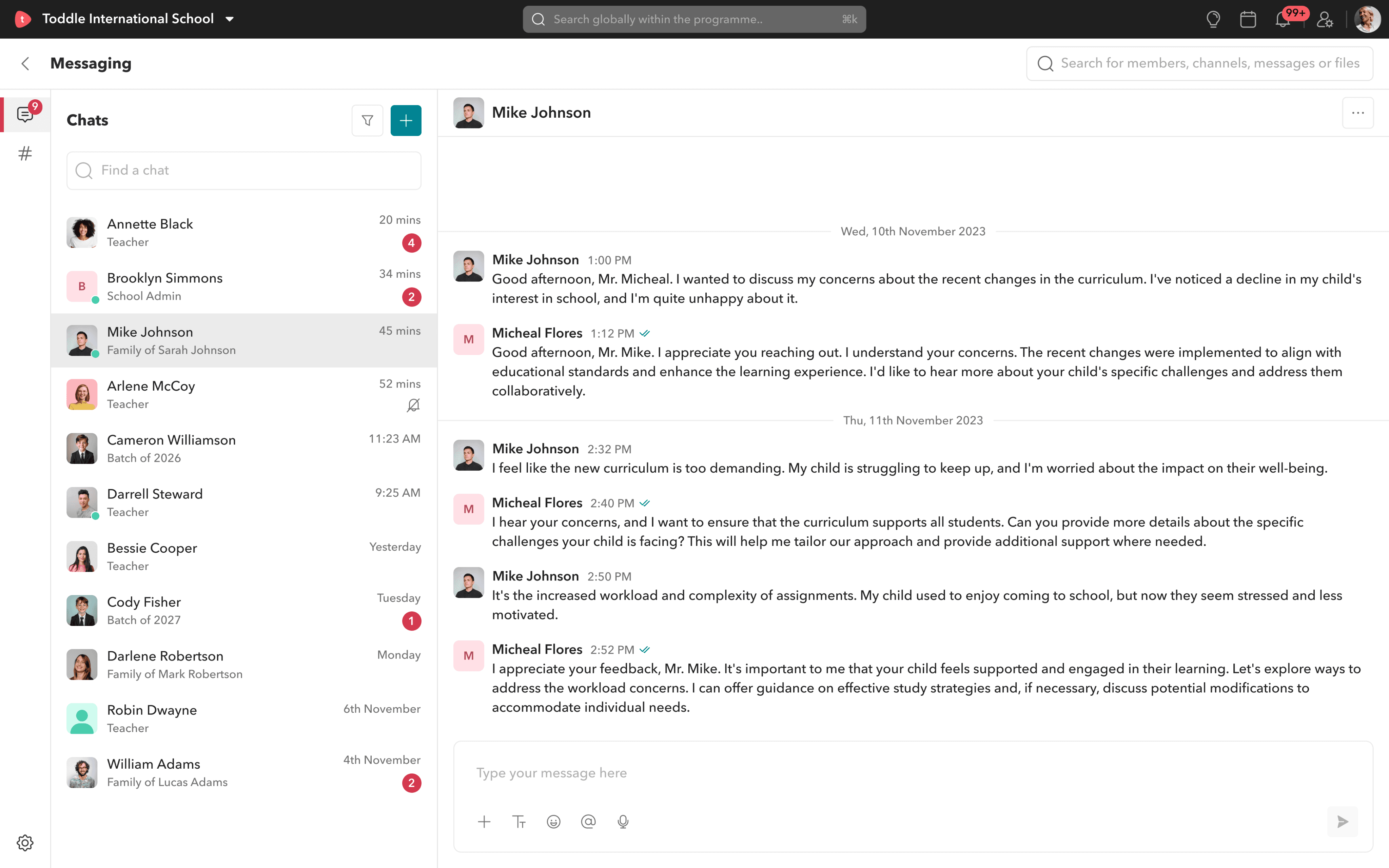
All one-on-one, with role indicators and access rules baked in. No more relying on outside tools just to reach someone.
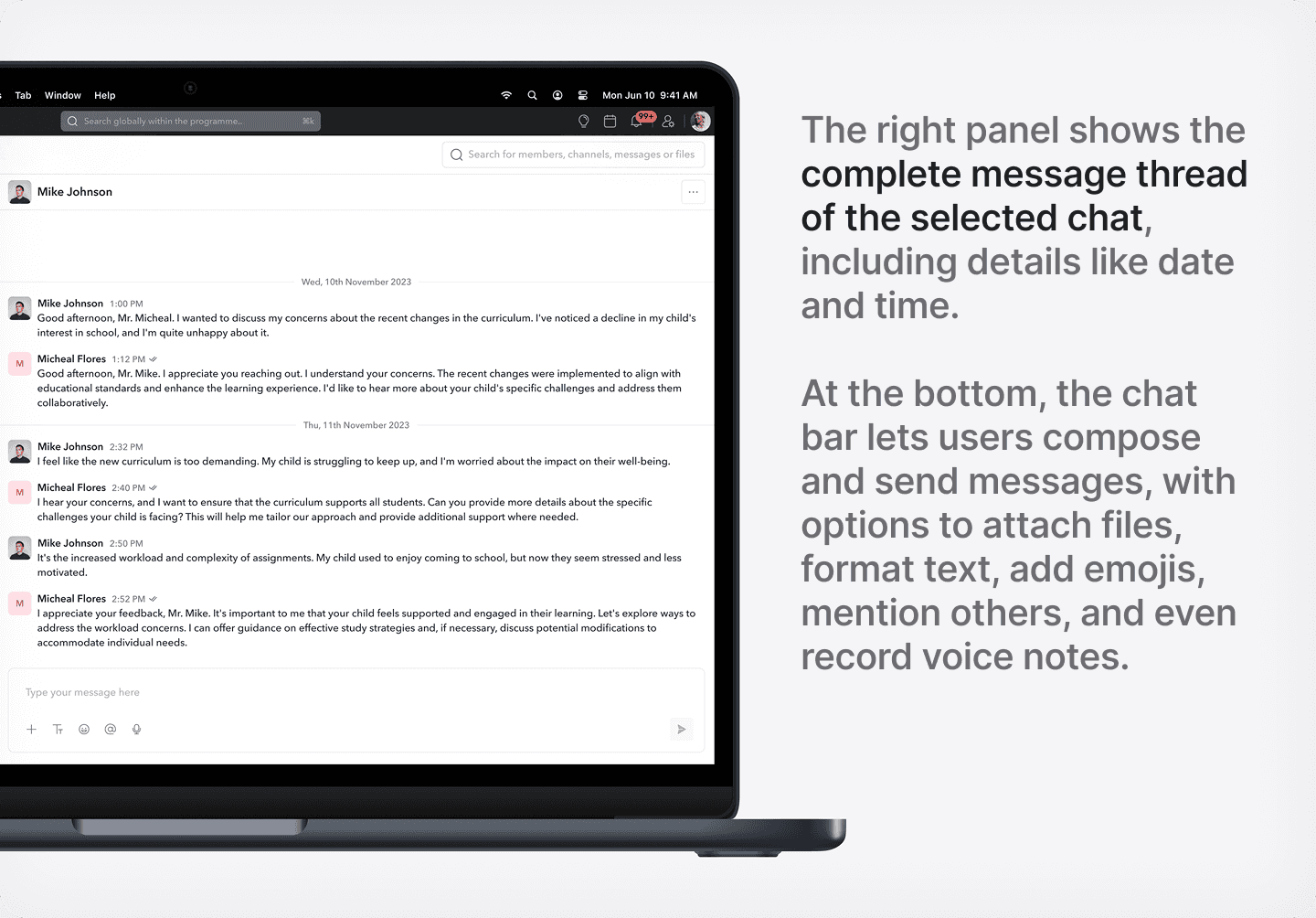
Chats features
Identify people by roles.

Darrell Steward
Teacher
9:25 AM
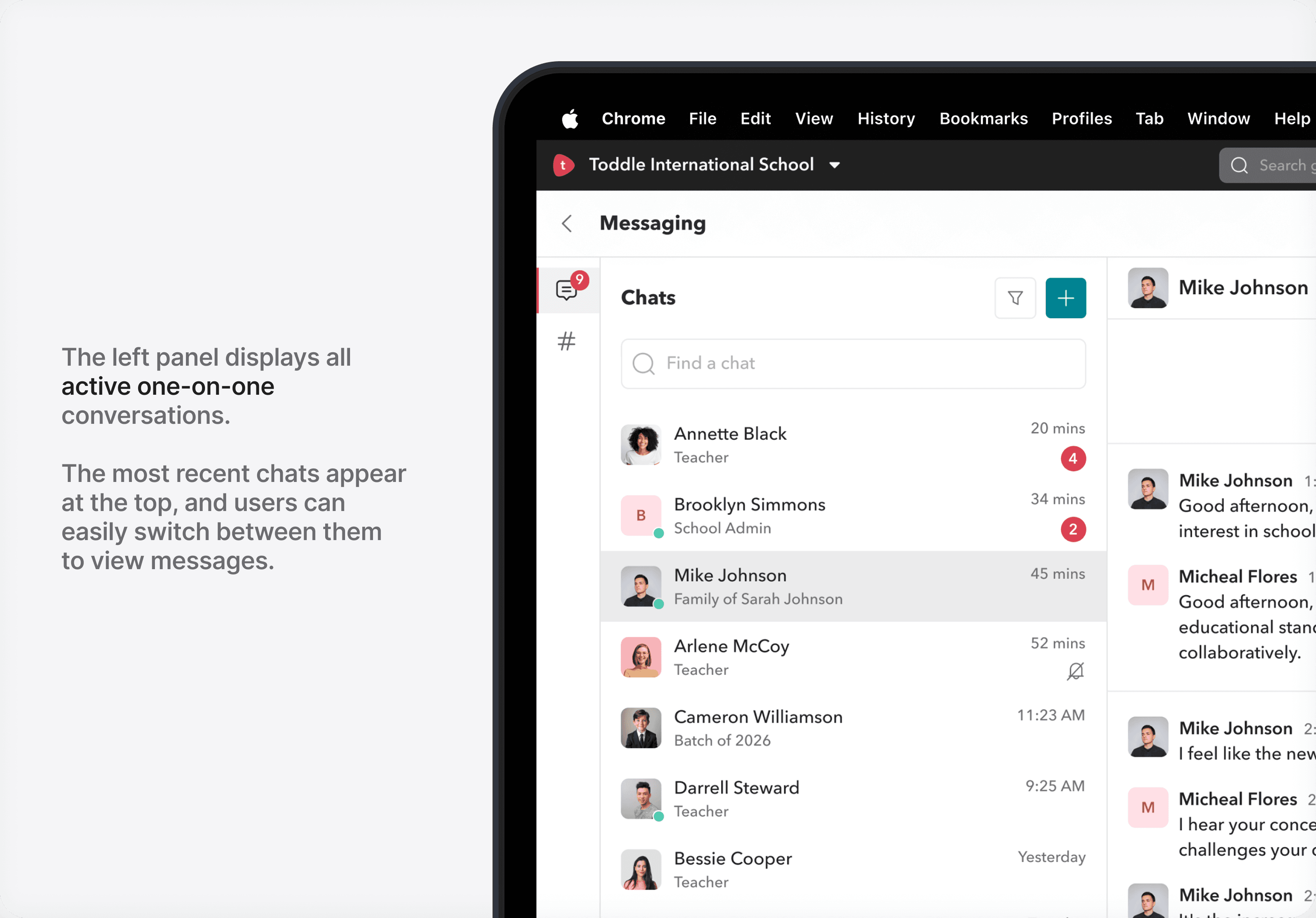
Along with the name and profile picture, each chat also shows the person’s role to reduce confusion. Teachers are tagged as teachers, students by their year group, and family members by the student they’re linked to.
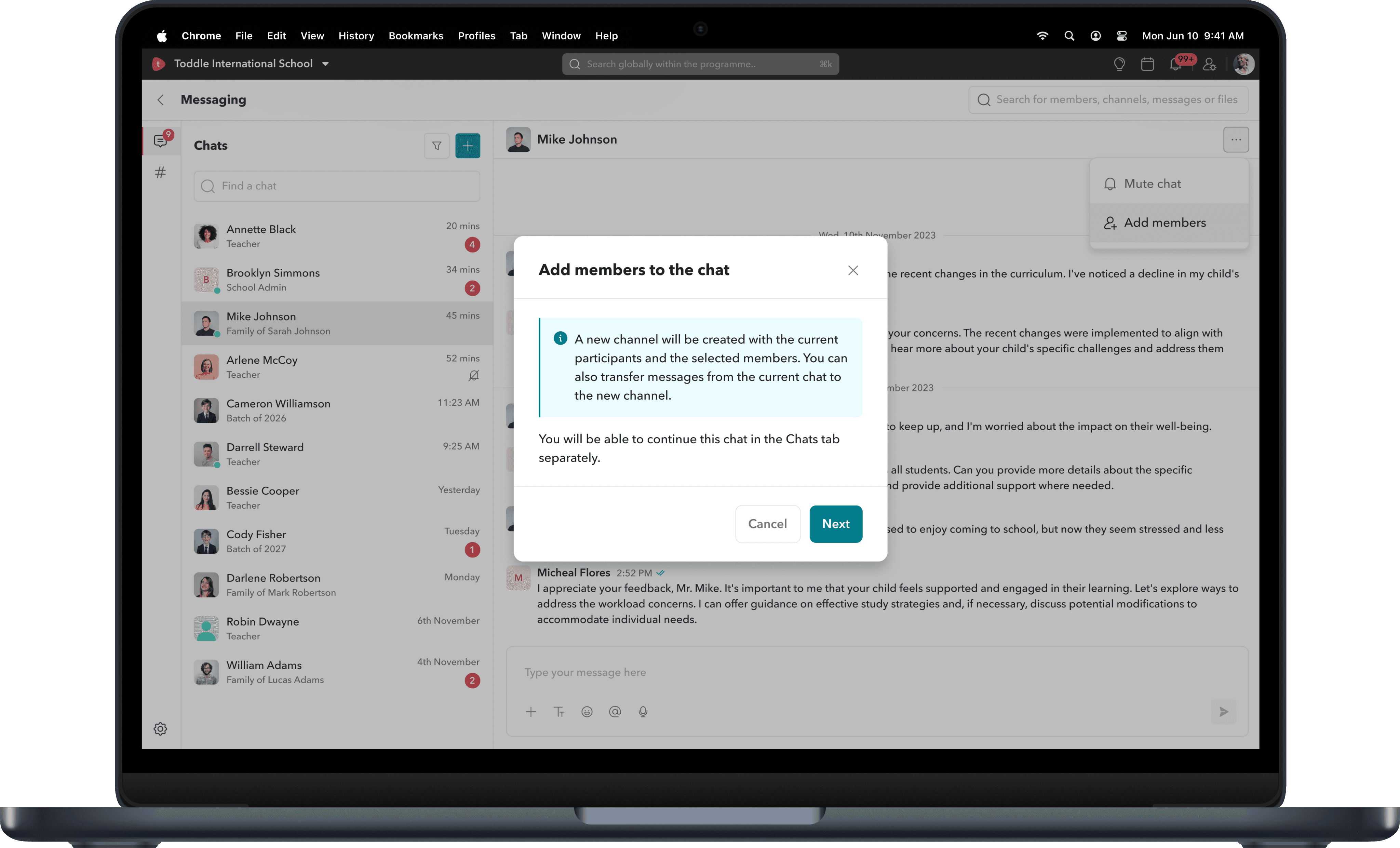
Mute trivial conversations.

Mike Johnson
Mute chat
Add members
Users can mute conversations they find less important. Muting removes unread badges from the chat list and from the main navigation panel, and stops push or email notifications for that conversation.
Find your chats.
Chats
Cameron

Cameron White
Teacher
20 mins
4
C
Cameron Simmons
School Admin
34 mins
2

Cameron Williamson
Batch of 2026
11:23 AM

Cameron Steward
Teacher
9:25 AM
C
Cameron Cooper
Teacher
Yesterday
Users can easily look up their existing chats through the search bar by typing a name, saving time compared to the global search which involves multiple steps and filters.
Filter your chats.
Chats
Find a chat

Annette Black
Teacher
20 mins
4
B
Brooklyn Simmons
School Admin
34 mins
2

Arlene McCoy
Teacher
52 mins
Cameron Williamson
Batch of 2026
11:23 AM
Darrell Steward
Teacher
9:25 AM
All members
Teachers
Students
Family members
Users can filter their chats by member type - teachers, students or family members, making it easier to focus on what matters to them. They can switch between these filters anytime for quick access and better visibility.
Expanding 1-on-1 chats into channels.
Sometimes a 1-on-1 chat needs to grow into a larger conversation.
Since direct chats can’t be expanded, users can transform them into a custom channel. This allows them to add more members and carry over both messages and history, making the conversation flexible and easy to expand.
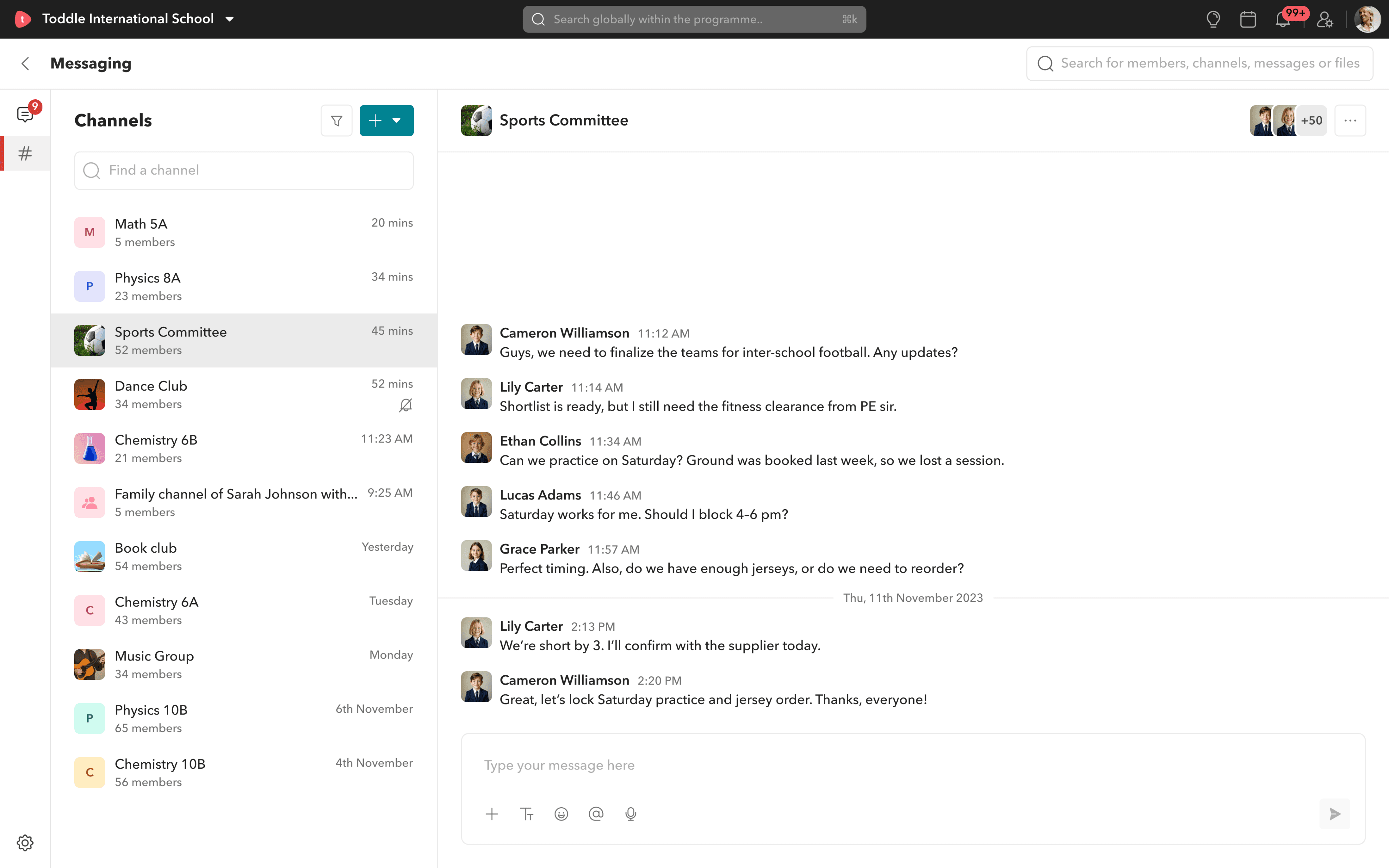
Channels: Group conversations
with real-world logic.
We introduced three types of channels:
Type
Custom channel
Family channel
Class channel
Editable
Yes
No
No
Auto-Synced
No
Yes
Yes
Includes
Anyone manually added
Teacher + All of a student’s parents
All students and teachers in a class
Custom channels.
For things like “Annual Day Committee” or “Grade 5 Art Project”, teachers can spin up custom channels with names, descriptions, and chosen members. It’s flexible. Purposeful.
How to create custom channels?
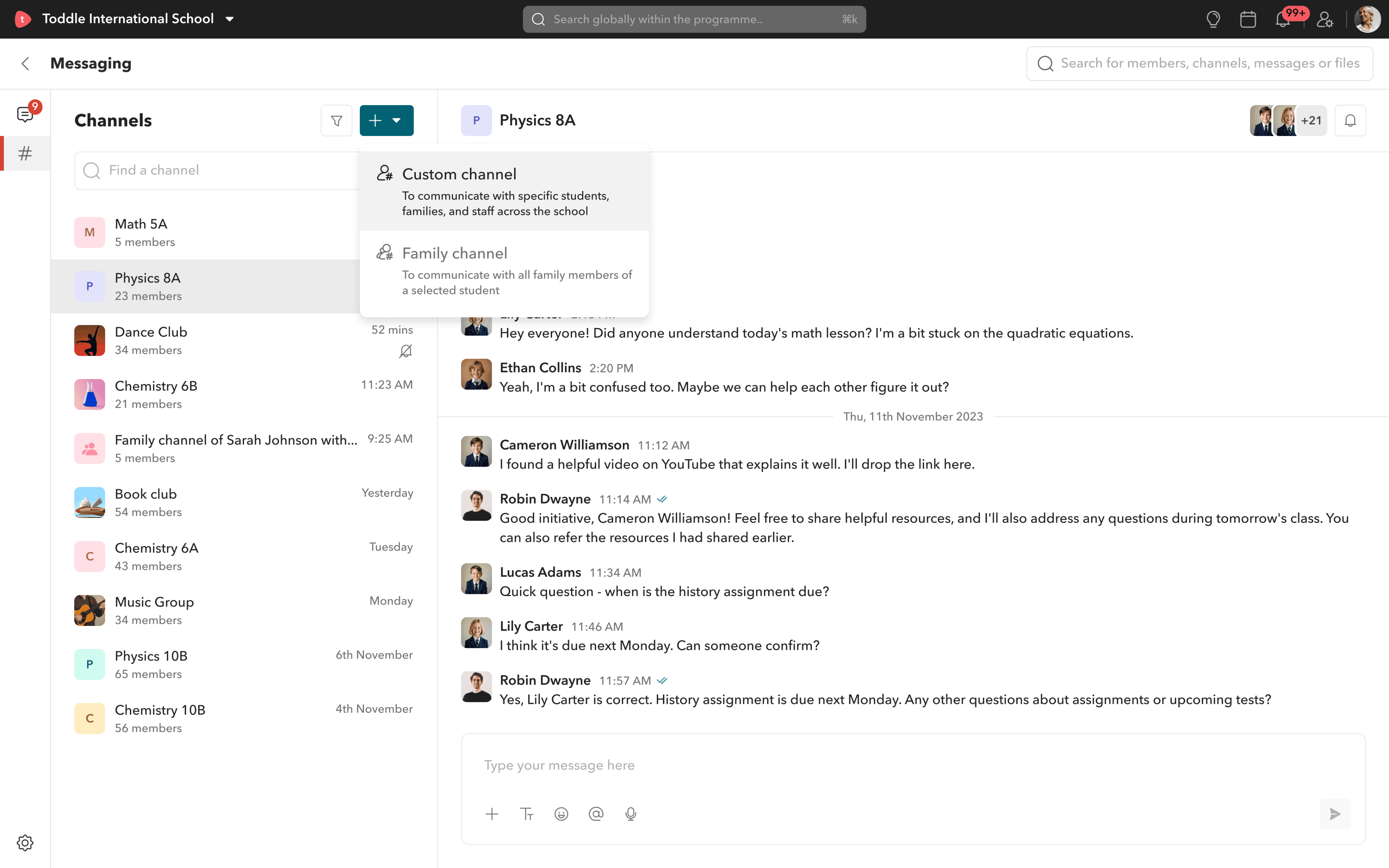
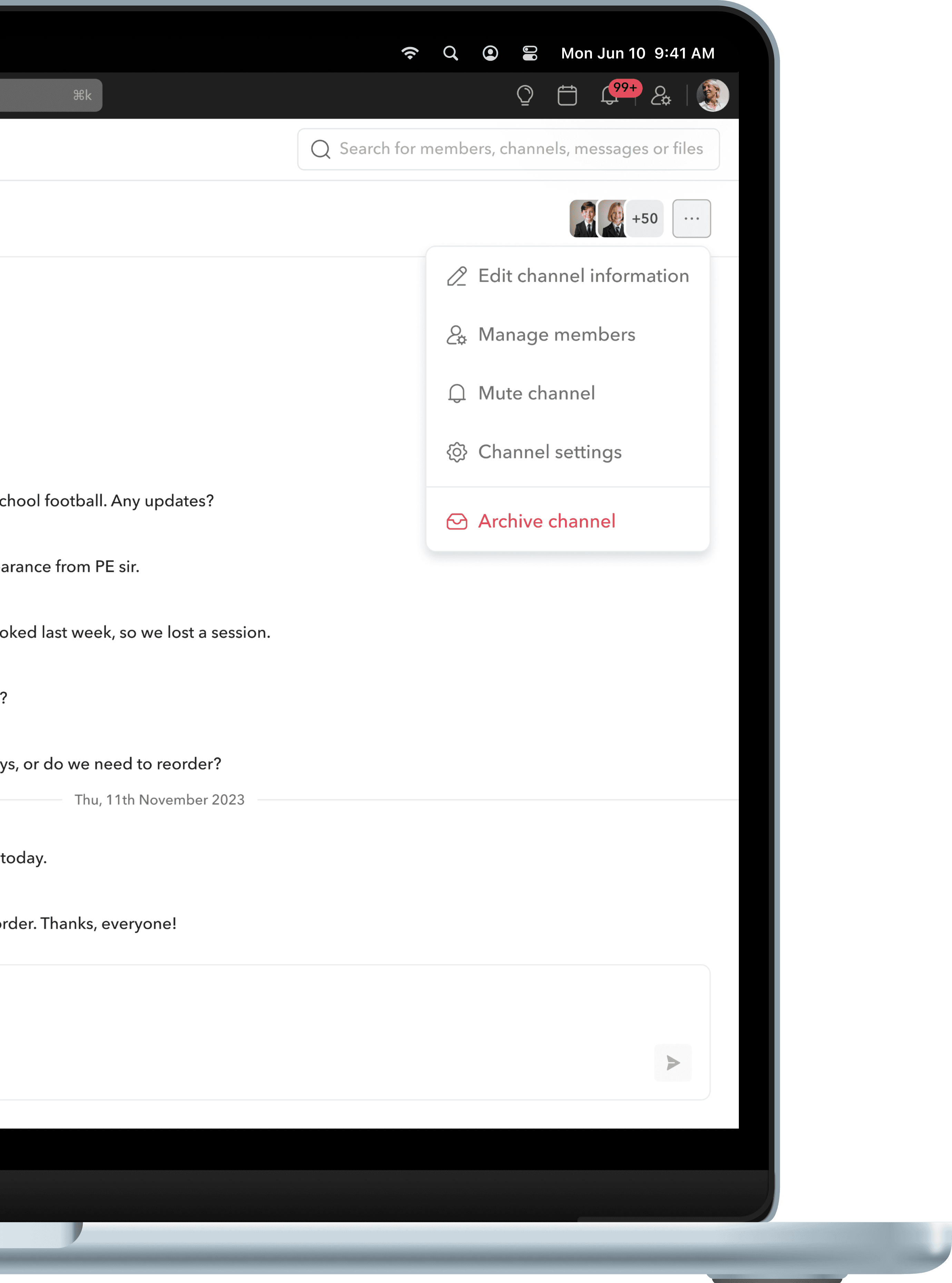
Custom channel actions.
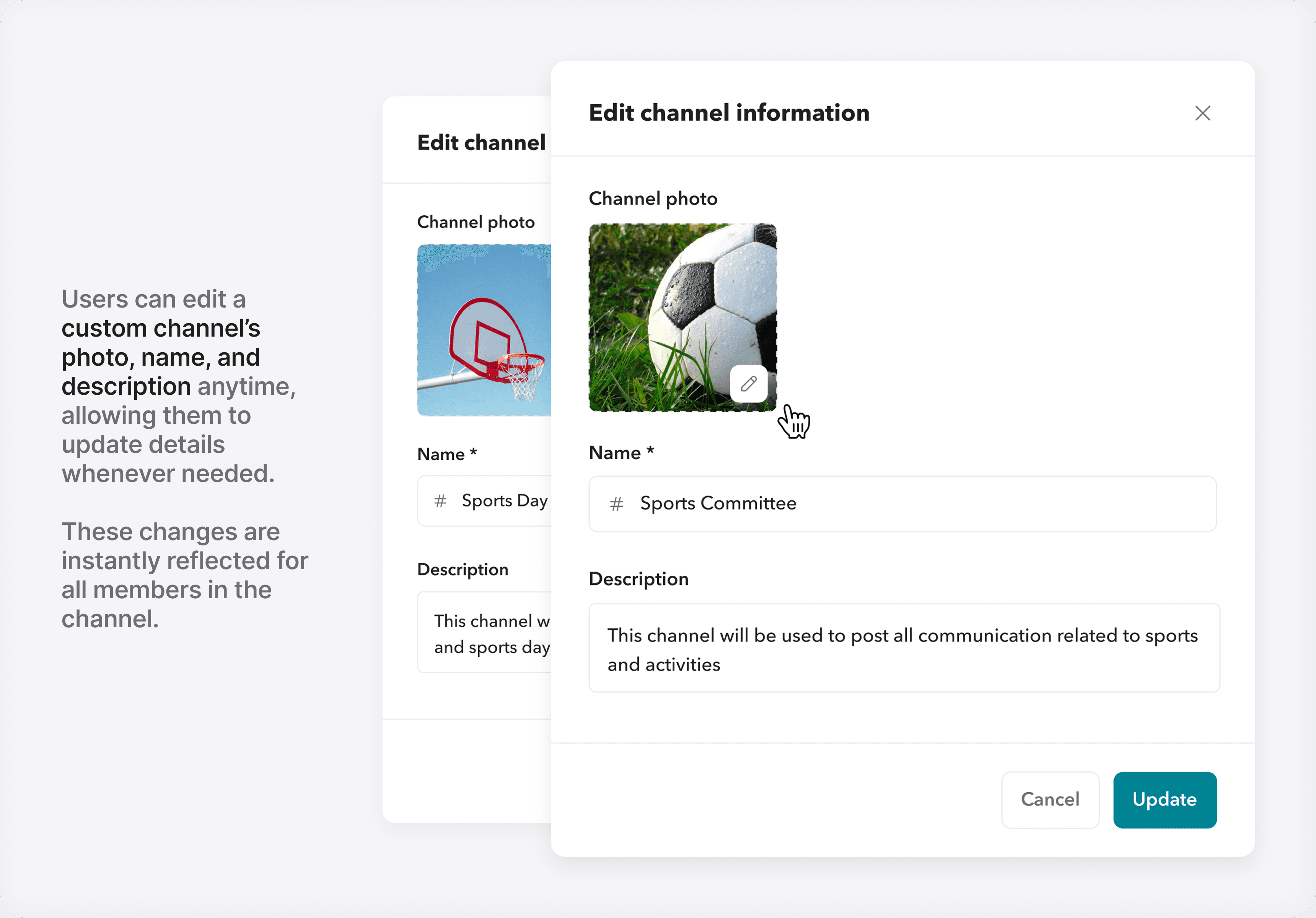
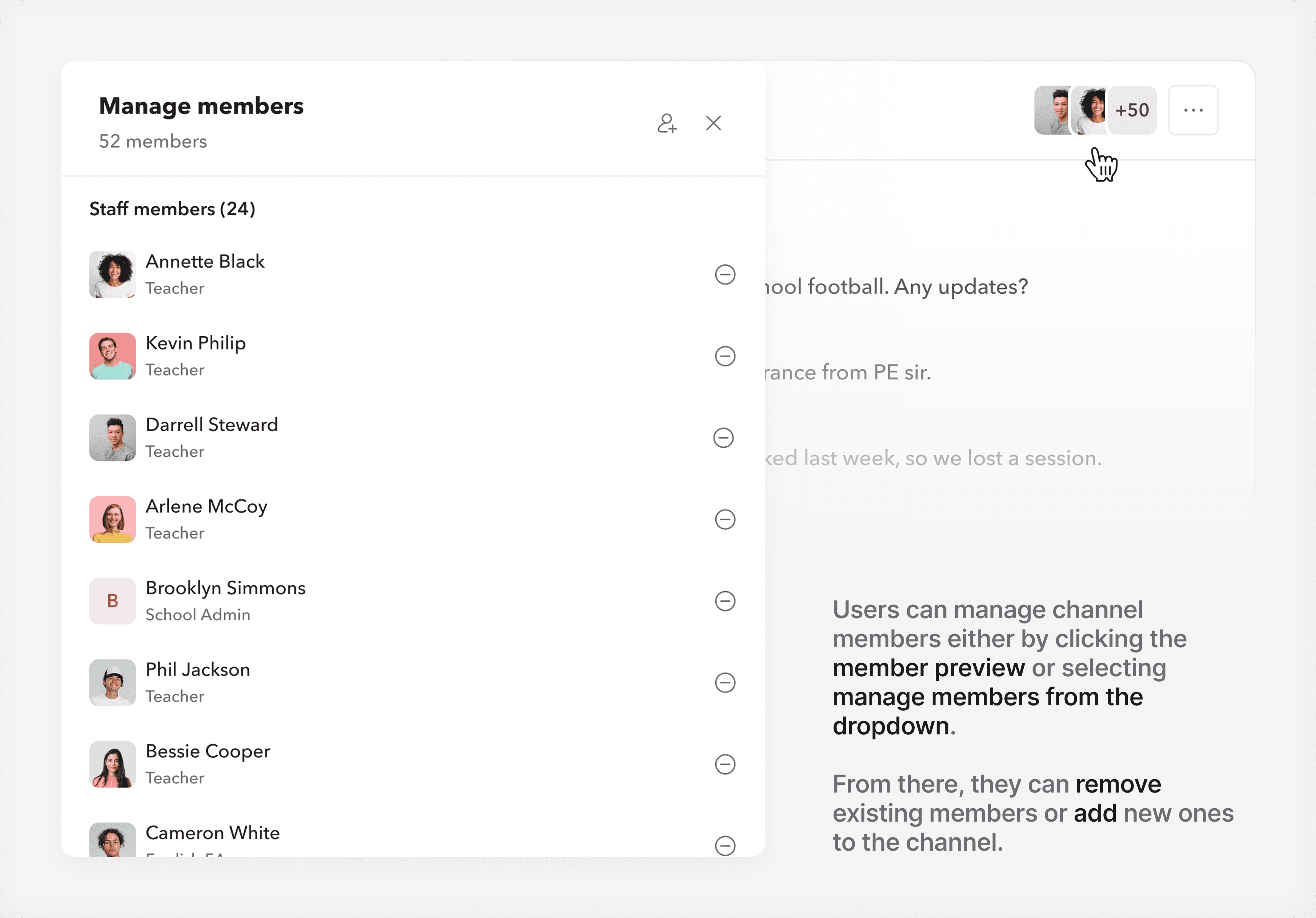
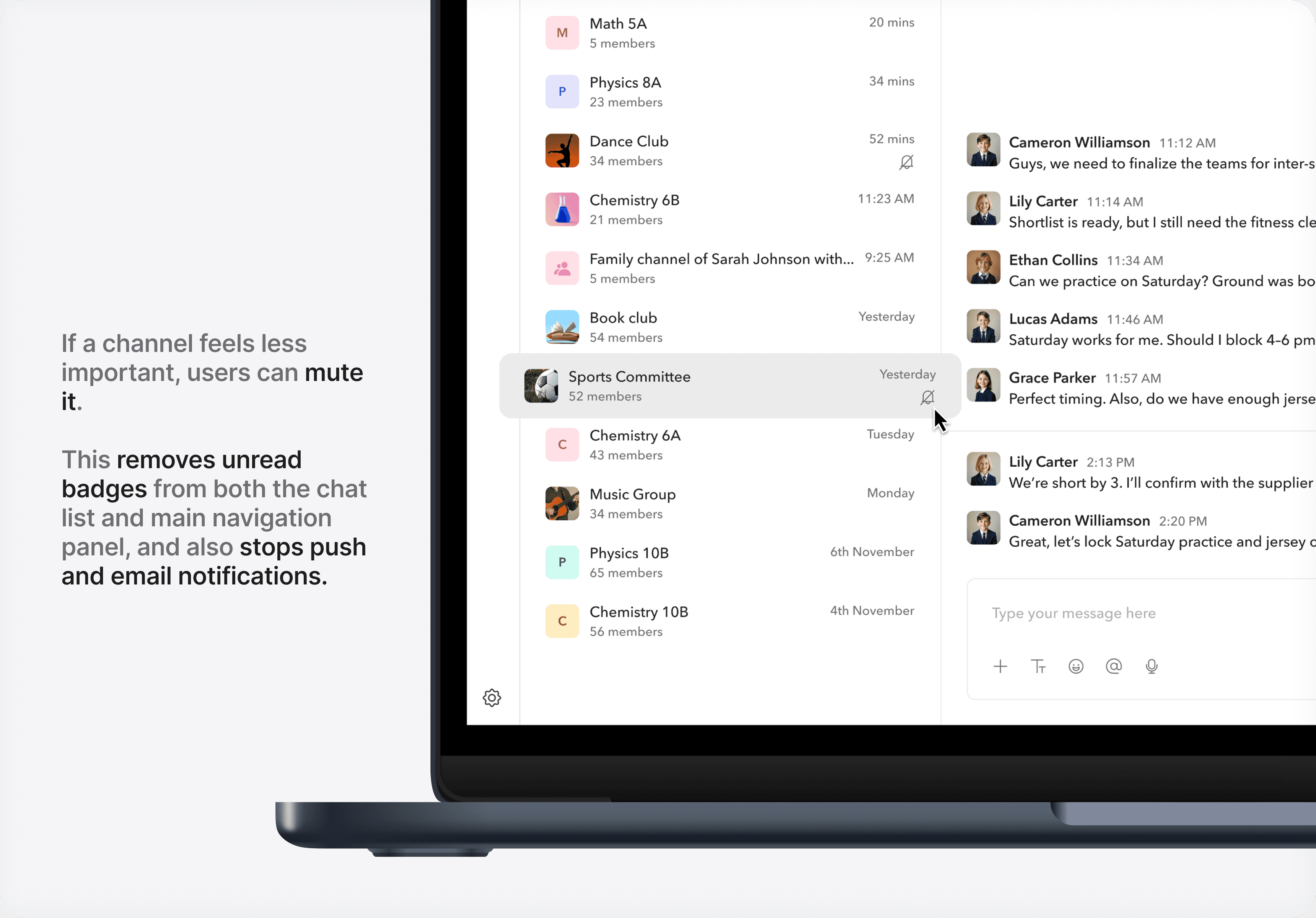
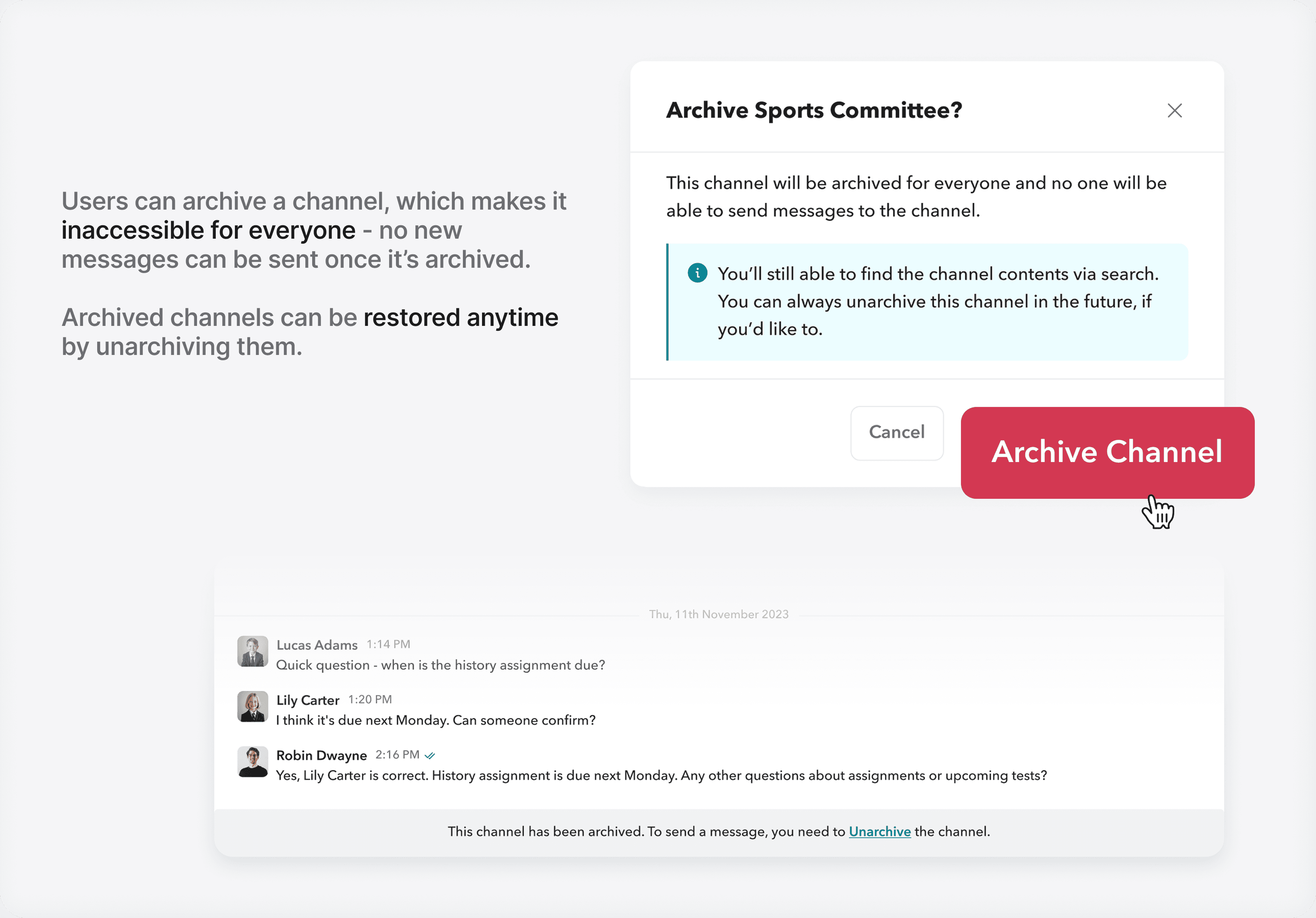
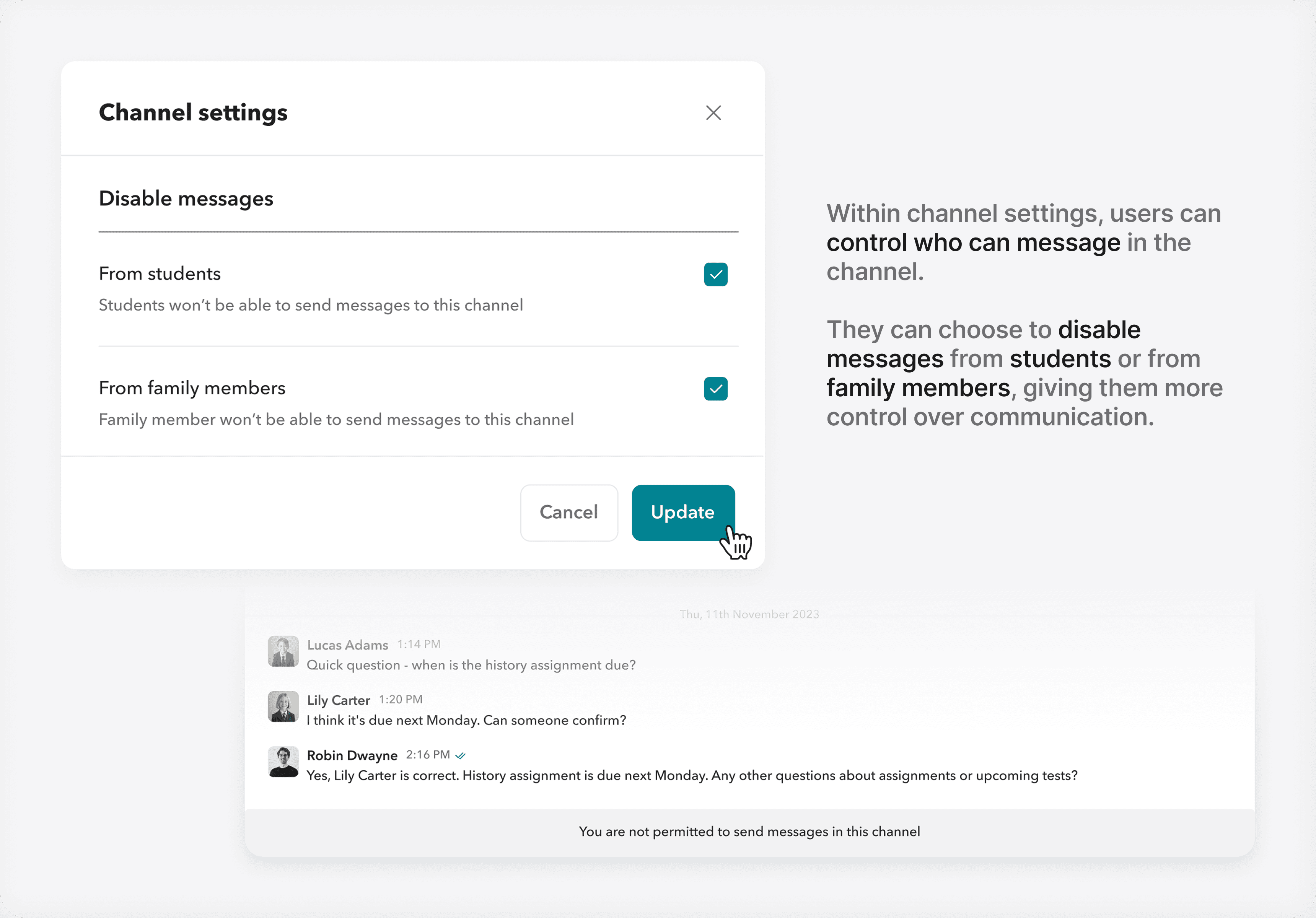
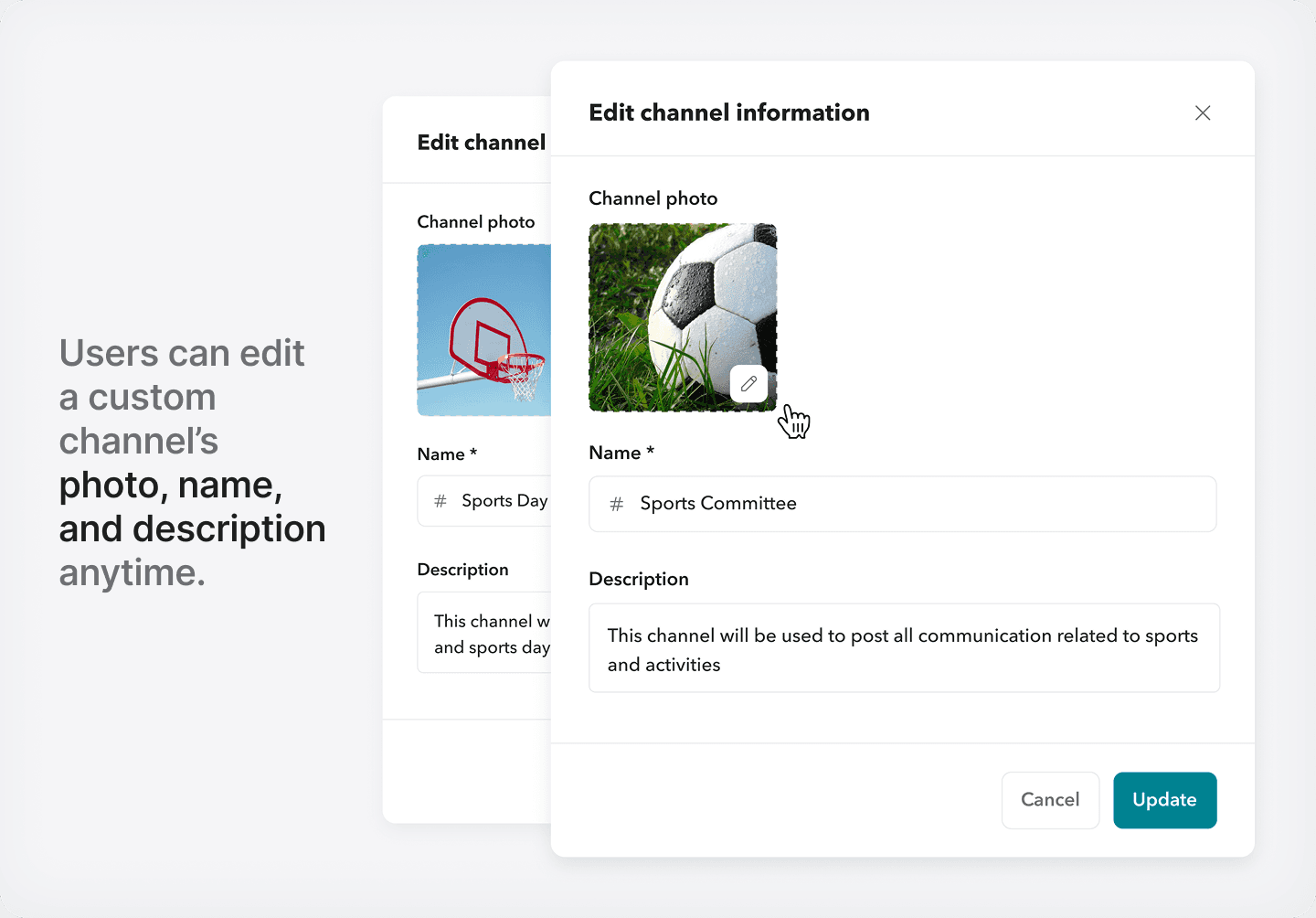
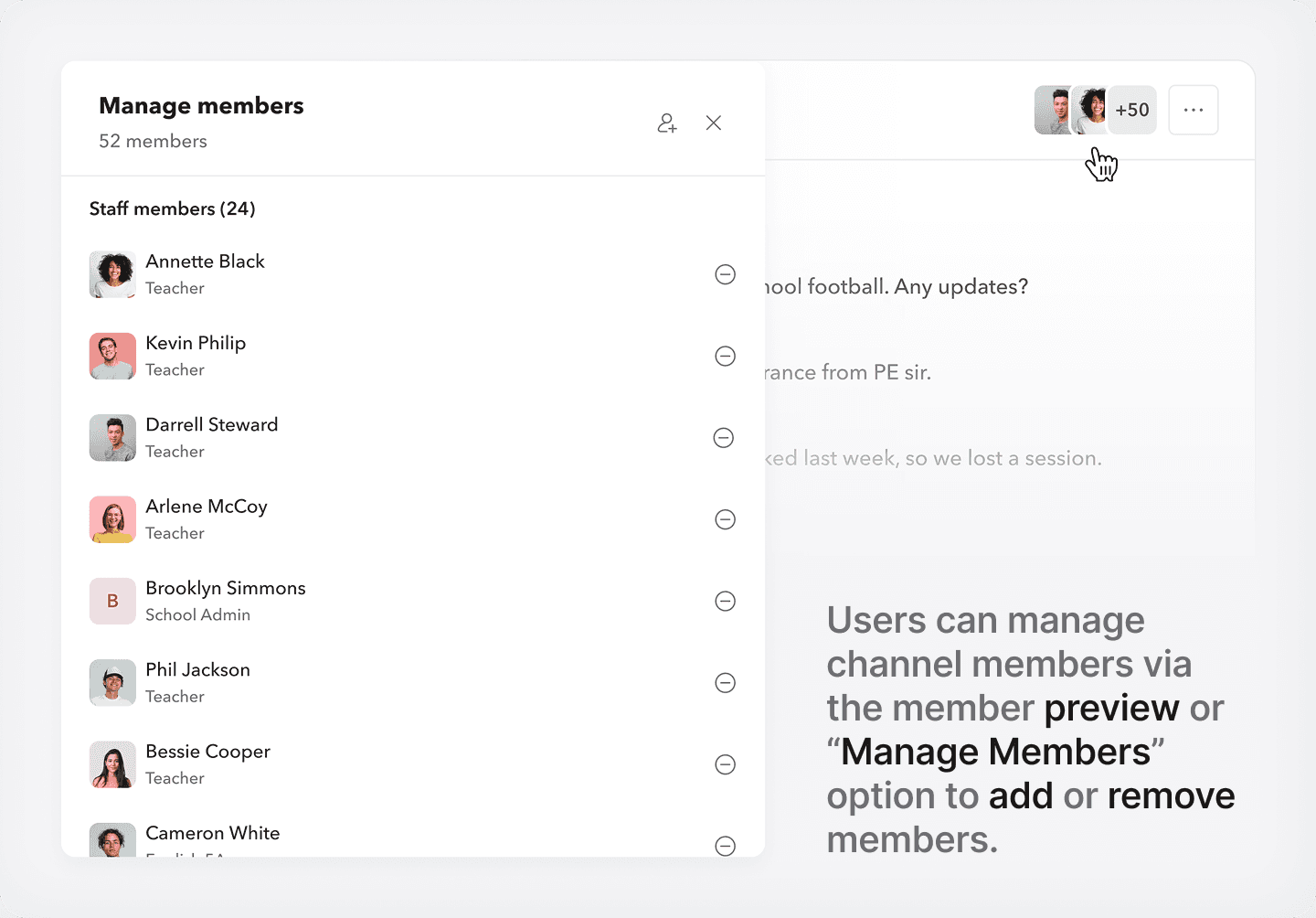
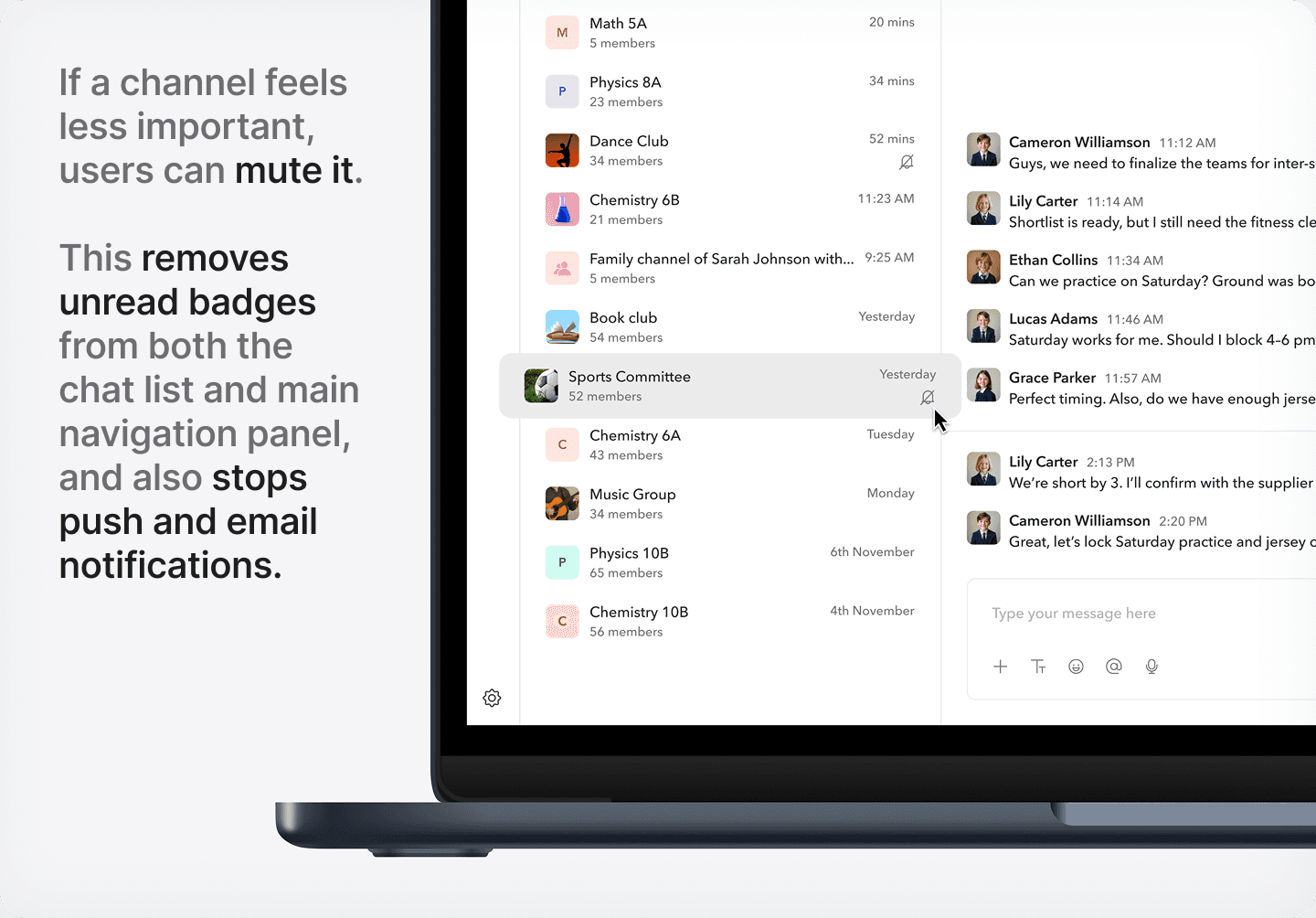
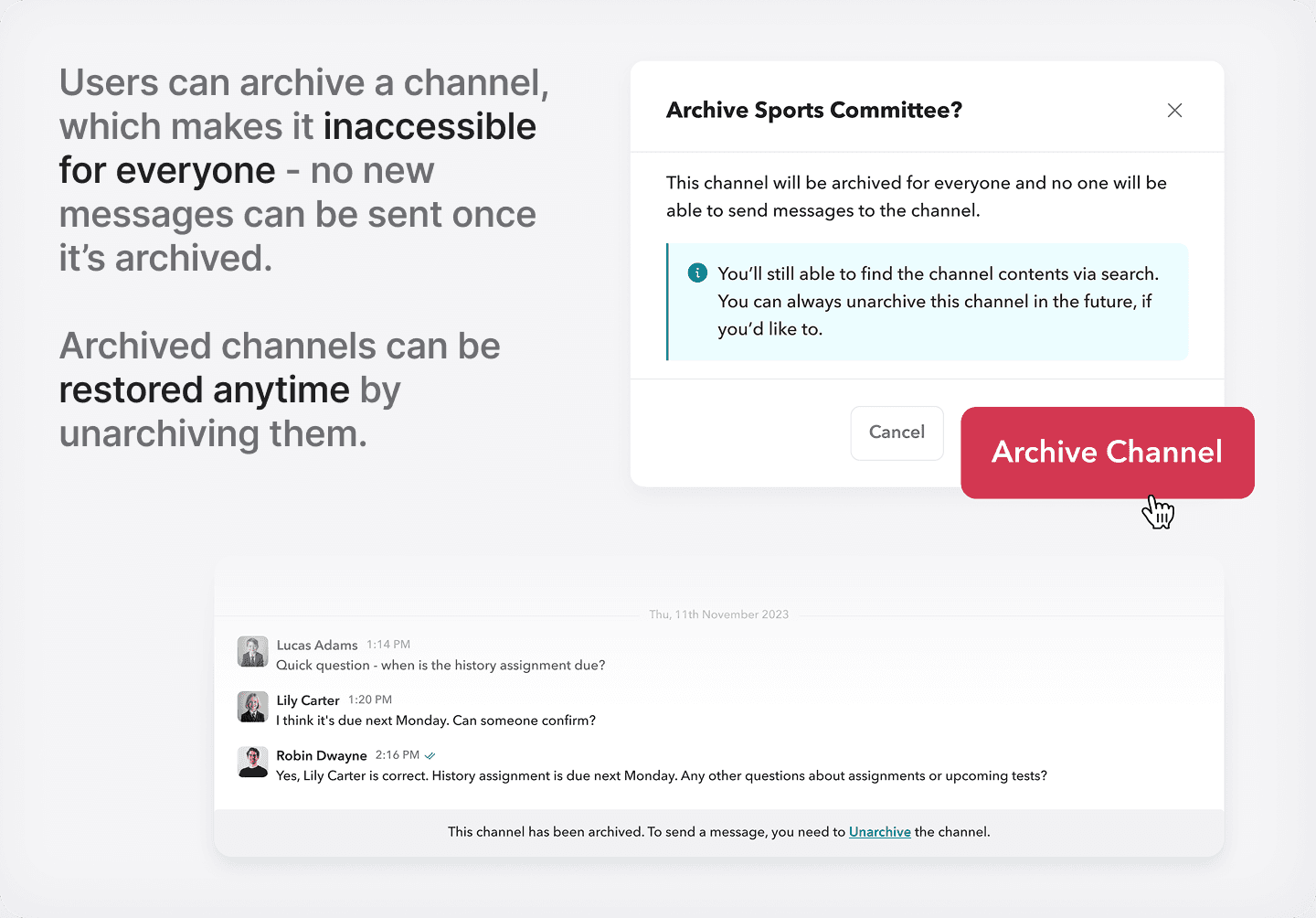
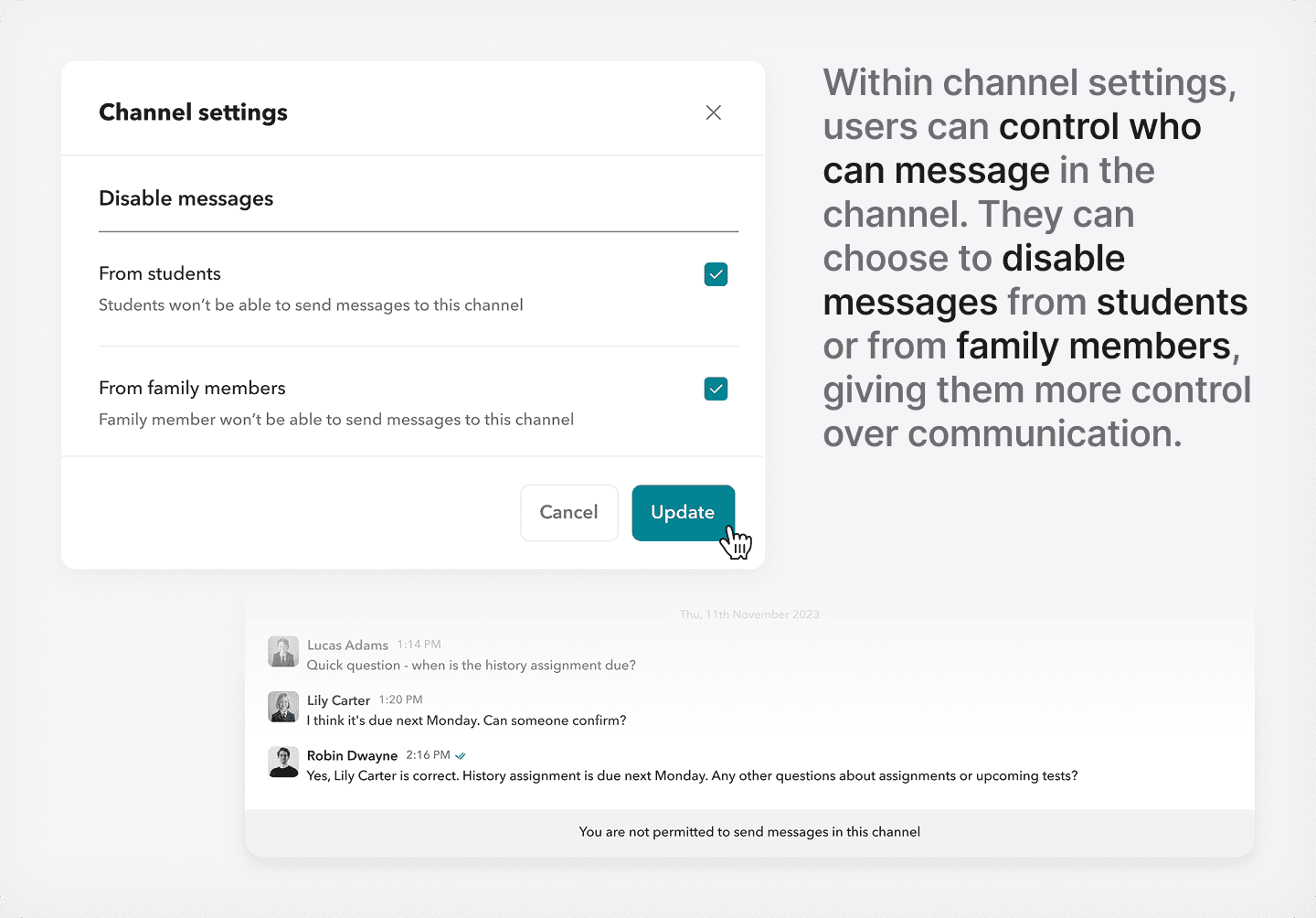
Custom channels come with several actions - teachers can edit channel details, manage members, mute notifications, apply custom settings, or archive the channel when it’s no longer in use.
These options give teachers flexibility to manage channels based on their needs.
Understanding custom channel actions.
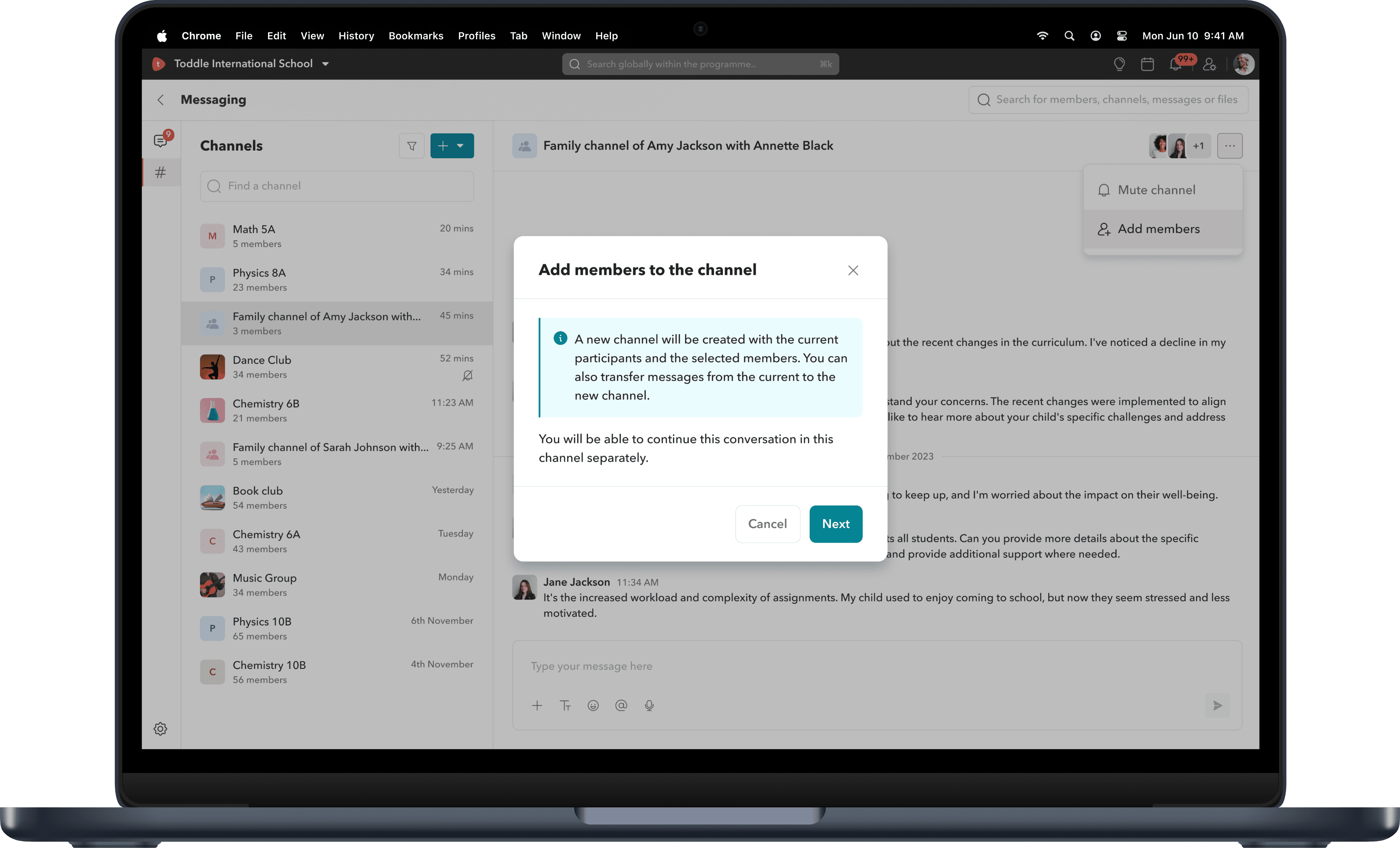
Managing access of messages for new channel members.
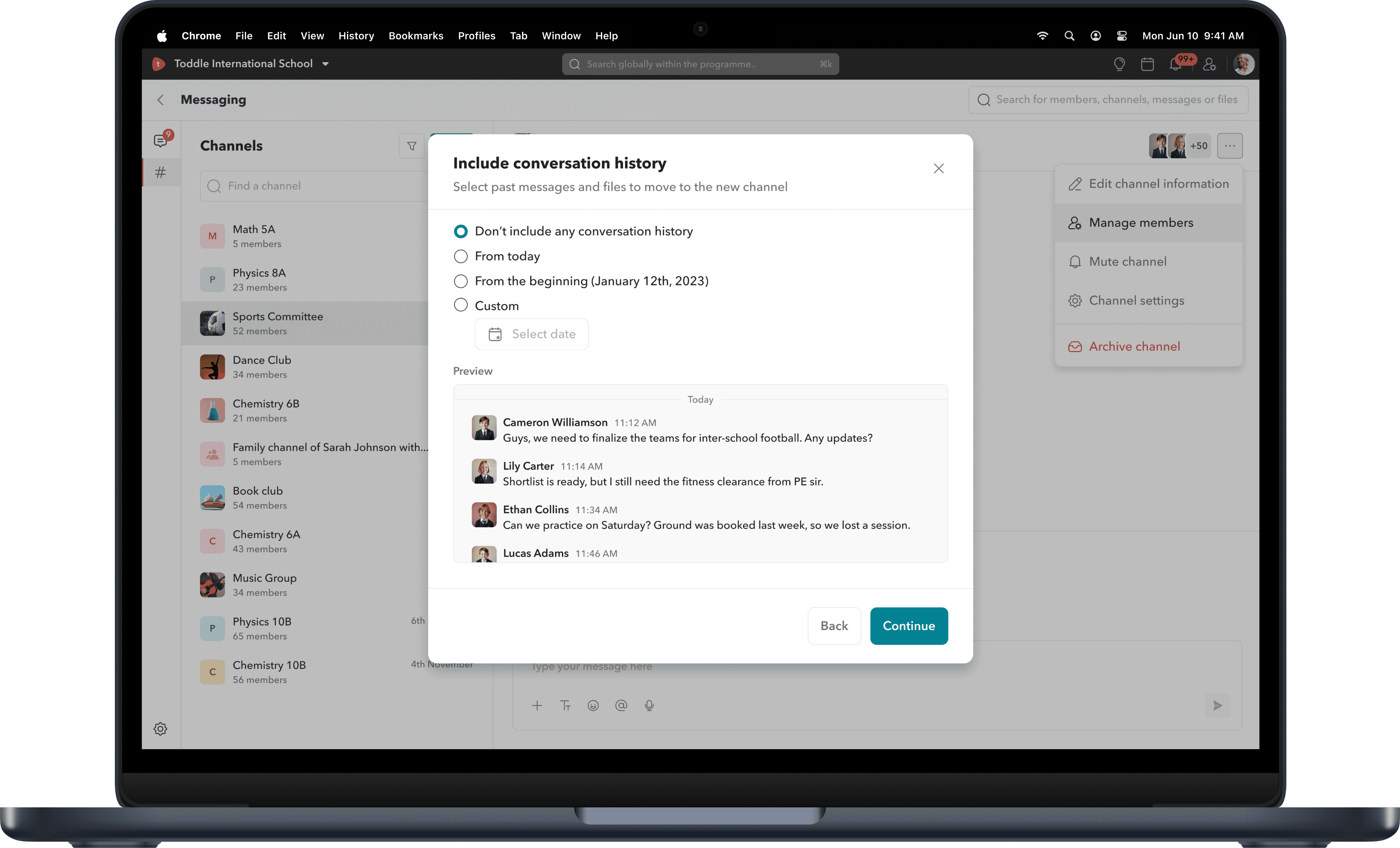
When adding members to a channel, staff members can either add them to the existing channel, giving new members full access to chat history and shared files or create a new channel.
In the new channel flow, they can select additional members, and if a channel with the same members already exists, a preview is shown so they can choose to use it instead of creating a duplicate.
If they still proceed with creating a new channel, they can also carry over the conversation history from the current one.
Family channels.
A teacher wants to talk to a student’s parents? They can search by the student’s name. The system pulls in all linked family members. The student isn’t added - just the parents.
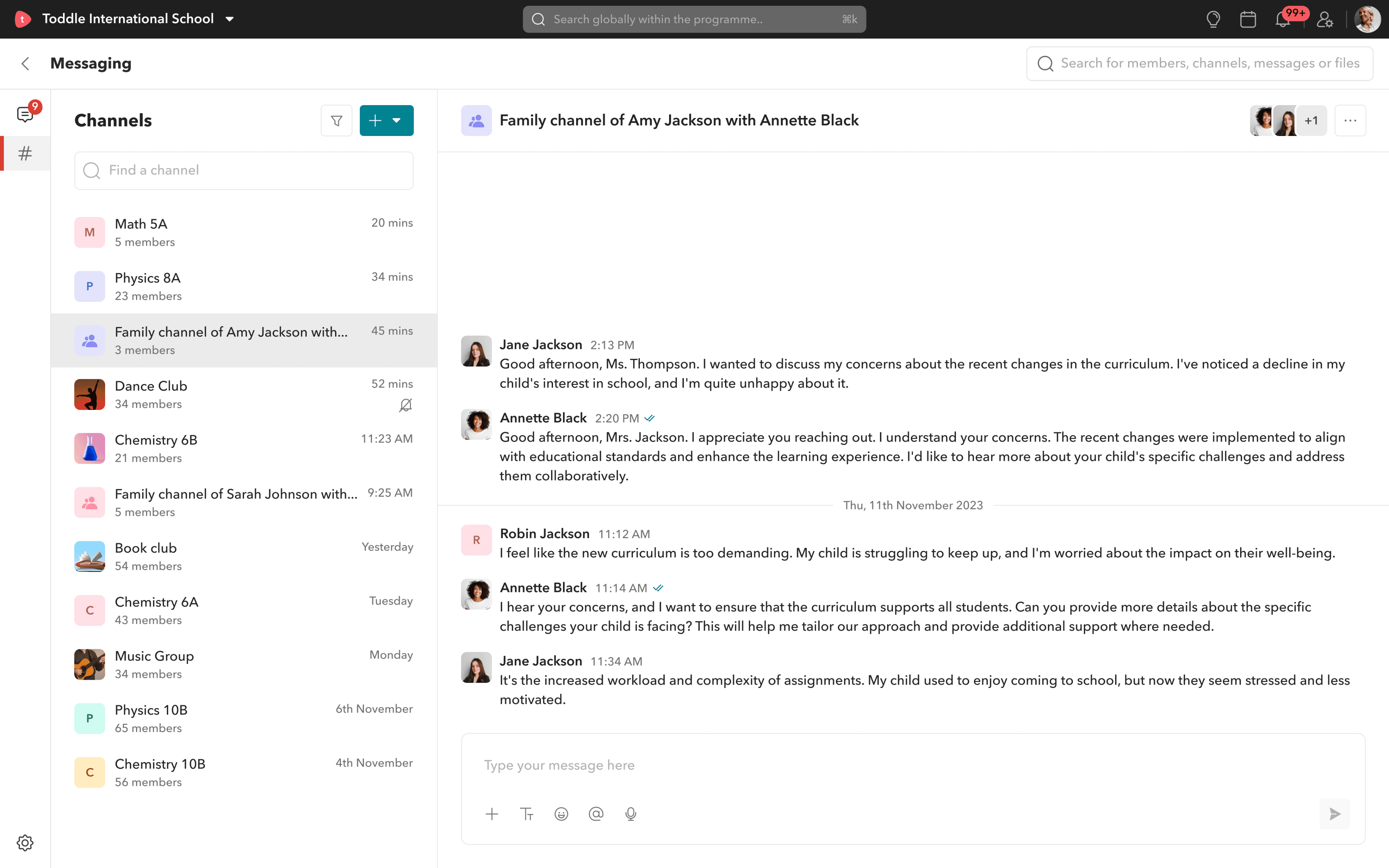
How can teachers easily create family channels?
Navigate to ‘Create family channel’
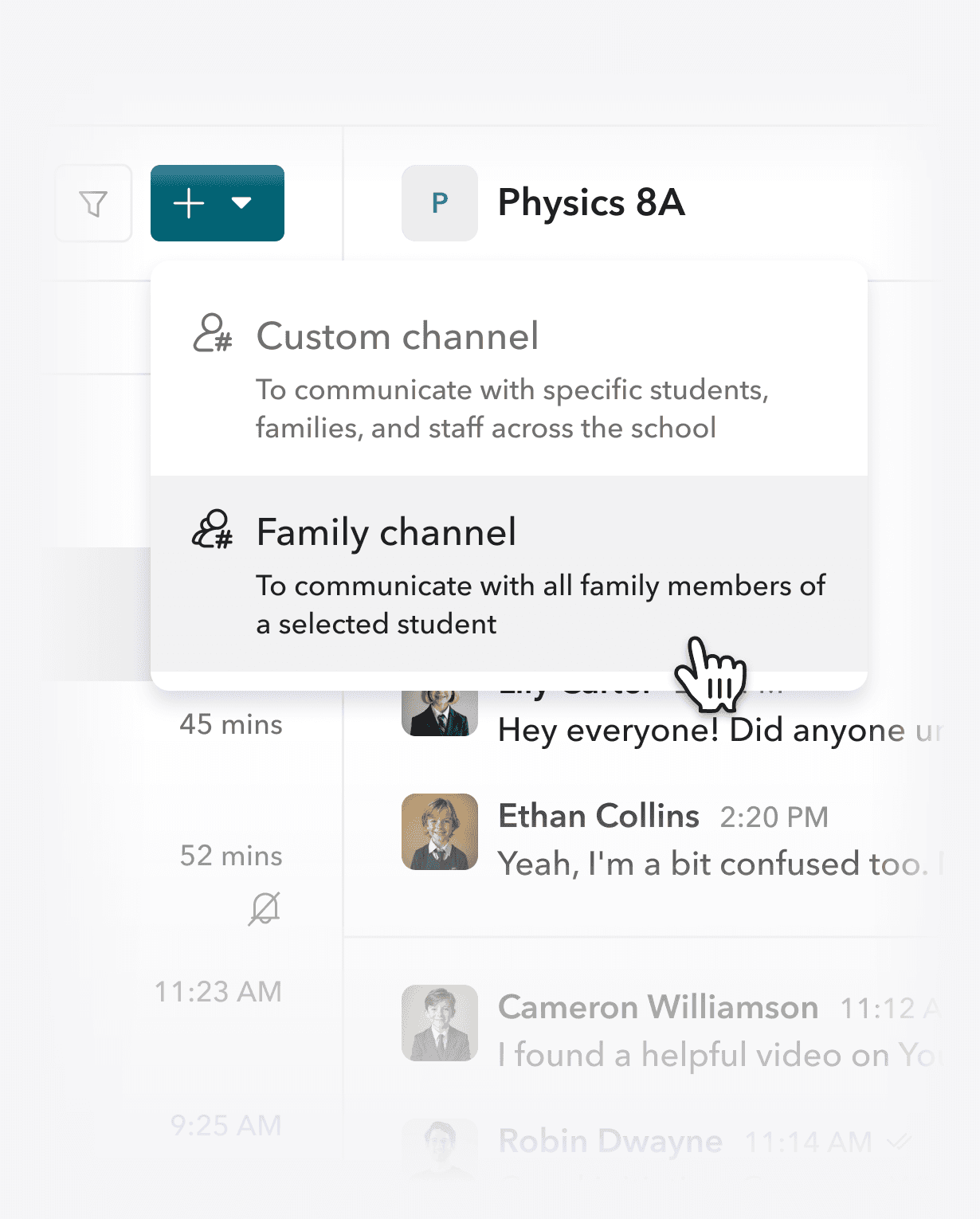
Teachers can go to the create channel option and select family channel from the dropdown. This starts the setup flow for creating a dedicated channel with a student’s family.
Select desired student.
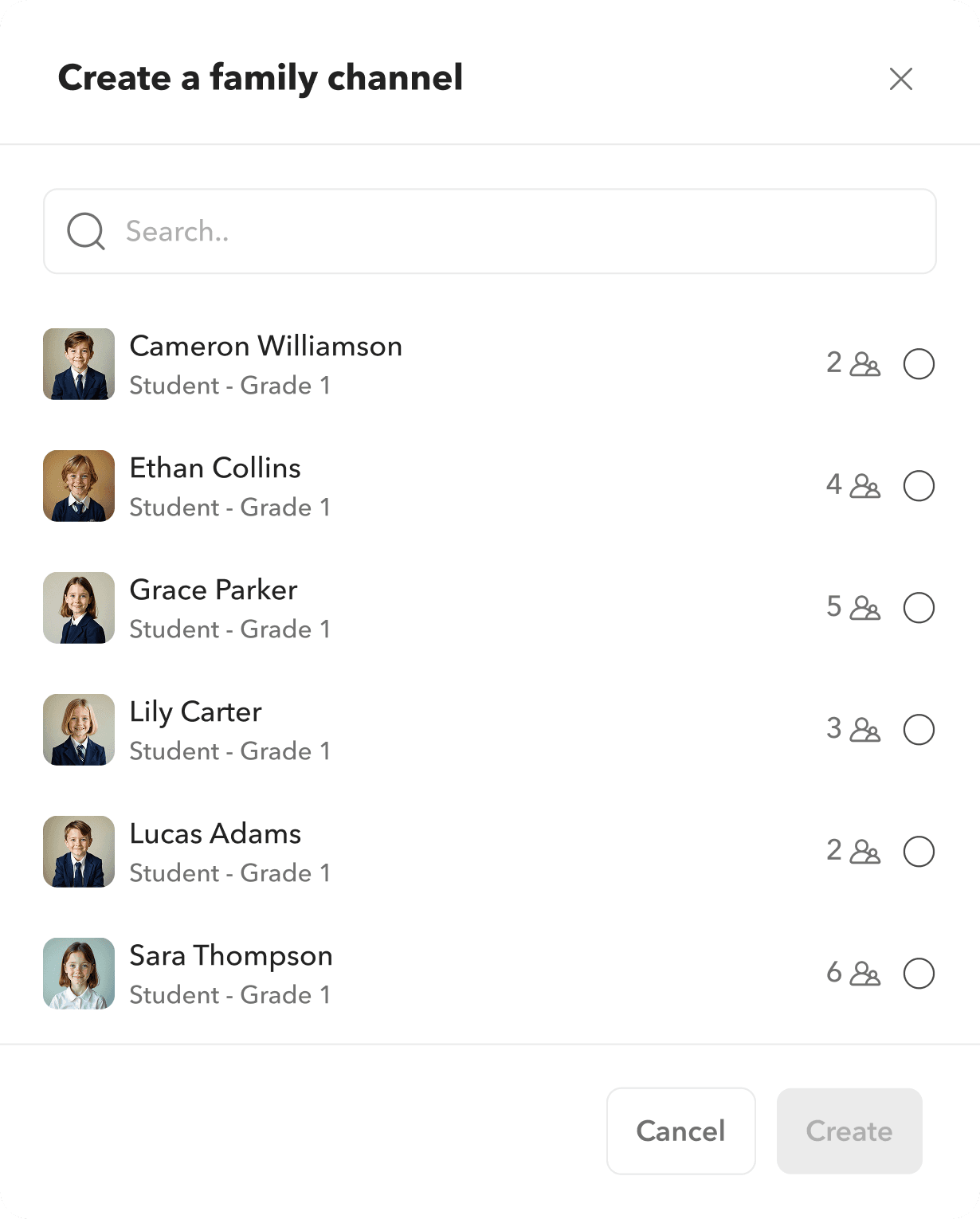
Teachers can search for a student, view their linked family members, and create a channel with those members (excluding the student). This makes it easier to communicate since families are recalled by the student’s name.
Sync that doesn’t need a second thought.
Family channels are auto-synced, meaning any new family member linked to a student is automatically added to that student’s family channel.
If a student gets a new guardian added mid-year? They’re auto-added to that student’s family channel.




Don’t like the locked channels? Just transform them.
Since family channels are auto-synced, they’re non-editable. But if a teacher wants more flexibility, they can clone and transform them into a custom channel - carry over people and messages, and expand freely.
Class channels.
Class channels include all students and staff members of a class, making them a convenient space for class-wide communication. It also fosters interaction and collaboration among the students of a class.
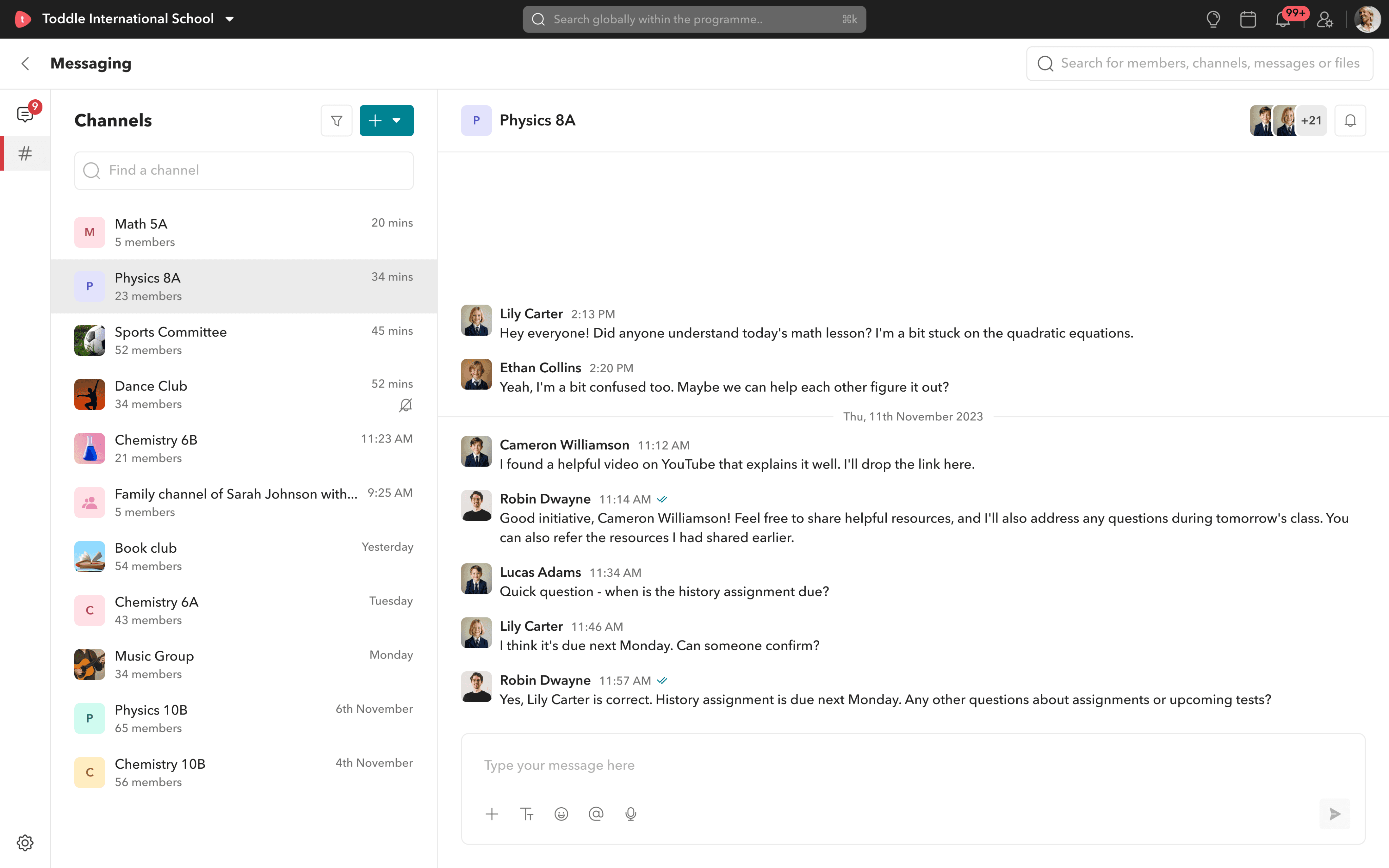
What makes class channels special?
Every time a class is created on Toddle, a class channel is auto-generated - with all students and staff included. If someone joins or leaves the class, the channel updates on its own. Similar to family channels class, channels are synced to classes.
No manual work. No outdated rosters.
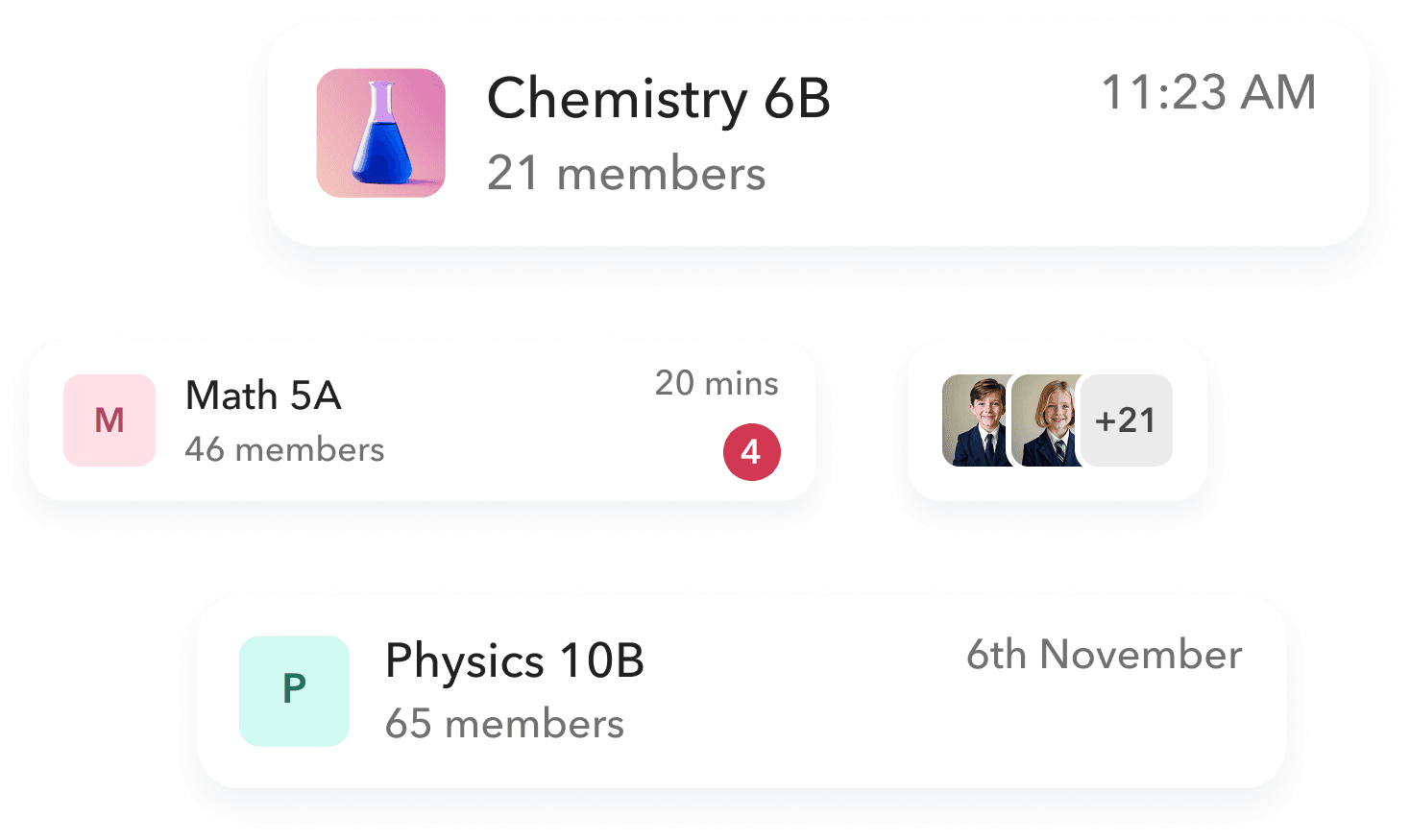
Features across all channel types.
Mention other members.
@Mike Johnson All clear?
Users can mention other members in a channel by typing “@” and searching for their name, making it easy to tag them in conversations.
Channel activities.

Robin Dwayne
1:50 PM
added 1 student and 2 family members to this channel

Brian Hemsworth
2:43 PM
has joined this channel along with 5 others
Channel activities are shown within the channel - for example, when a user joins or when family members are added, so everyone stays updated on changes.
Mute, Filter & Search channels.
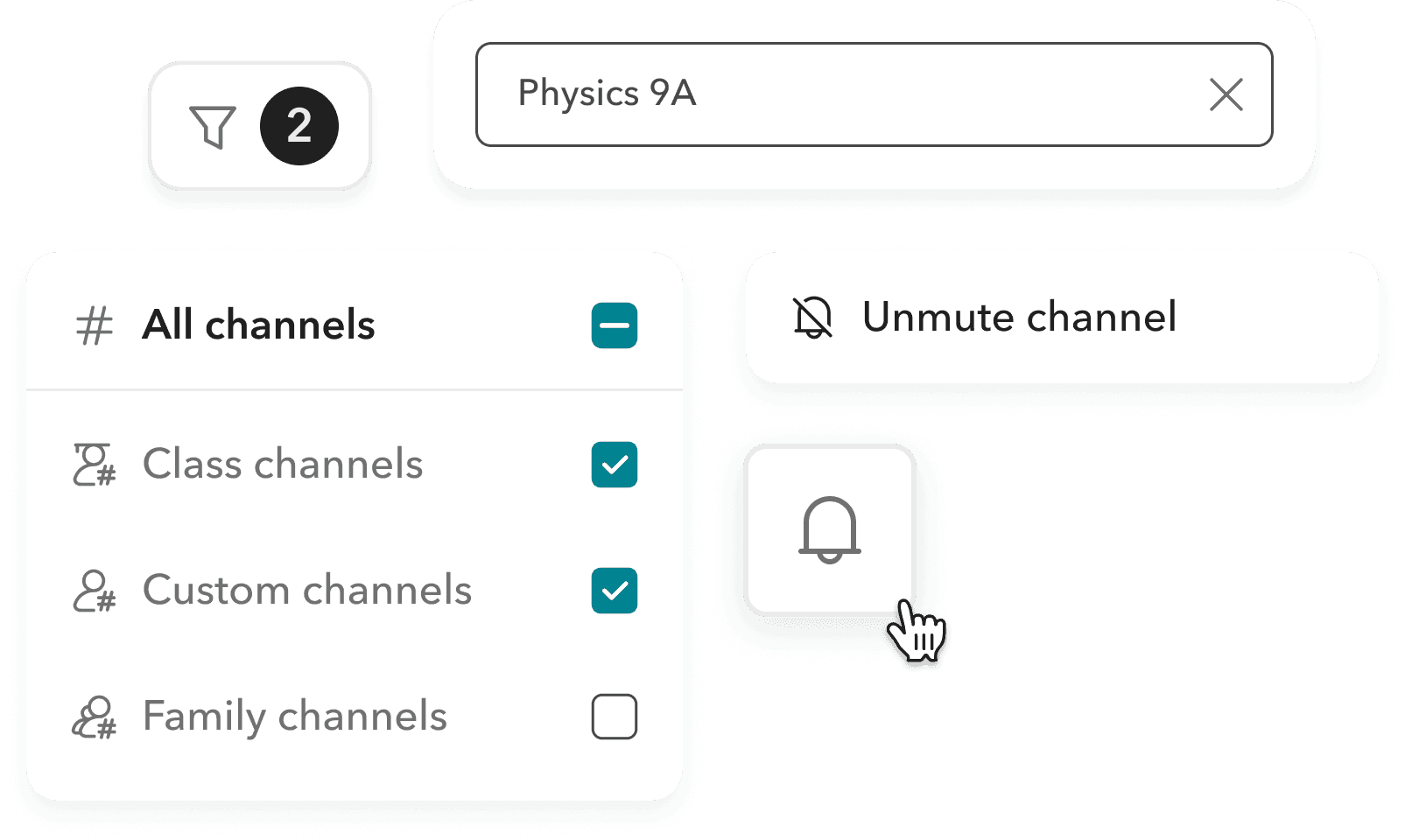
Similar to chats, users can search for channels and filter them by type. They can also mute or unmute channels anytime, giving them convenient control over how they engage.
View read receipts.
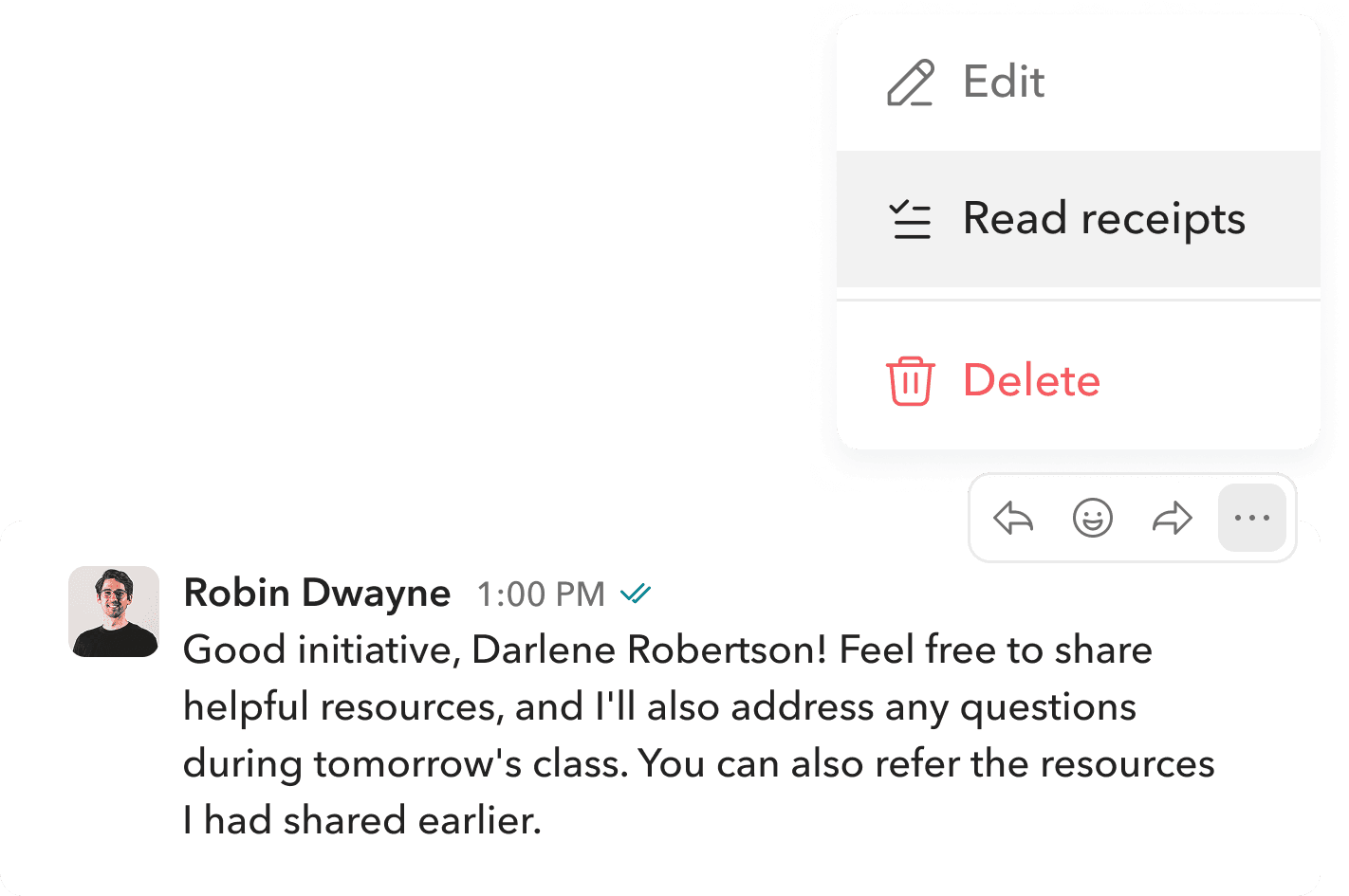
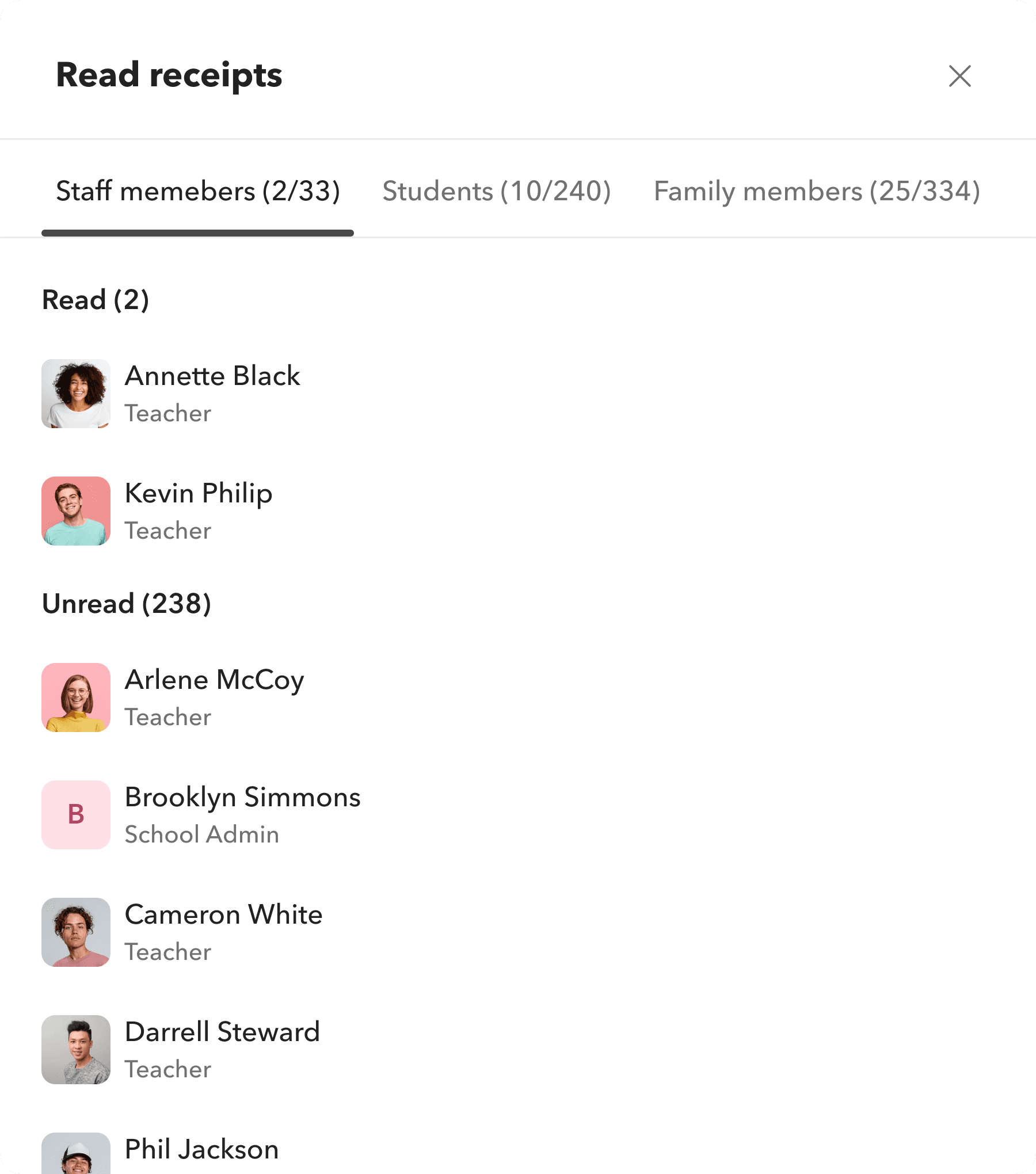
Users can view read receipts for messages posted in a channel. Clicking the Read Receipts option opens a pop-up where members are grouped as staff, students, or family members, with both read & unread counts and member lists shown for each group.
Global access: Messaging, wherever you are.
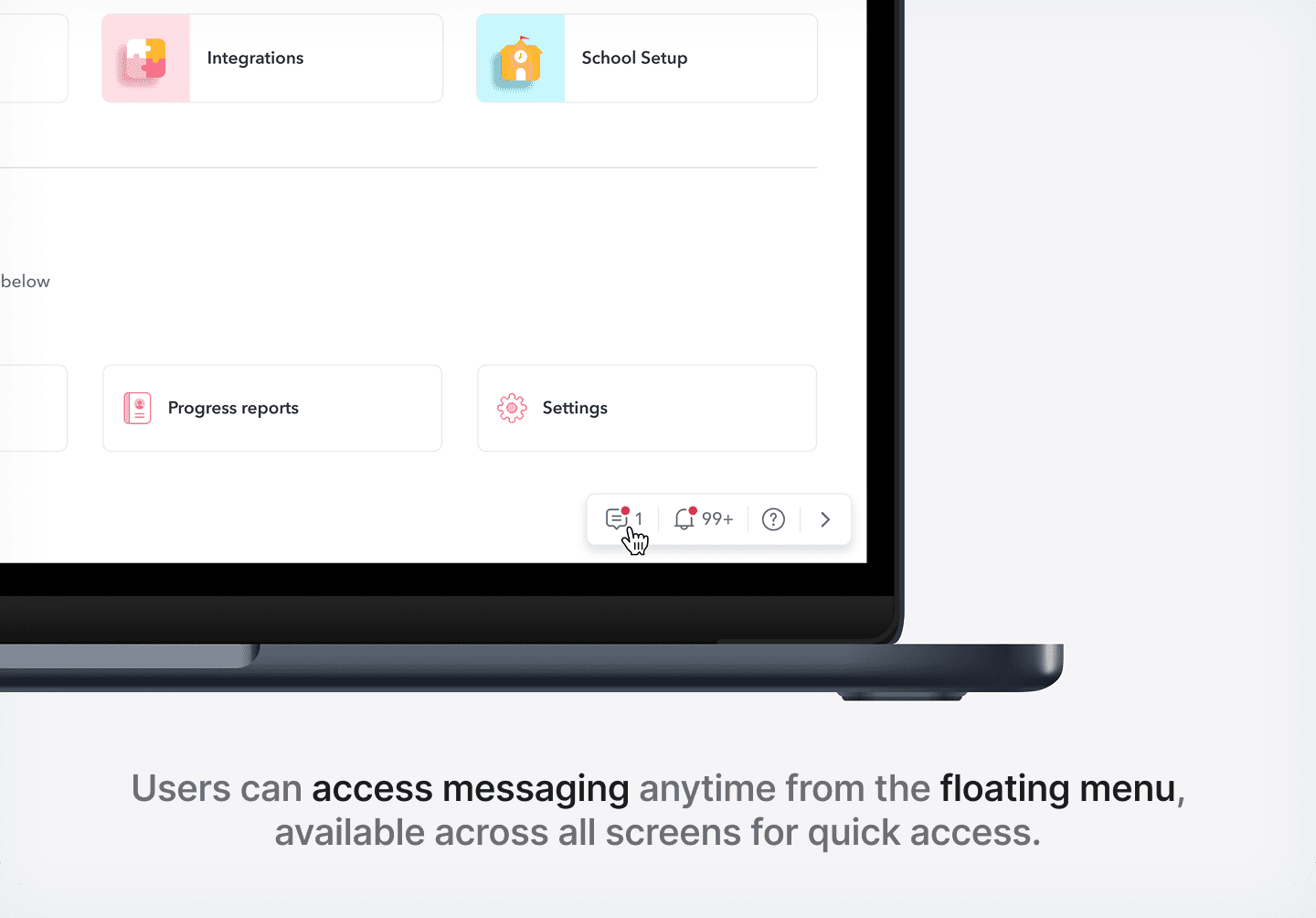
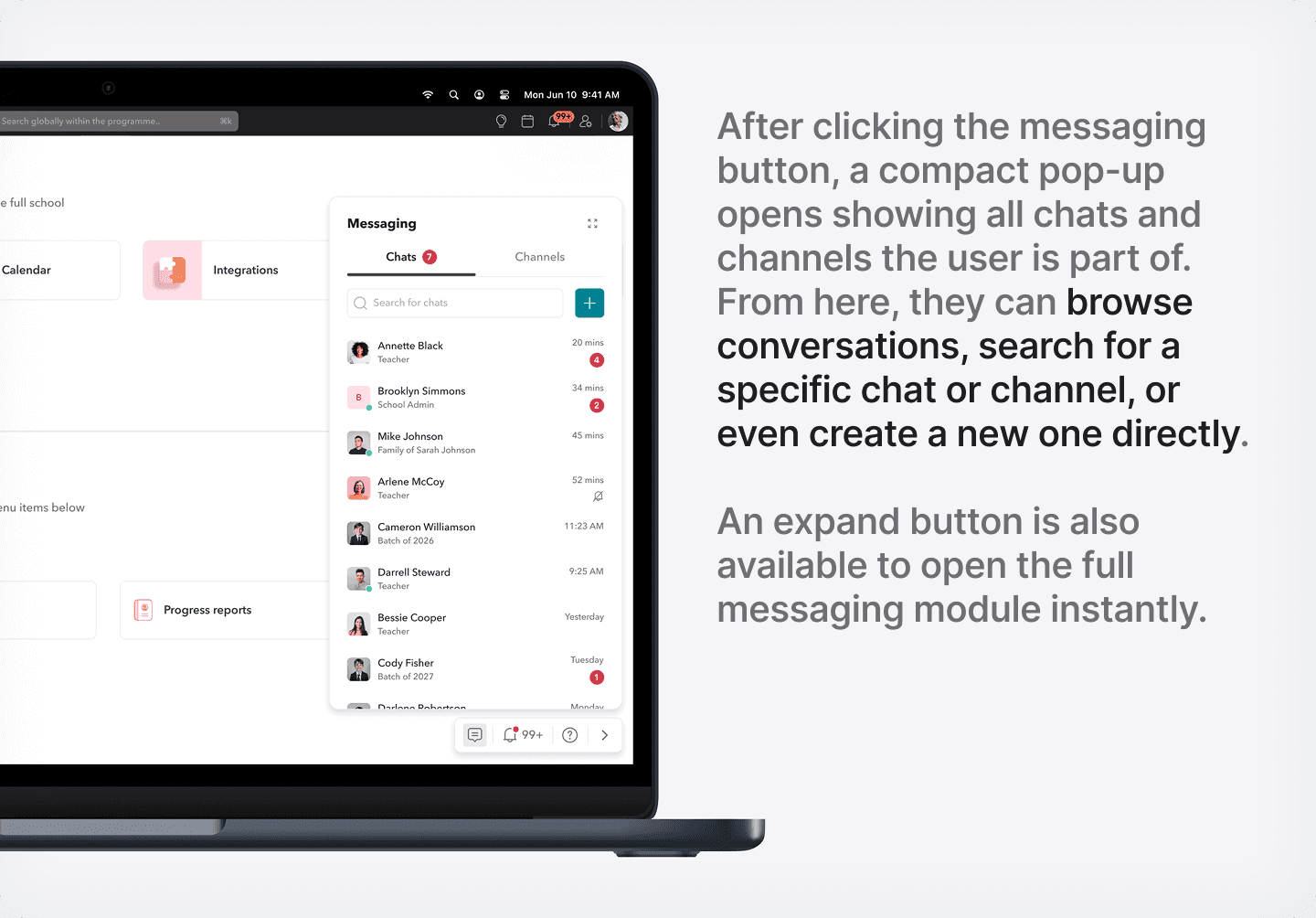
We made messaging accessible from anywhere in the product.
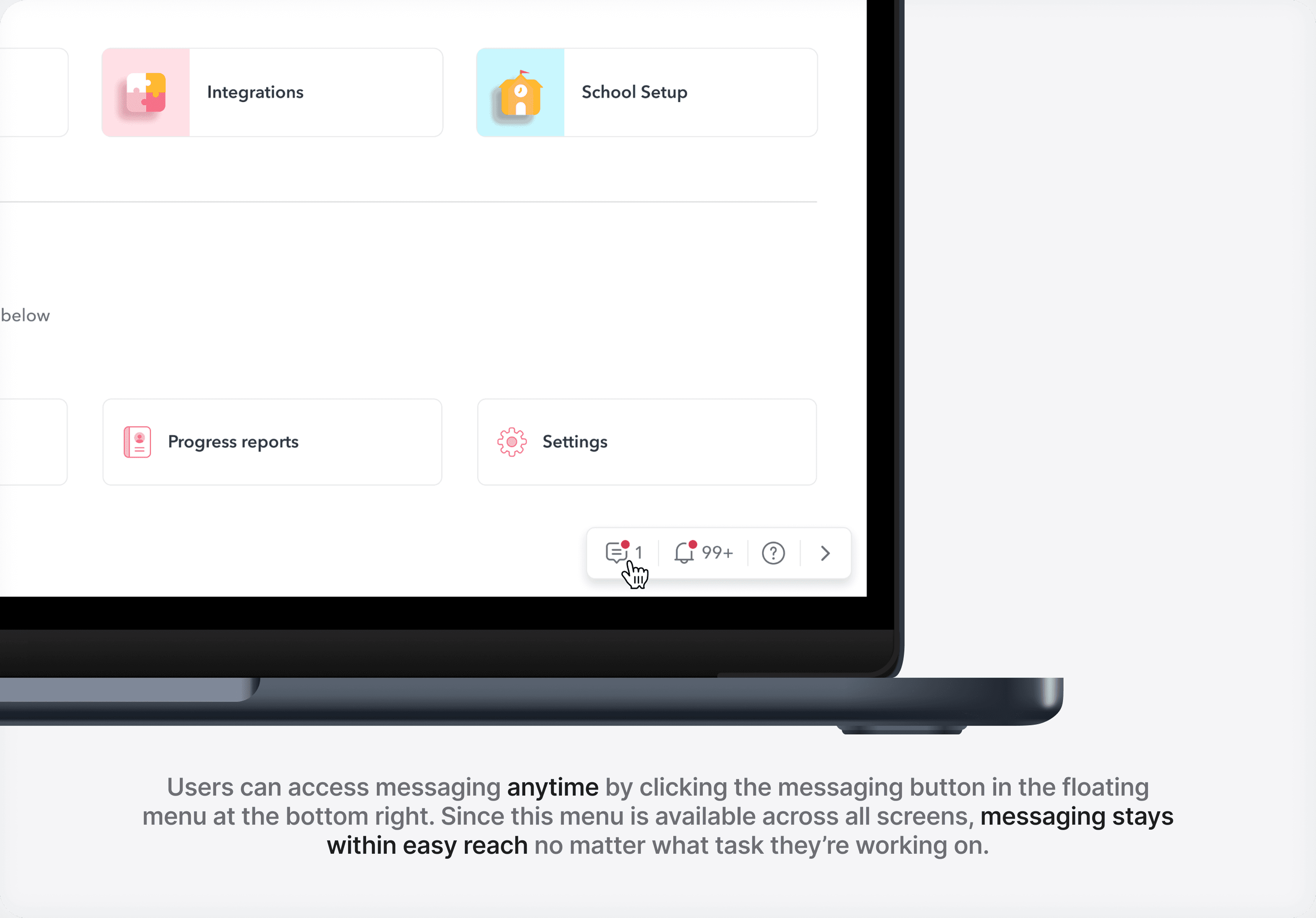
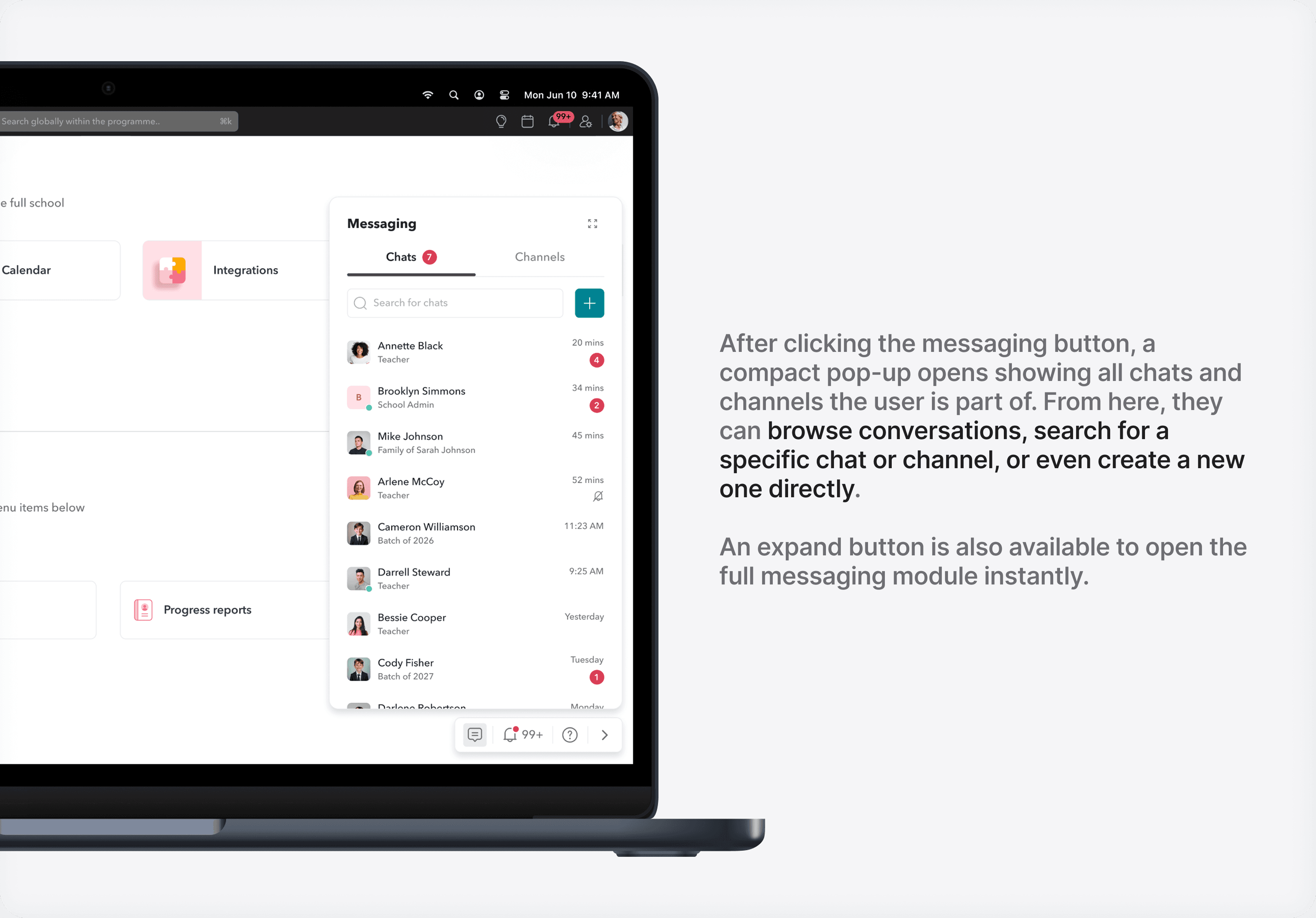
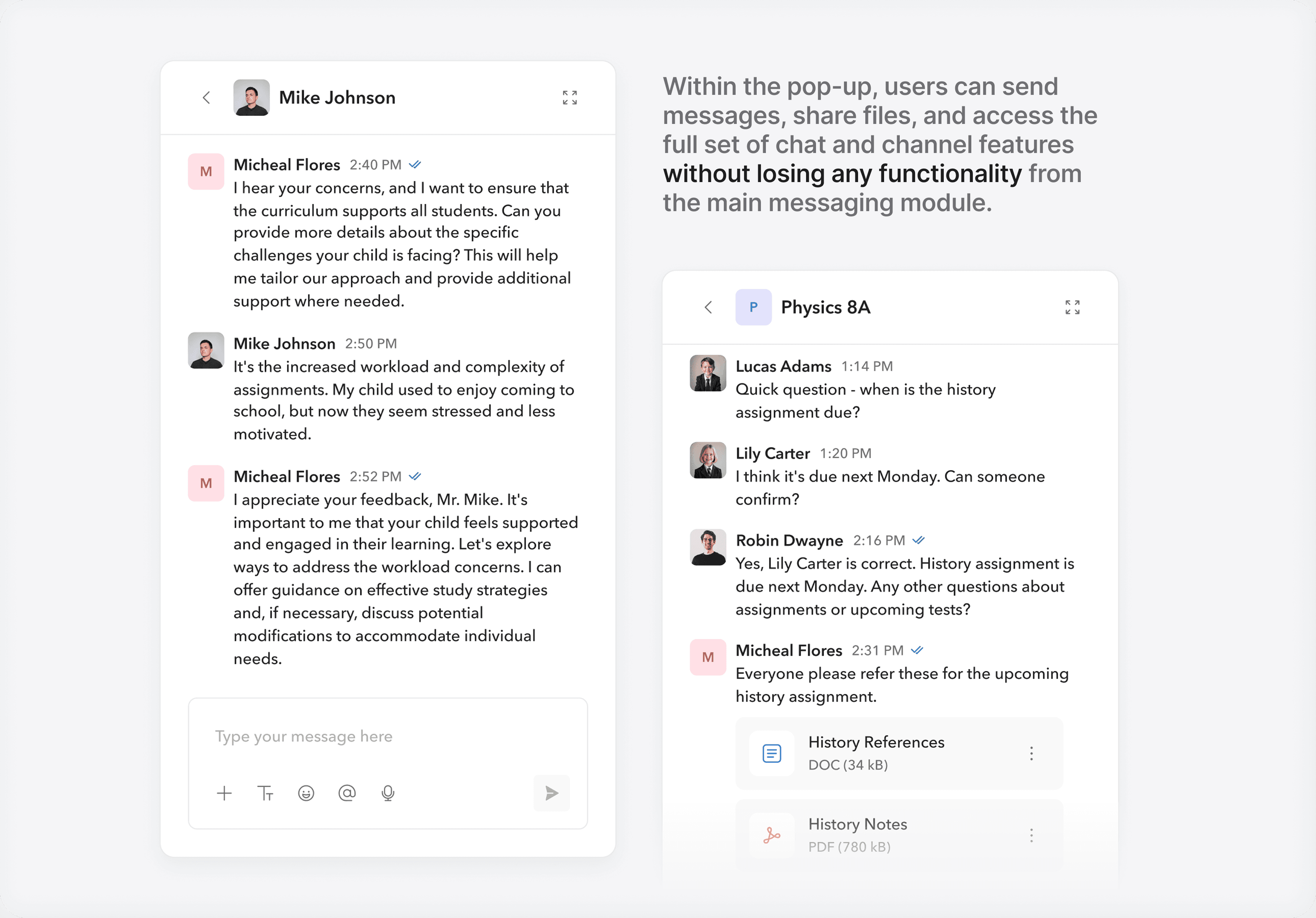
A floating widget.
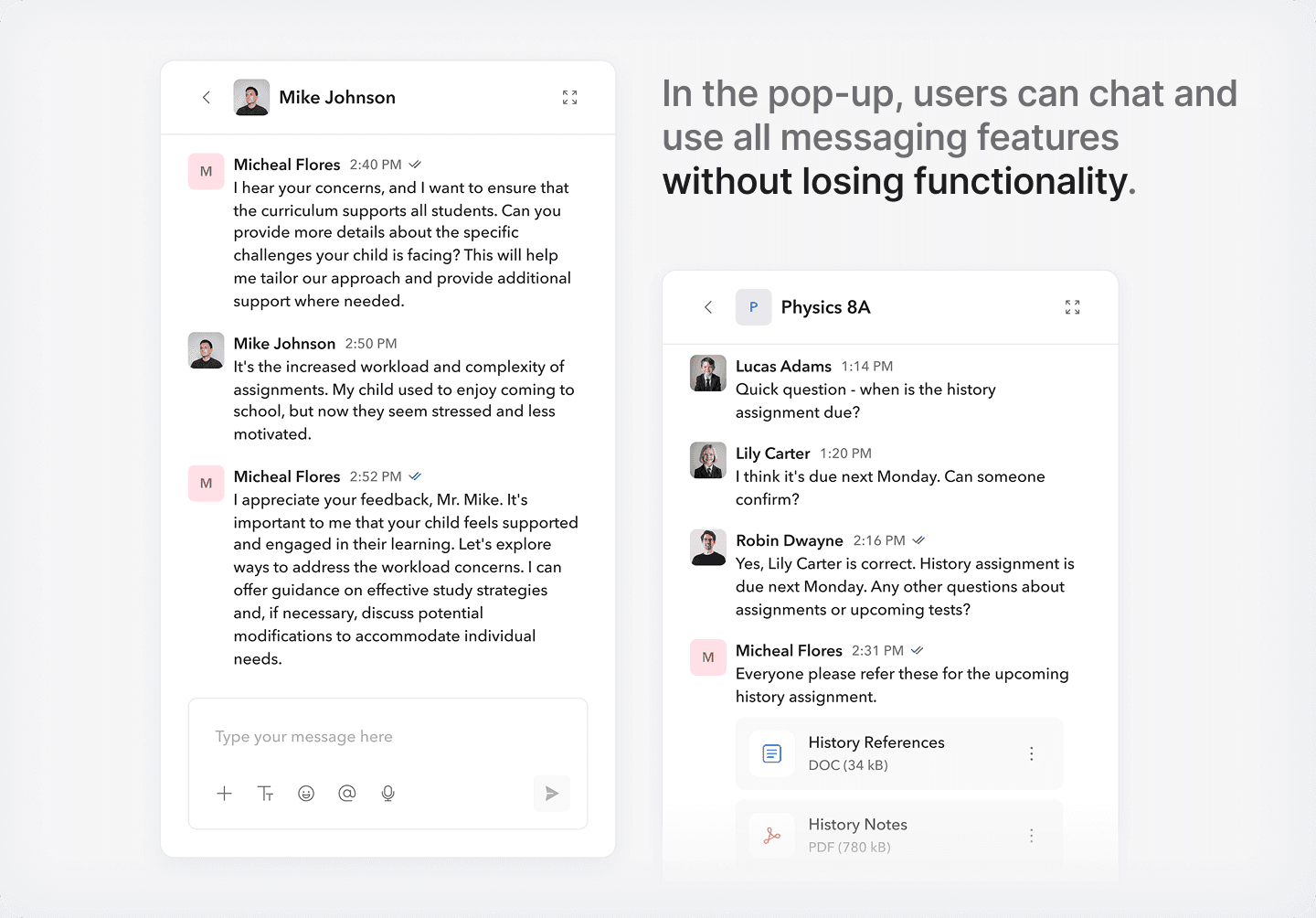
A small button floats on every screen. Tap it, and a mini messaging window pops up - with all your chats and channels. Expand it fully if you want. Collapse it when you’re done.
Profile hover cards.
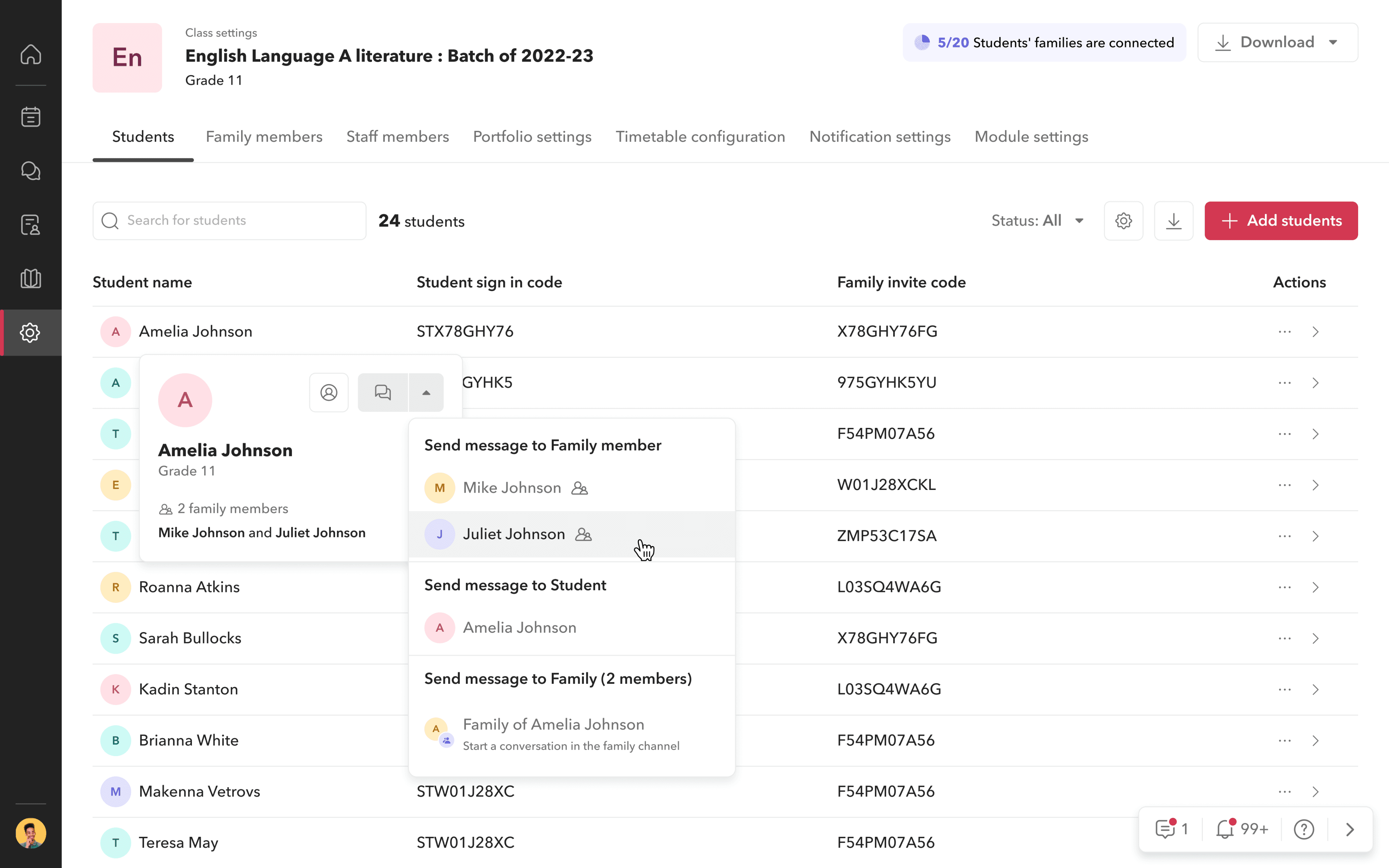
Hover over any user’s profile picture - be it student, parent, or staff - and start a message directly from there. For students, you even get a dropdown: message the student, their parents, or create a family channel.
UX features that remove friction.
Every small touchpoint was refined
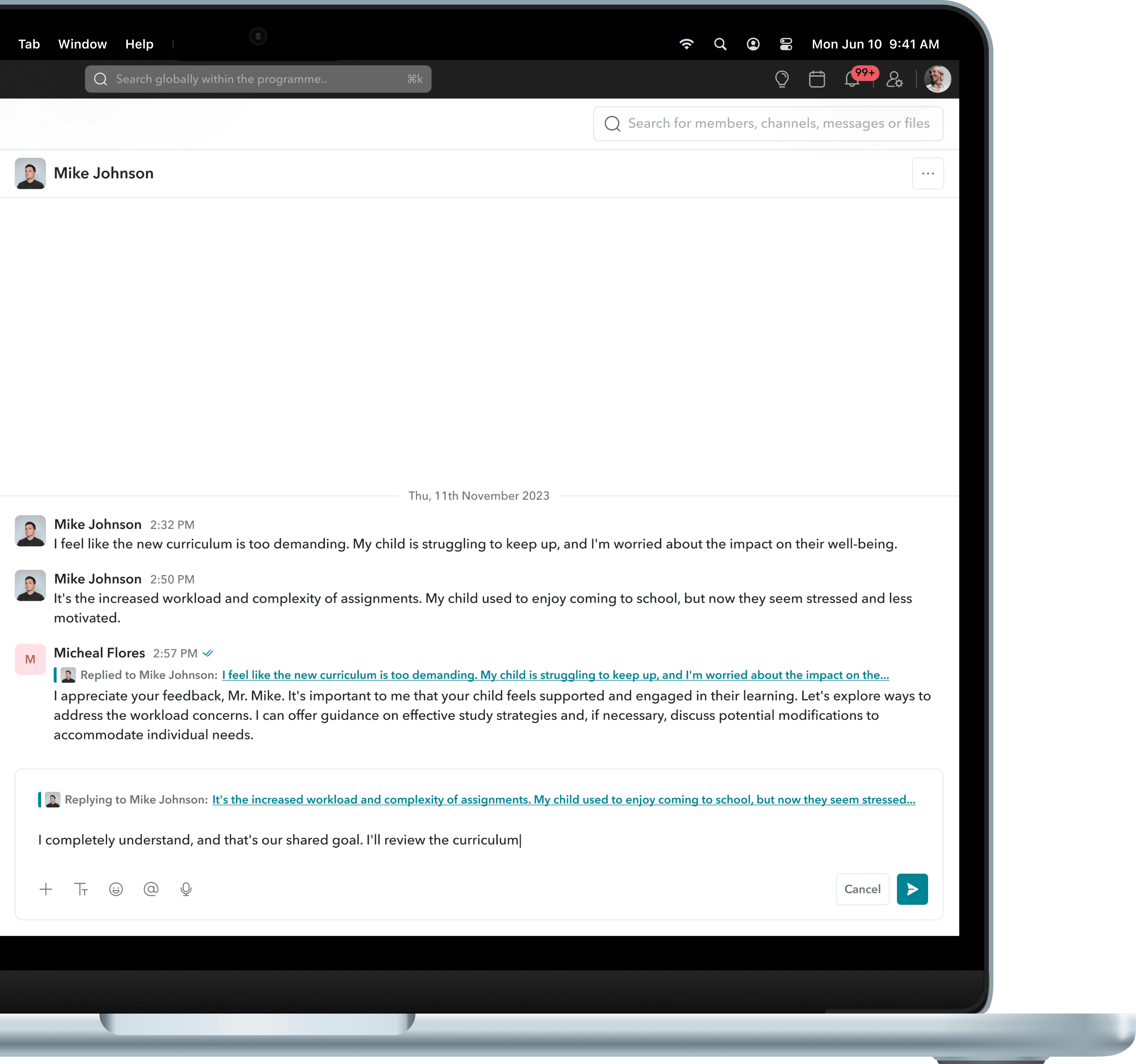
Threaded replies.
Users can reply to specific messages in any conversation, reducing confusion and bringing clarity especially in groups.
This also makes it easier to follow context when revisiting older conversations, as replies keep discussions connected and easy to track.
Express yourself instantly.
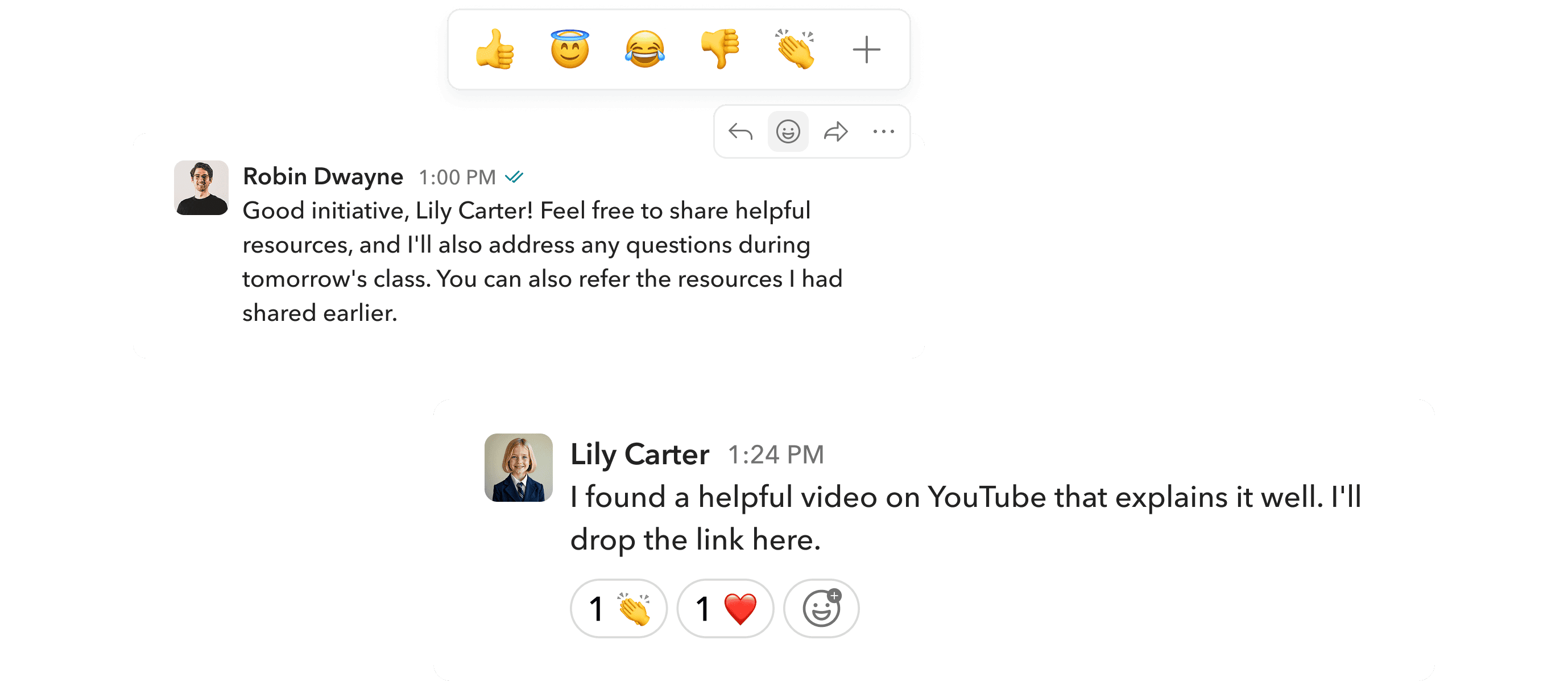
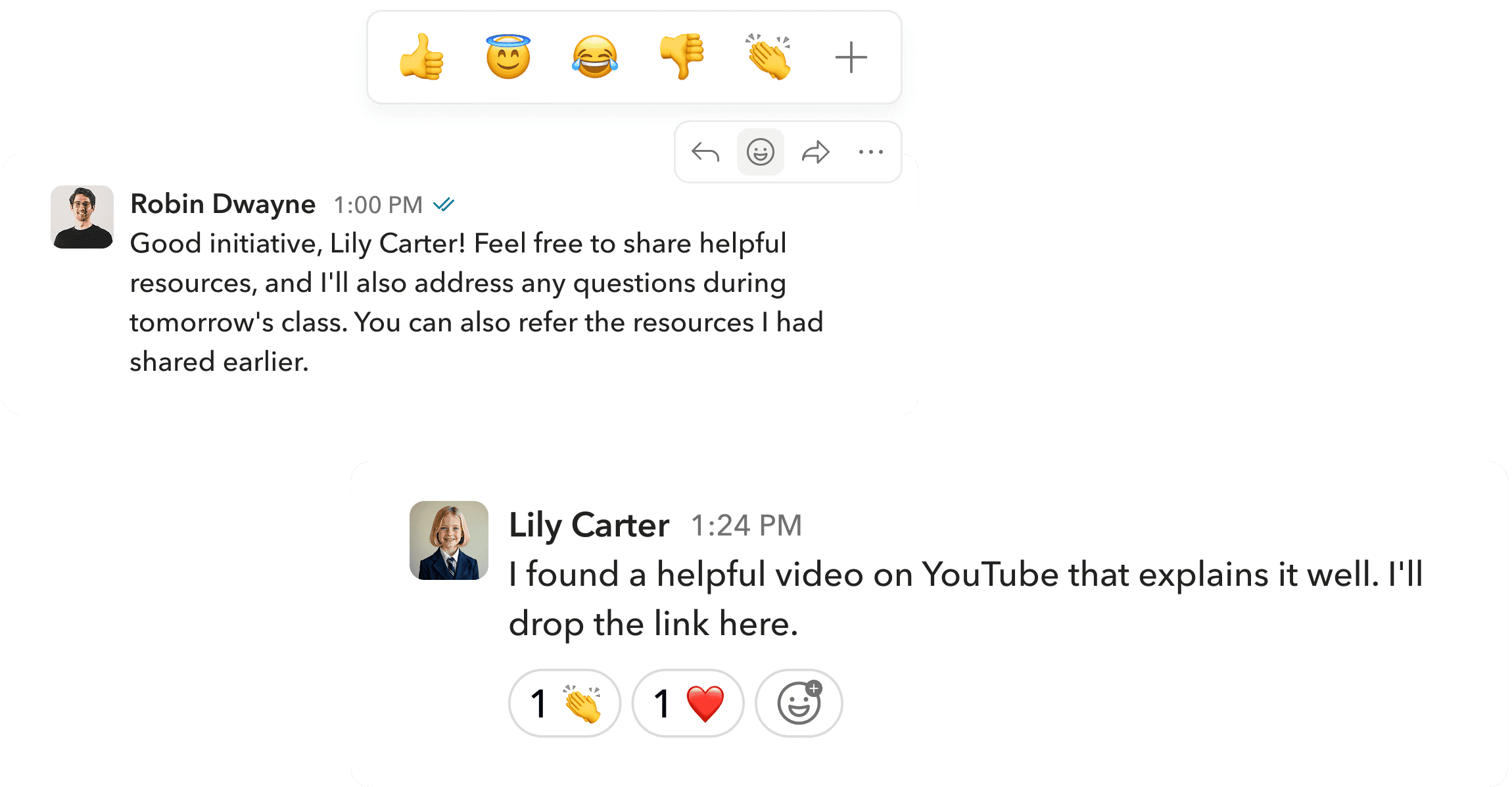
Users can react to messages, making conversations more lively and expressive. Reactions also let them share quick feedback without sending a separate message.
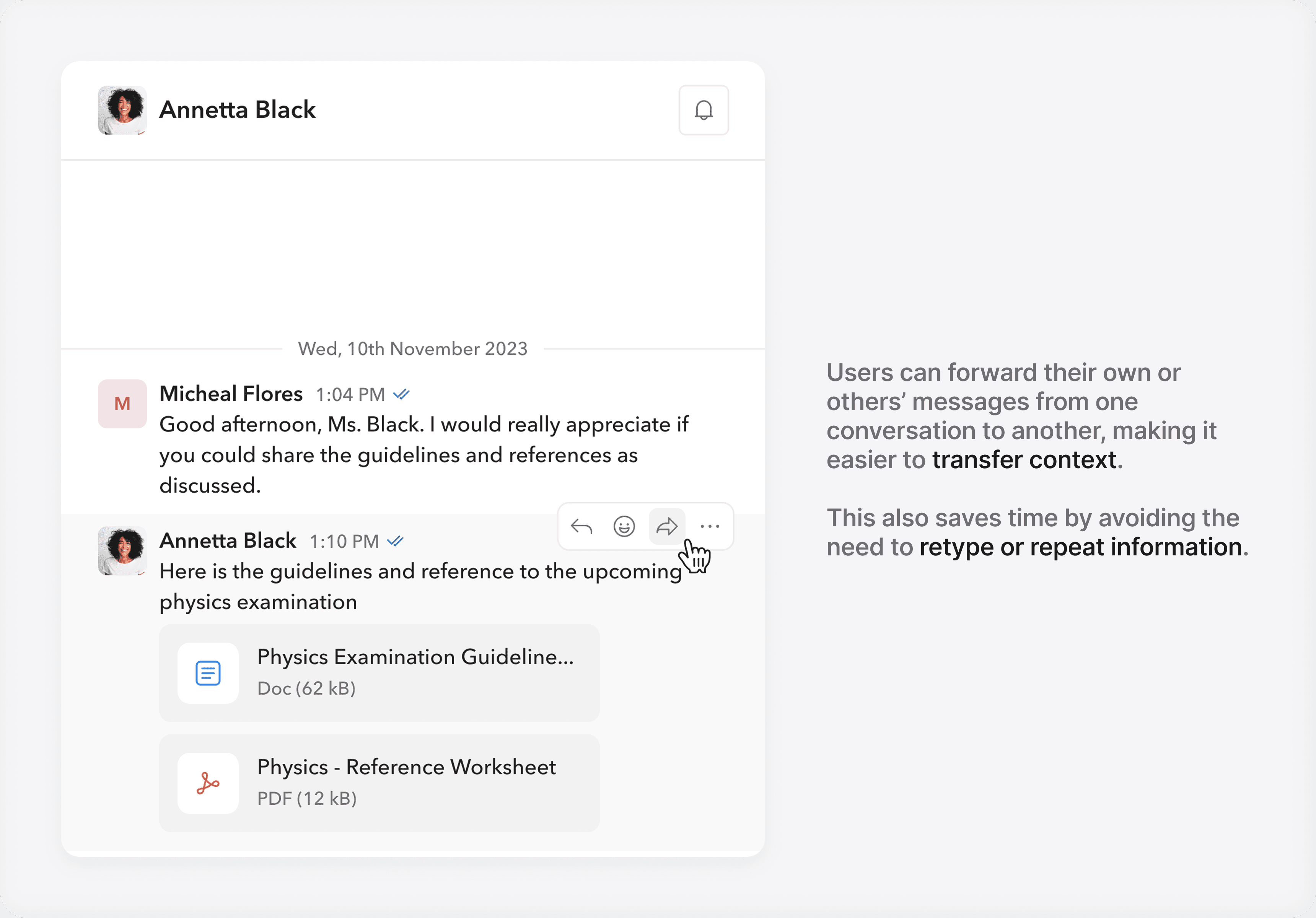
Share context seamlessly.
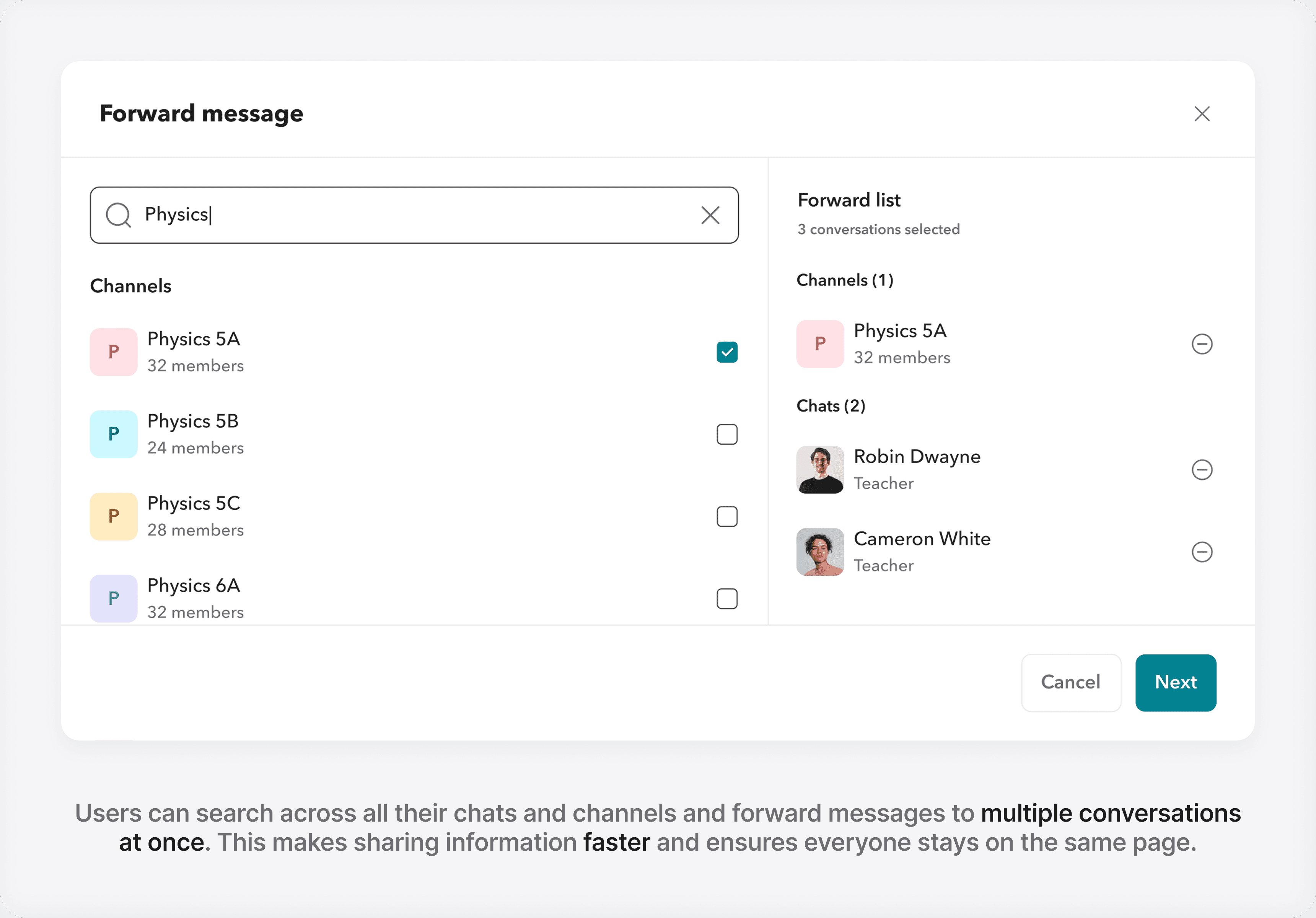
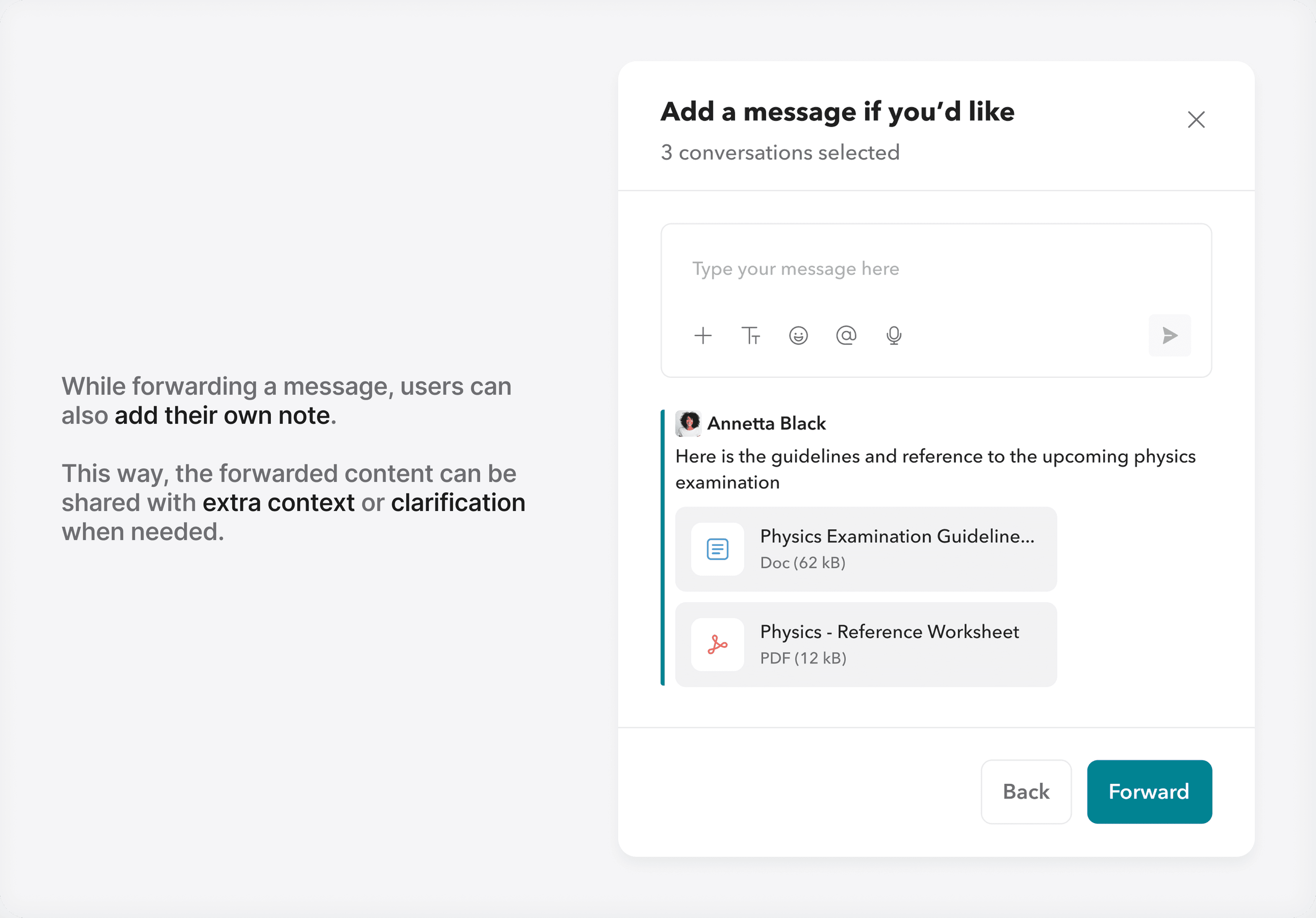
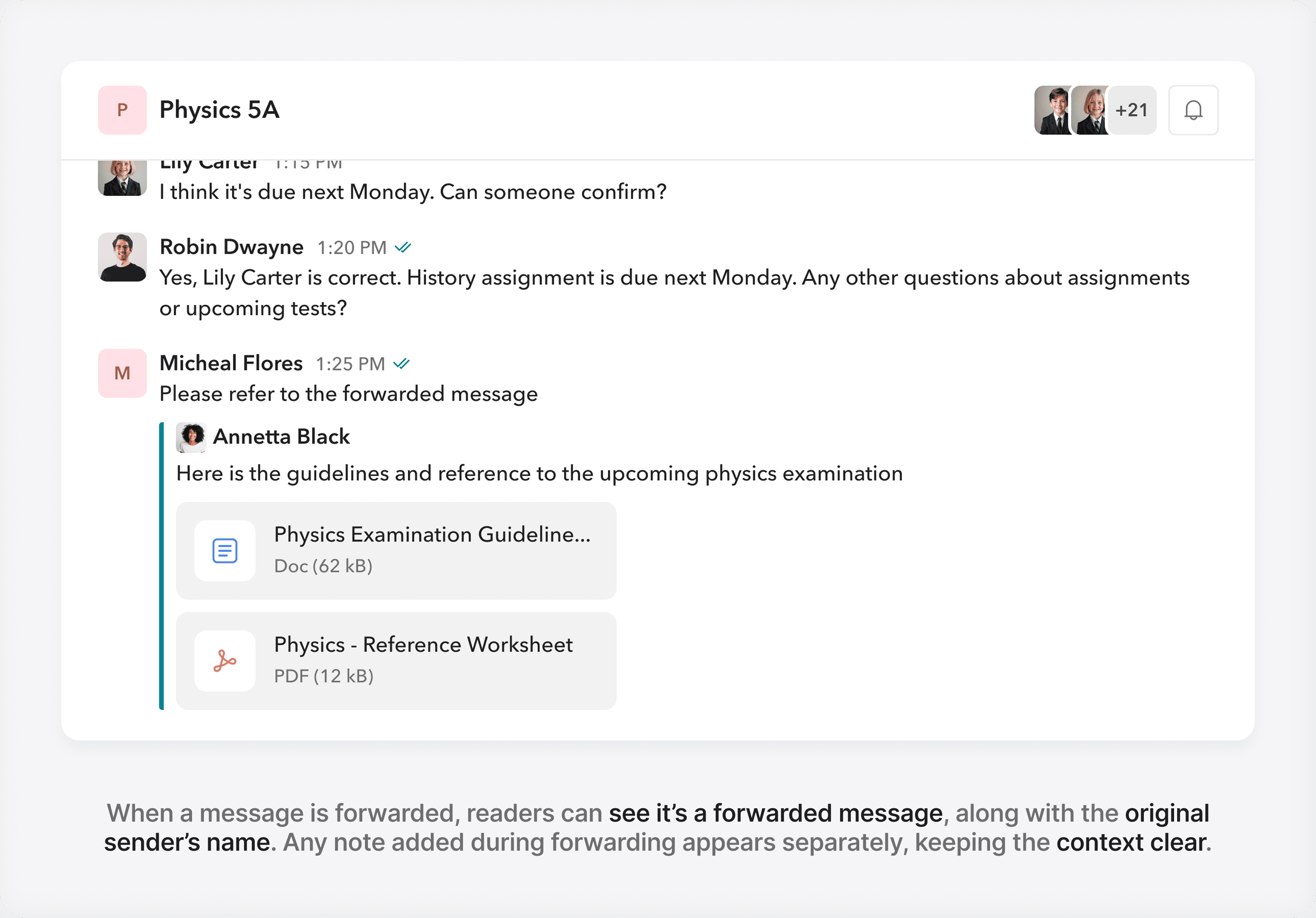
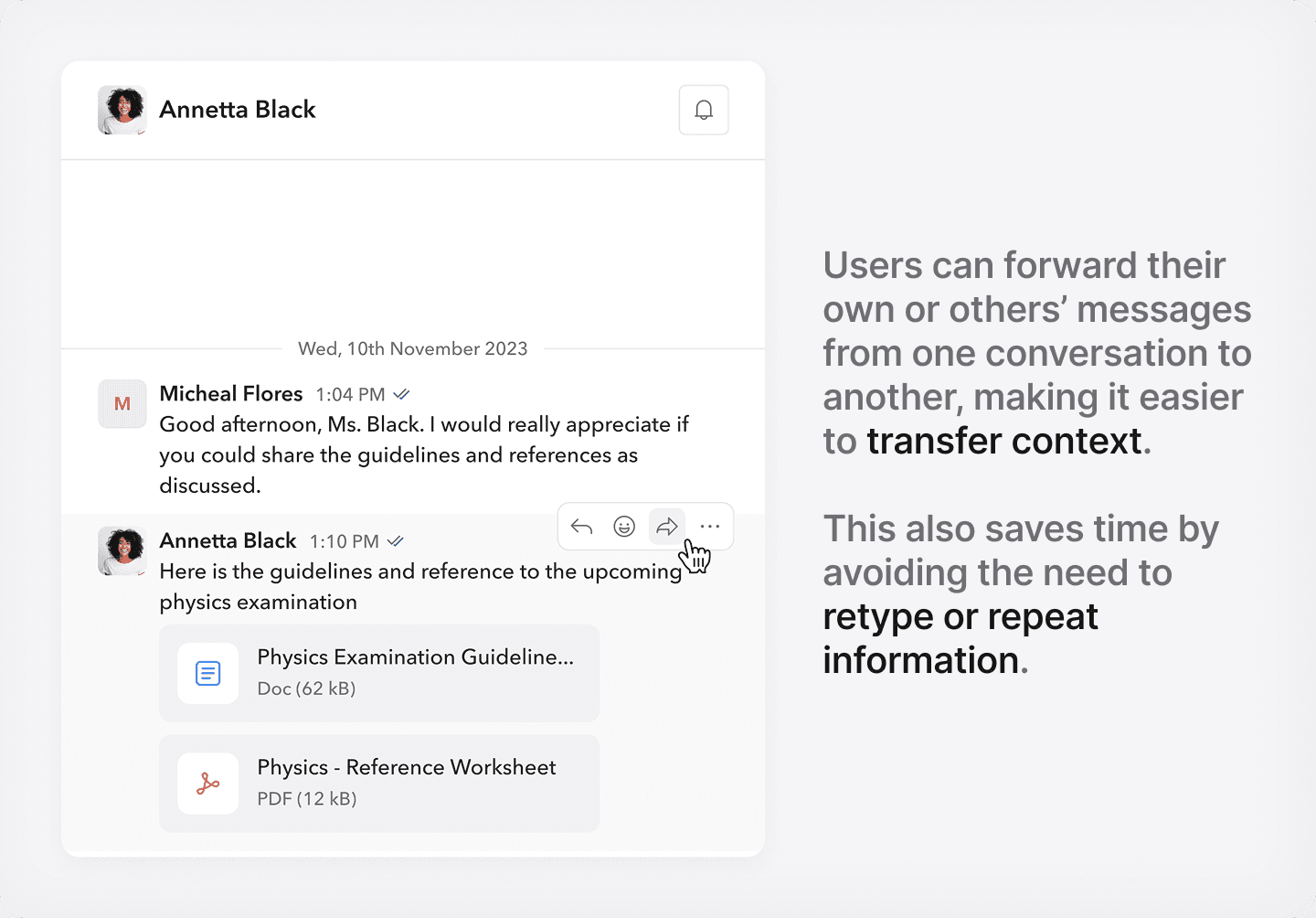
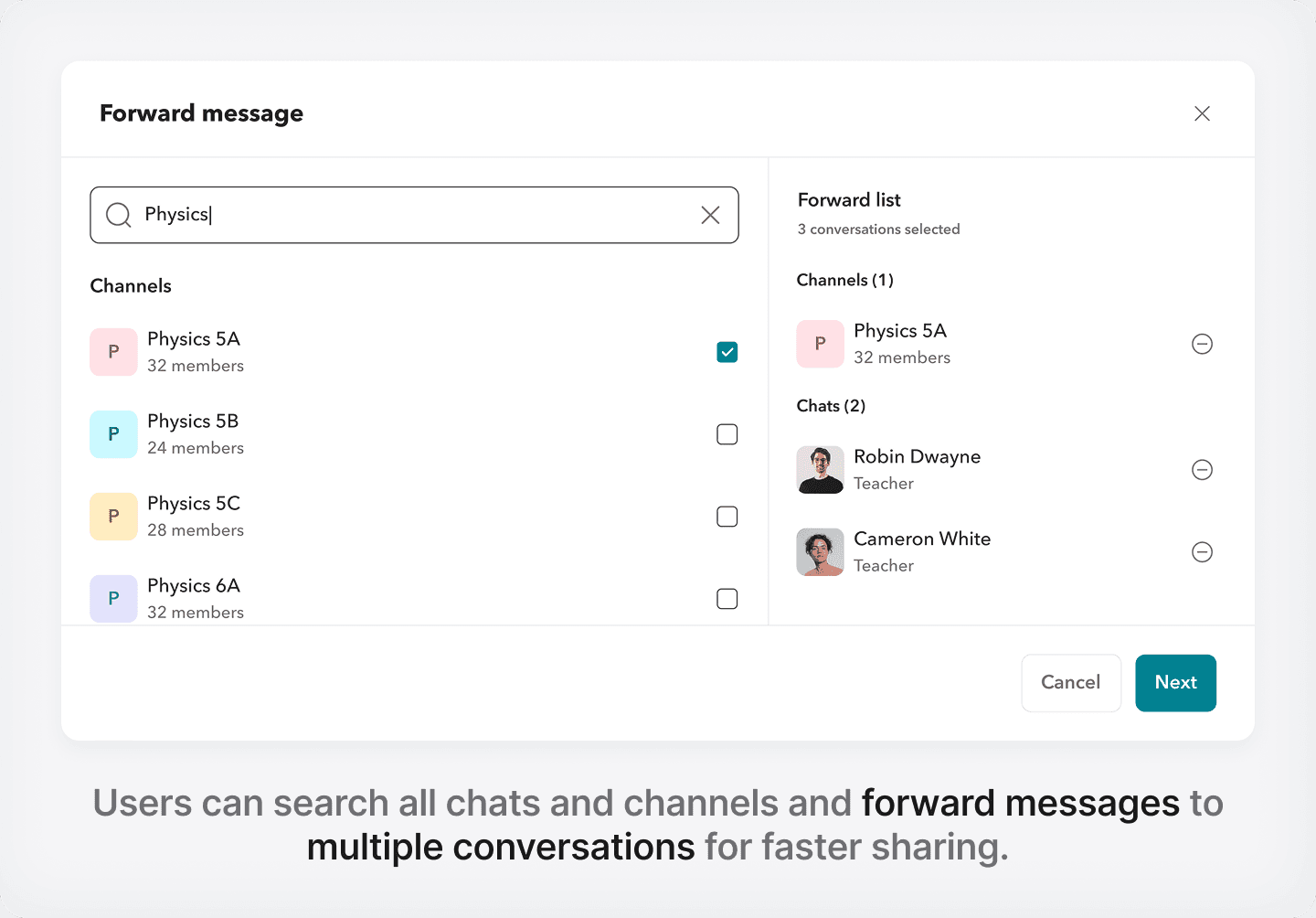
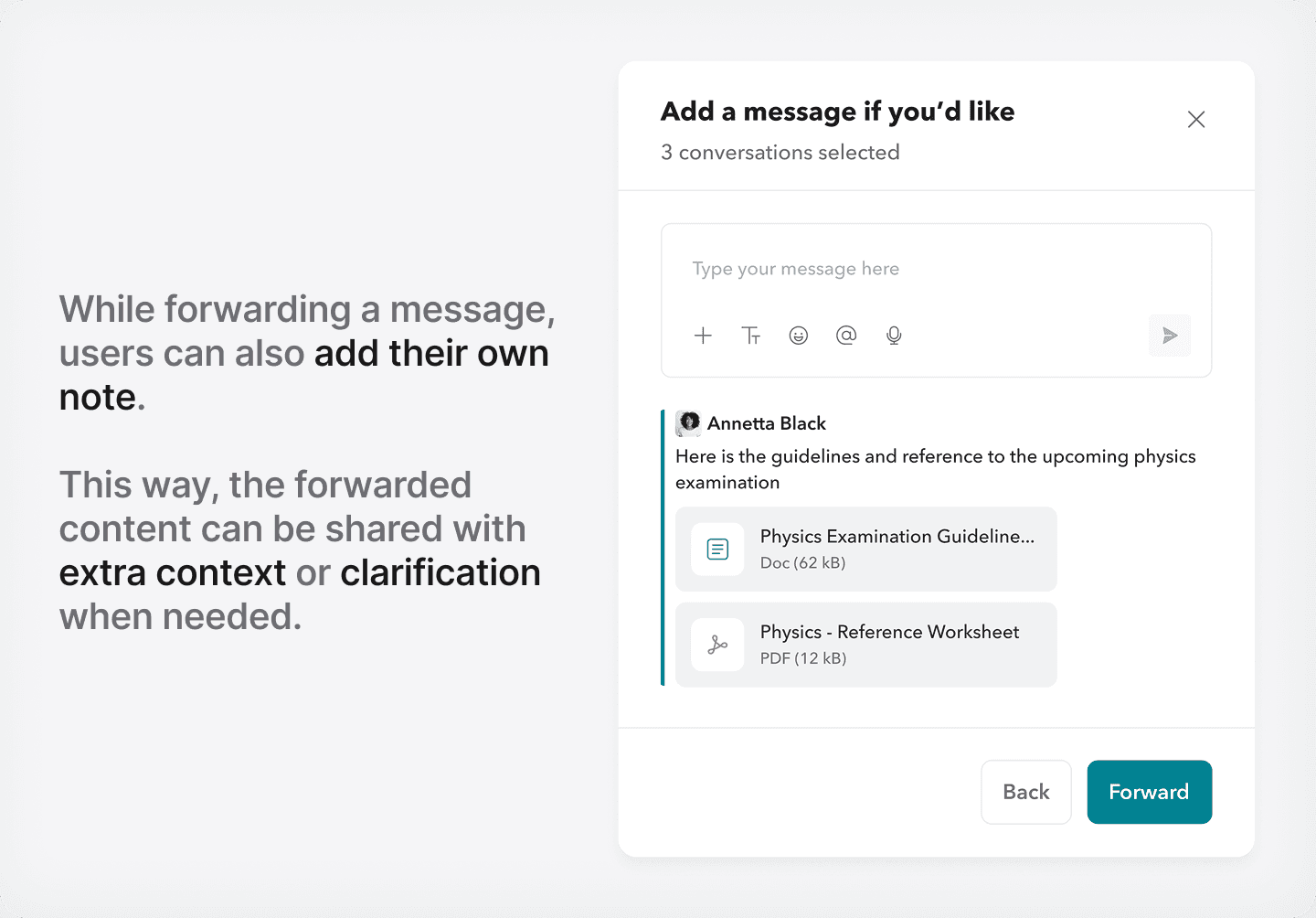
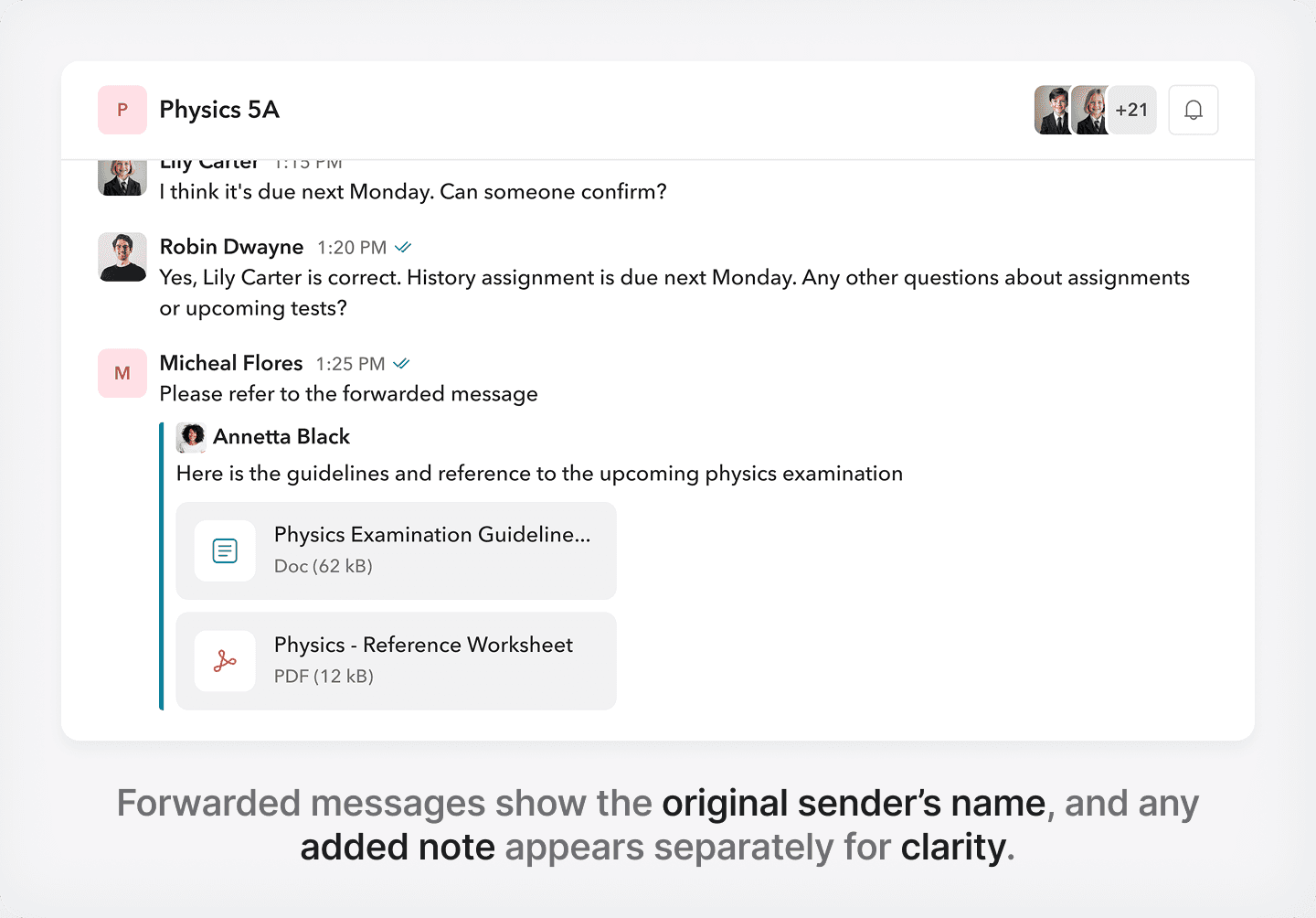
Editing and deleting messages.
Control over your messages.
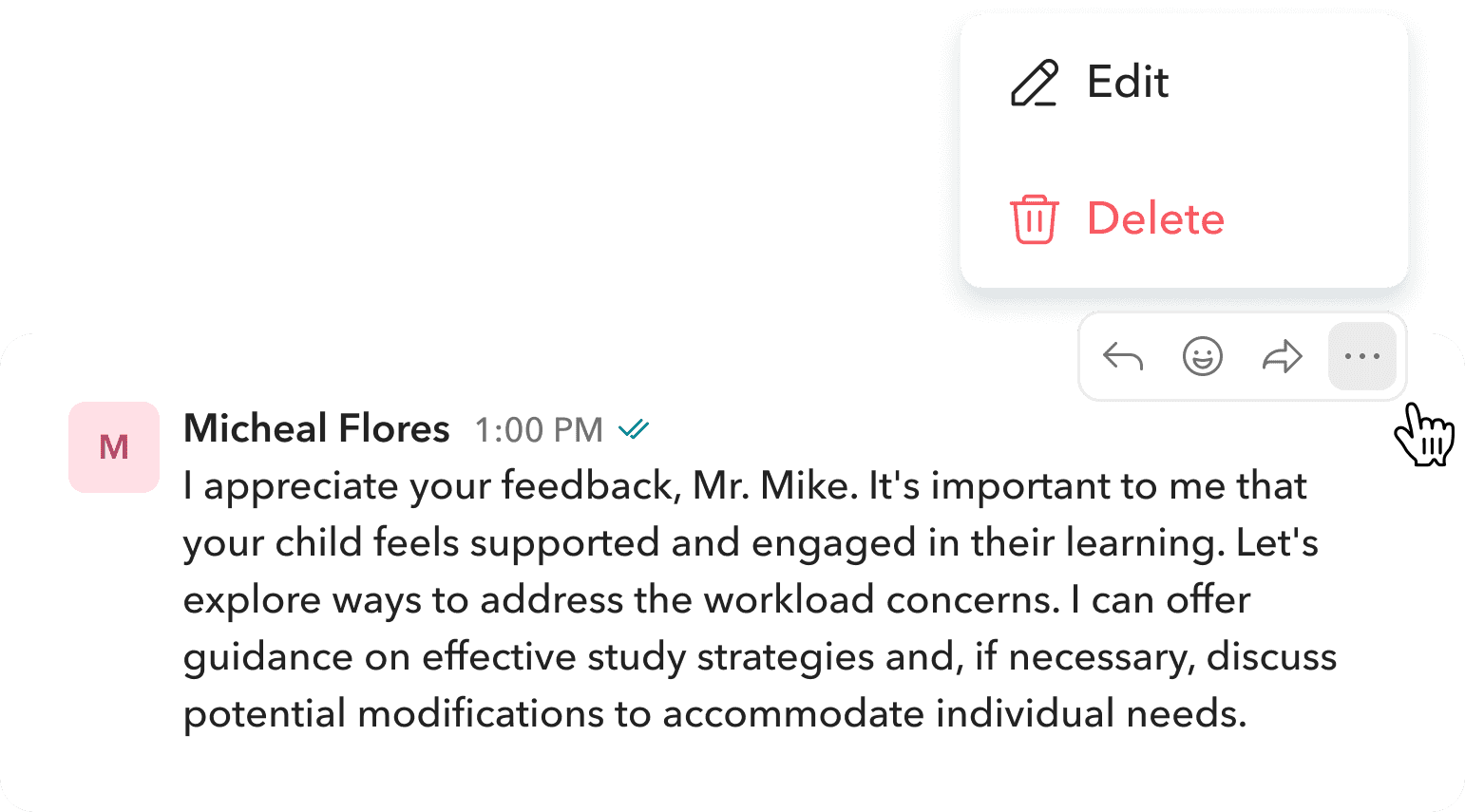
Users can edit or delete their own messages by hovering over them and selecting the three-dot menu. This gives them control to correct mistakes or remove messages when needed.
Fix mistakes instantly.
Thank you for your feedback, Mr. Mike. I want your child to feel supported and engaged. Let’s look at study strategies and possible workload adjustments if needed.|
Cancel
Save
M
Micheal Flores
1:04 PM
Thank you for your feedback, Mr. Mike. I want your child to feel supported and engaged. Let’s look at study strategies and possible workload adjustments if needed. (edited)
Users can select any message, make edits as needed, and save it. Once updated, an edited tag appears beside the message, keeping the conversation transparent.
Remove what you don’t need.
Users can delete their messages, but once removed, it cannot be undone or recovered. The message disappears for everyone in the conversation, keeping things consistent.
Integrated and effortless sharing.
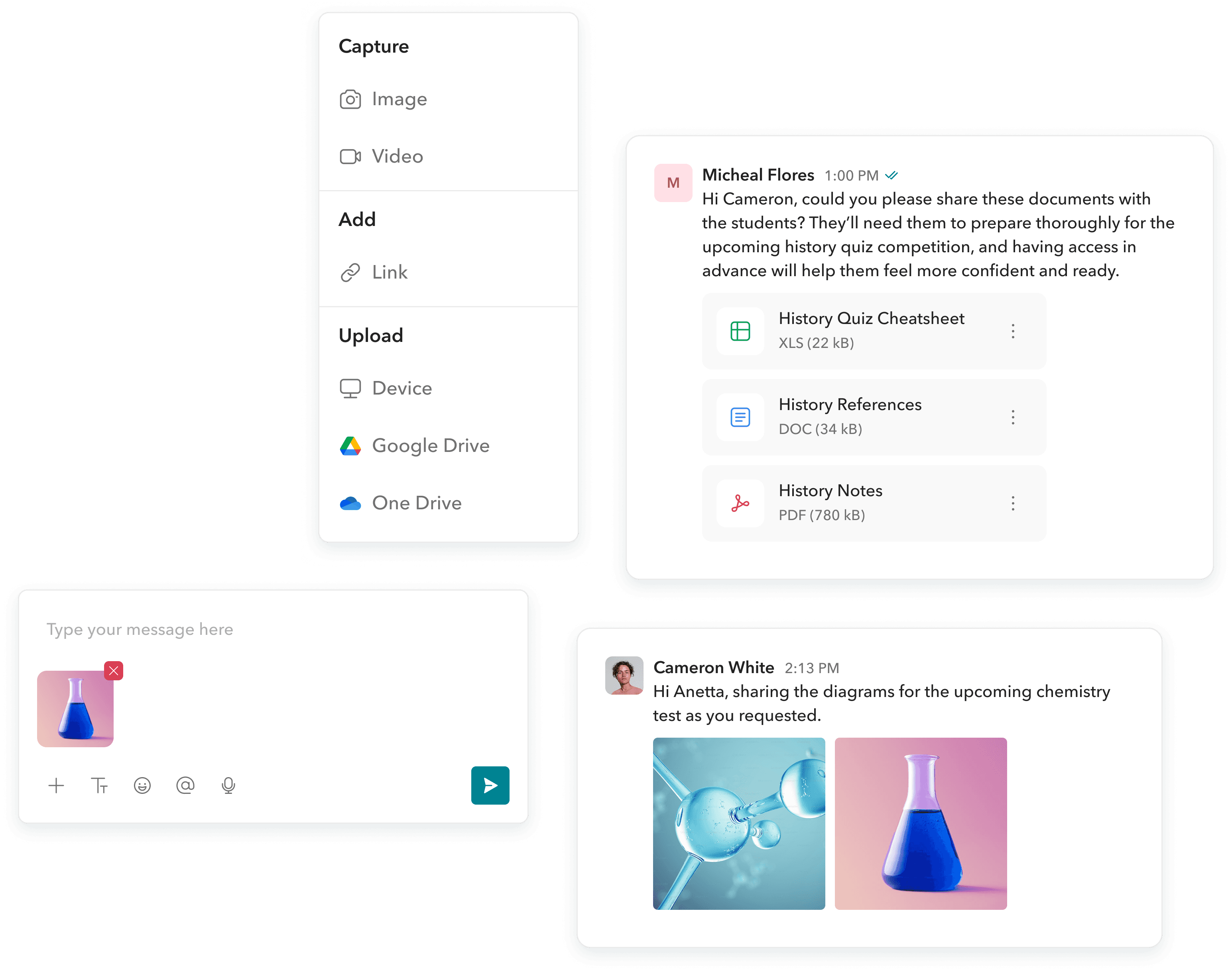
The module supports multiple attachments - images, videos, links, and files from OneDrive, Google Drive, or directly from the device (Docs, PDFs, Slides, Audio, ZIP, etc.). It also supports Toddle-specific documents like Workbooks, QuickTasks, Notes, Rubrics, and Learning Goals, which open directly within the platform, saving users time and effort.
Instant translations.

Jane Jackson
1:00 PM
Buenas tardes, Sra. Thompson. Me preocupan los cambios recientes en el plan de estudios; he notado que mi hijo ha perdido interés en la escuela y estoy bastante descontento.
See translation
When a message arrives in a different language than the platform’s default, Toddle automatically detects it. An inline Translate button appears, letting users instantly translate the message for easy understanding.
Send again with ease.
Annetta Black
1:04 PM
I hear your concerns, and I want to ensure that the curriculum supports all students. Can you provide more details about the specific challenges your child is facing?
Failed to send
Send again
If a message fails to send due to a network error, a Send Again button appears beside it. This saves users from retyping and stays visible until the page is reloaded.
Jump back to the latest message.
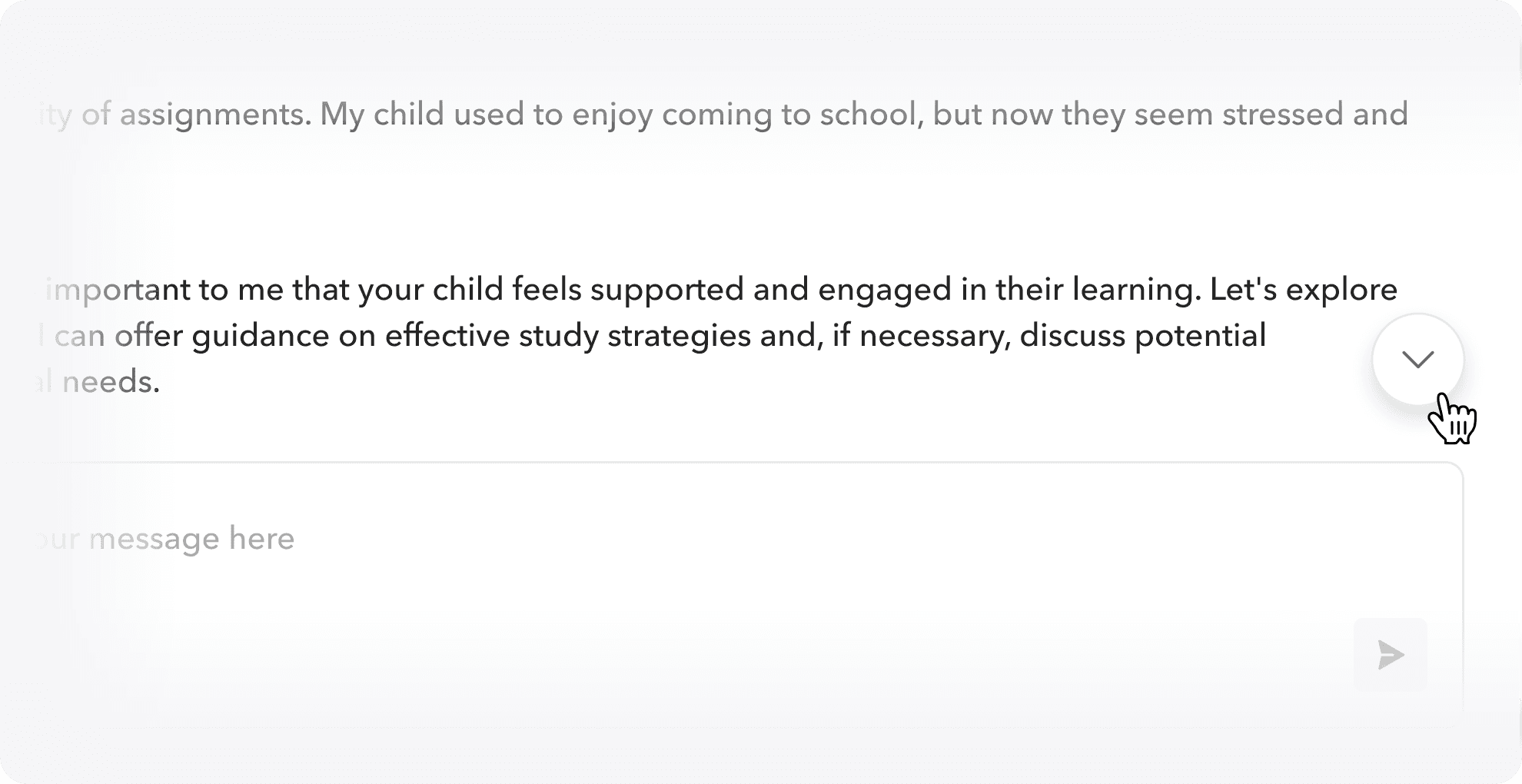
When users scroll up in a conversation, a Scroll to Bottom button appears on the bottom right. Clicking it takes them straight to the latest message, saving time and effort.
What changed after launch?
The new messaging module didn’t just fix communication - it became a reason to choose Toddle.
What began as a way to reduce friction quietly turned into a feature teams were proud to show in demos, teachers wanted in their daily toolkit, and new schools asked about by name.
Product adoption
that spoke for itself.
Metric
Staff using messaging weekly
Avg. time to first message sent
Before
39%
2 days
-
-
After
78%
35 mins
82%
1,300+
Change
2x increase
92% faster
New usage pattern
Organic adoption
A clear boost
in conversions.
Metric
Demos citing messaging as a key differentiator
Increase in school conversions post-launch
Change
74%
+15%
18
32%
Operational wins we didn't expect.
Internal support tickets related to messaging dropped by 90%
Teachers reported saving an average of 2–3 hours/week on parent communication.
When something didn’t land.
When we launched class channels, we thought we’d nailed it.
Every time a class was created in Toddle, a corresponding class channel was automatically generated. For many schools, this worked beautifully. Teachers didn’t have to think twice, communication just flowed.
But then we started hearing back.
Some teachers found it distracting.
Certain classes simply didn’t need a channel but they couldn’t hide or remove it. The rigidity, meant to help the teachers, became a quiet source of friction.

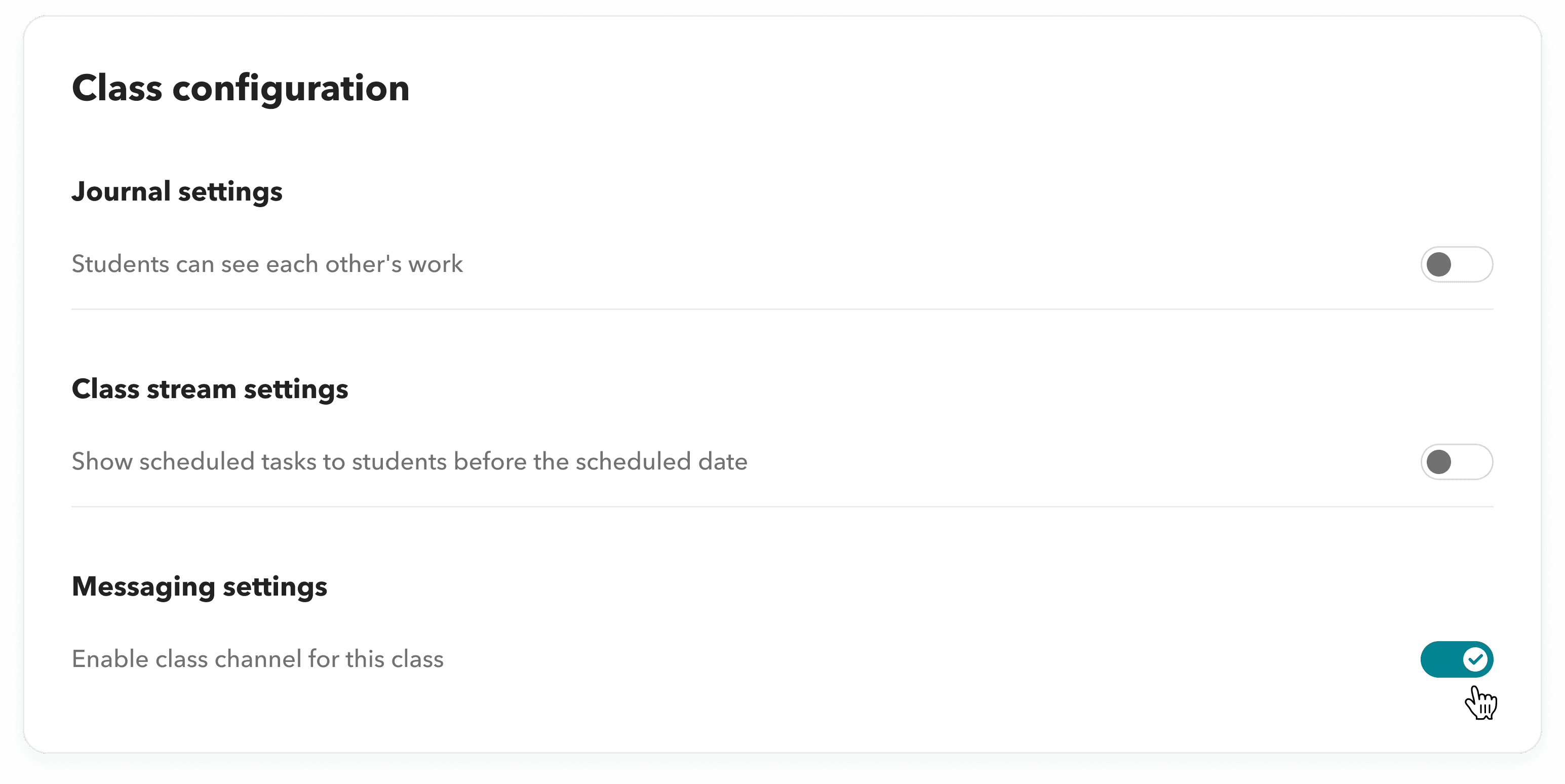
We realized that while the default was useful, it wasn’t universal.
So we added a small but important setting. Inside the Class section (not the messaging module), teachers can now turn class channels on or off for each individual class. No disruption, no deletion just control. It’s a tiny toggle.
But it reminded us: even good defaults need room for nuance.

Reflection.
This was one of the most challenging and rewarding projects I’ve led.
Not only did I design every screen and interaction, but I also owned the strategy, documentation, stakeholder alignment, and final handoff. It’s not just a messaging module anymore. It’s a communication backbone, one that made Toddle feel whole.
This project wasn’t about adding another tab. It was about removing the friction that had quietly built up over time and replacing it with something that worked with teachers, not against them.
"The messaging module changed how our schools operate. It’s no longer just a feature, it’s a daily utility."
— Toddle Product Leadership